Gas Leak Monitor 3.0
Note
🌟 Welcome to the SunFounder Facebook Community! Whether you’re into Raspberry Pi, Arduino, or ESP32, you’ll find inspiration, help ideas here.
✅ Be the first to get free learning resources.
✅ Stay updated on new products & exclusive giveaways.
✅ Share your creations and get real feedback.
Kit purchase
Looking for parts? Check out our all-in-one kits below — packed with components, beginner-friendly guides, and tons of fun.
Name |
Includes Arduino board |
PURCHASE LINK |
|---|---|---|
Ultimate Sensor Kit |
Arduino Uno R4 Minima |
|
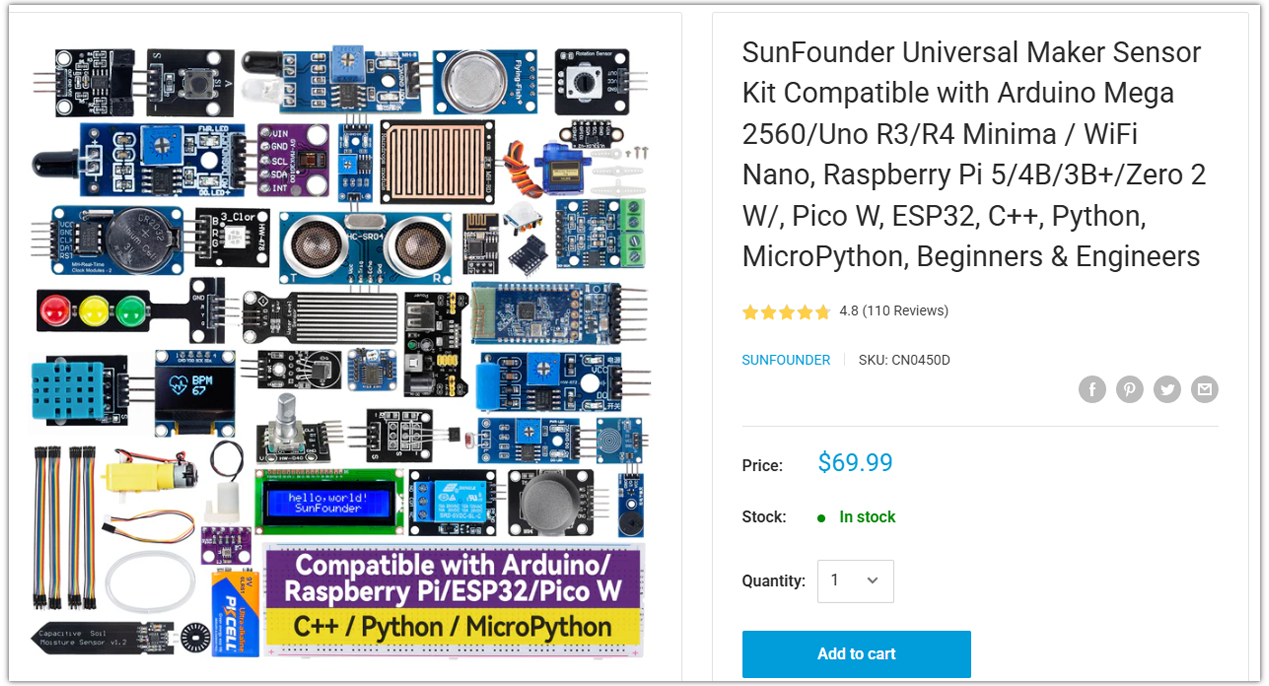
Universal Maker Sensor Kit |
× |
Course Introduction
This Arduino project uses an MQ-2 gas sensor, Traffic Light LED Module, and a buzzer to detect gas concentration in real time.
Note
If this is your first time working with an Arduino project, we recommend downloading and reviewing the basic materials first.
Required Components
In this project, we need the following components:
SN |
COMPONENT INTRODUCTION |
QUANTITY |
PURCHASE LINK |
|---|---|---|---|
1 |
Arduino UNO R4 WIFI |
1 |
|
2 |
USB Type-C cable |
1 |
|
3 |
Breadboard |
1 |
|
4 |
Wires |
Several |
|
5 |
Buzzer Modudle |
1 |
|
6 |
Traffic Light LED |
1 |
|
7 |
MQ-2 Gas Sensor Module |
1 |
Wiring
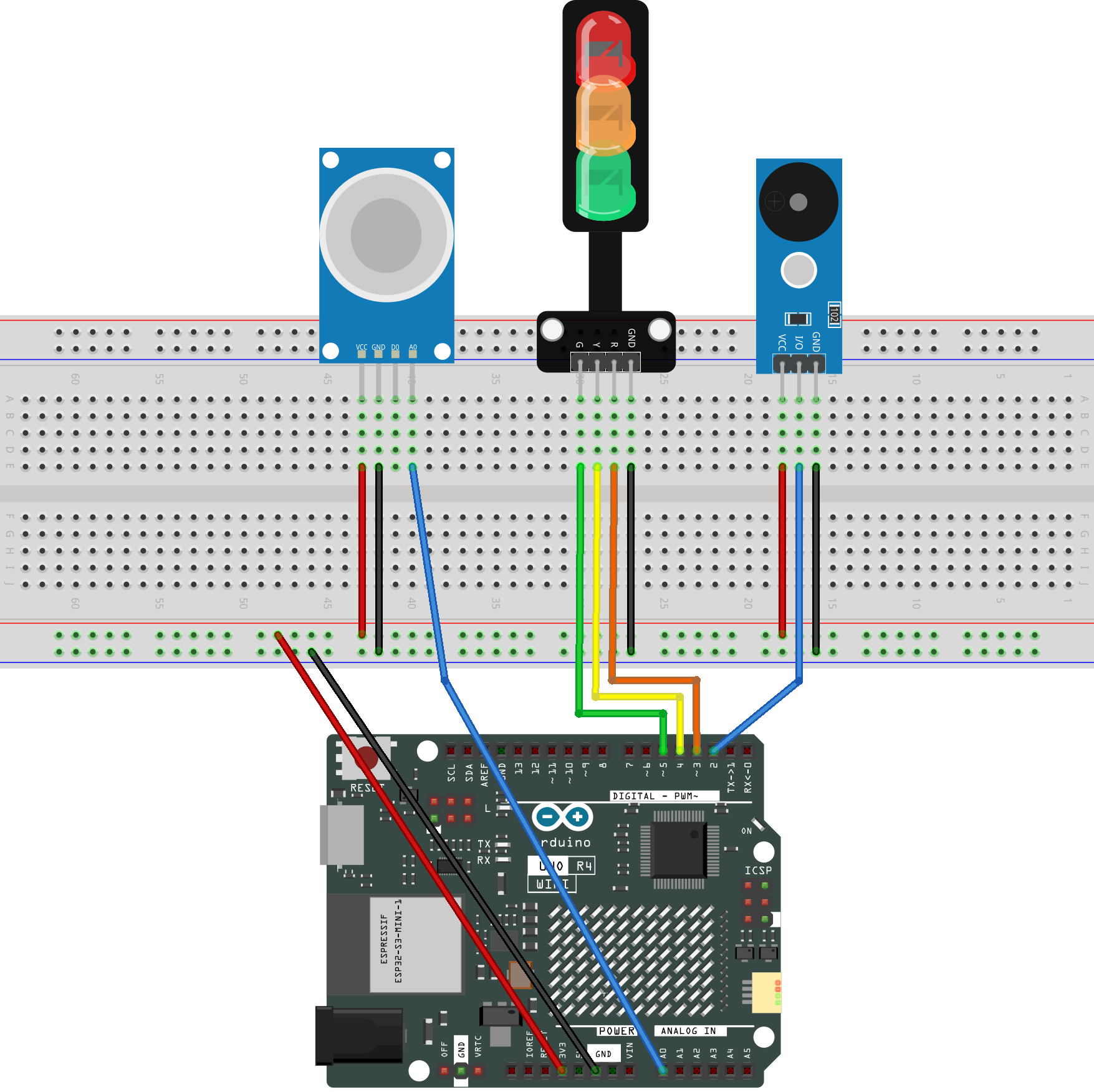
Common Connections:
MQ-2 Gas Sensor Module
A0: Connect to A0 on the Arduino.
GND: Connect to breadboard’s negative power bus.
VCC: Connect to breadboard’s red power bus.
Buzzer Modudle
I/O: Connect to 2 on the Arduino.
GND: Connect to breadboard’s negative power bus.
VCC: Connect to breadboard’s red power bus.
Traffic light LED
R: Connect to 3 on the Arduino.
Y: Connect to 4 on the Arduino.
G: Connect to 5 on the Arduino.
GND: Connect to breadboard’s negative power bus.
Writing the Code
Note
You can copy this code into Arduino IDE.
Don’t forget to select the board(Arduino UNO R4 WIFI) and the correct port before clicking the Upload button.
// -------- Pin definitions --------
#define PIN_SMOKE  A0   // MQ-2 smoke sensor
#define PIN_BUZZER 2    // Buzzer
#define PIN_R      3    // Red LED
#define PIN_Y      4    // Yellow LED
#define PIN_G      5    // Green LED

// -------- Thresholds --------
#define SAFE_TH 100     // Safe level
#define ALERT_TH 300    // Alarm level (changed to 300)

// -------- State definition --------
enum Level {
  LV_SAFE,
  LV_WARN,
  LV_ALERT
};

Level currentLevel = LV_SAFE;
Level lastLevel = LV_SAFE;

// -------- Setup --------
void setup() {
  pinMode(PIN_BUZZER, OUTPUT);
  pinMode(PIN_R, OUTPUT);
  pinMode(PIN_Y, OUTPUT);
  pinMode(PIN_G, OUTPUT);

  Serial.begin(9600);   // Open serial monitor
}

// -------- Main loop --------
void loop() {
  int smokeValue = analogRead(PIN_SMOKE);   // Read smoke value
  currentLevel = decideLevel(smokeValue);   // Decide current level

  // Beep once when level changes
  if (currentLevel != lastLevel) {
    immediateBeep(currentLevel);
    lastLevel = currentLevel;
  }

  serviceLevel(currentLevel);               // Handle LEDs and buzzer

  Serial.print("Smoke value: ");
  Serial.println(smokeValue);
}

// -------- Decide smoke level --------
Level decideLevel(int value) {
  if (value < SAFE_TH) return LV_SAFE;
  if (value < ALERT_TH) return LV_WARN;
  return LV_ALERT;
}

// -------- Beep on level change --------
void immediateBeep(Level lv) {
  if (lv == LV_WARN) {
    tone(PIN_BUZZER, 1200, 80);   // Short warning beep
  } else if (lv == LV_ALERT) {
    tone(PIN_BUZZER, 2000, 150);  // Strong alarm beep
  }
}

// -------- Handle current level --------
void serviceLevel(Level lv) {
  unsigned long now = millis();

  switch (lv) {
    case LV_SAFE:
      digitalWrite(PIN_G, HIGH);  // Green on
      digitalWrite(PIN_Y, LOW);
      digitalWrite(PIN_R, LOW);
      noTone(PIN_BUZZER);
      break;

    case LV_WARN:
      warnService(now);
      break;

    case LV_ALERT:
      alertService(now);
      break;
  }
}

// -------- WARN mode --------
void warnService(unsigned long now) {
  const unsigned long period = 1000; // 1 second cycle
  unsigned long phase = now % period;

  digitalWrite(PIN_G, LOW);
  digitalWrite(PIN_R, LOW);

  // Yellow LED slow blink
  if (phase < 700) {
    digitalWrite(PIN_Y, HIGH);
  } else {
    digitalWrite(PIN_Y, LOW);
  }

  // Short beep at start of cycle
  if (phase < 80) {
    tone(PIN_BUZZER, 1200);
  } else {
    noTone(PIN_BUZZER);
  }
}

// -------- ALERT mode --------
void alertService(unsigned long now) {
  const unsigned long period = 250; // Fast blink
  unsigned long phase = now % period;

  digitalWrite(PIN_G, LOW);
  digitalWrite(PIN_Y, LOW);

  if (phase < 120) {
    digitalWrite(PIN_R, HIGH);     // Red LED on
    tone(PIN_BUZZER, 2000);        // Alarm sound
  } else {
    digitalWrite(PIN_R, LOW);
    noTone(PIN_BUZZER);
  }
}