Note
Hello, welcome to the SunFounder Raspberry Pi & Arduino & ESP32 Enthusiasts Community on Facebook! Dive deeper into Raspberry Pi, Arduino, and ESP32 with fellow enthusiasts.
Why Join?
Expert Support: Solve post-sale issues and technical challenges with help from our community and team.
Learn & Share: Exchange tips and tutorials to enhance your skills.
Exclusive Previews: Get early access to new product announcements and sneak peeks.
Special Discounts: Enjoy exclusive discounts on our newest products.
Festive Promotions and Giveaways: Take part in giveaways and holiday promotions.
👉 Ready to explore and create with us? Click [here] and join today!
2.17 Tilt Switch
Overview
In this lesson, you will learn about tilt switch. Tilt switch can be used to detect whether objects tilt, which is of great value in practical applications. It can be used to judge the tilt of bridges, buildings, transmission line tower and so on, so it has an important guiding function in carrying out maintenance work.
Components Required
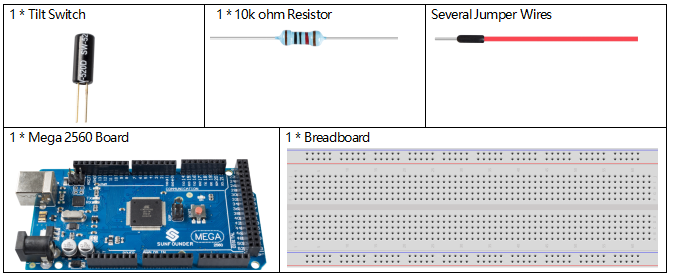
Fritzing Circuit
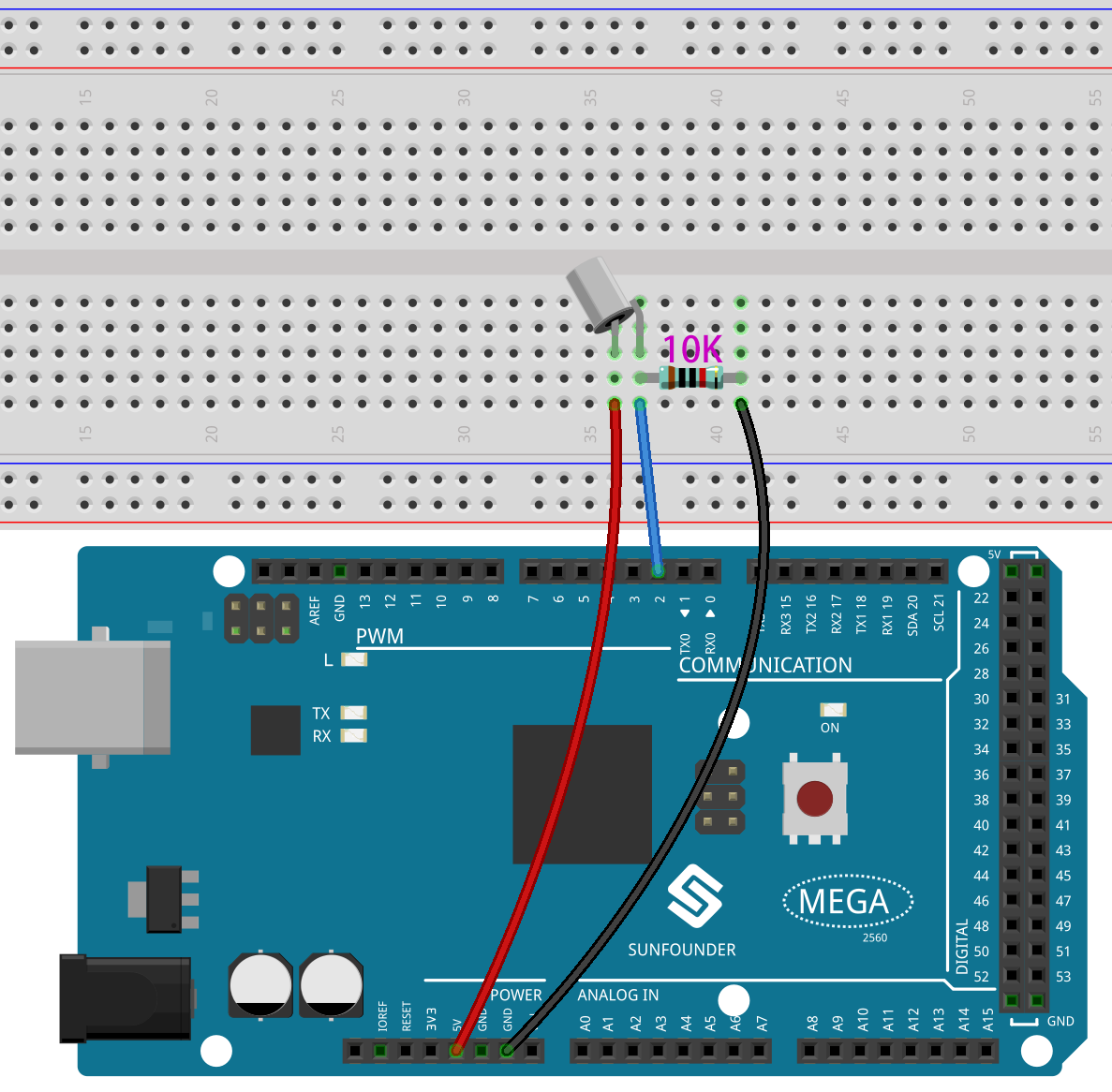
In this example, digital pin 2 is used to read the signal of Tilt Switch.
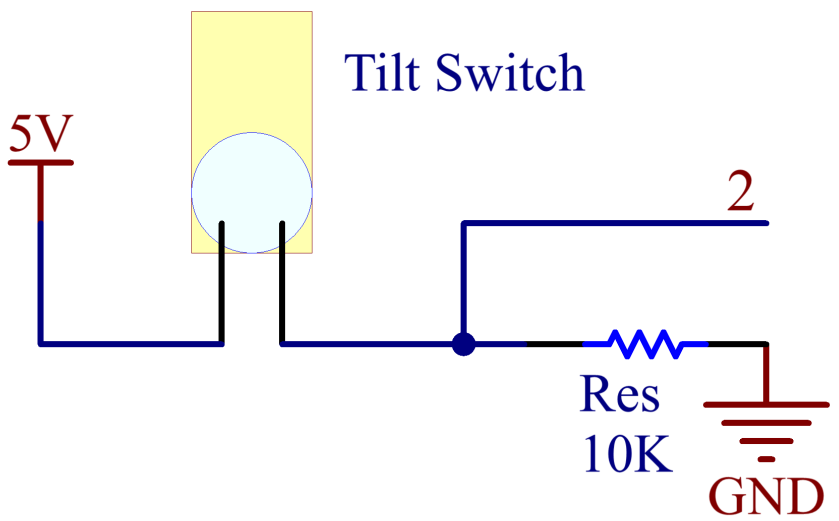
Schematic Diagram
Code
Note
You can open the file
2.17_tiltSwitch.inounder the path ofsunfounder_vincent_kit_for_arduino\code\2.17_tiltSwitchdirectly.Or copy this code into Arduino IDE.
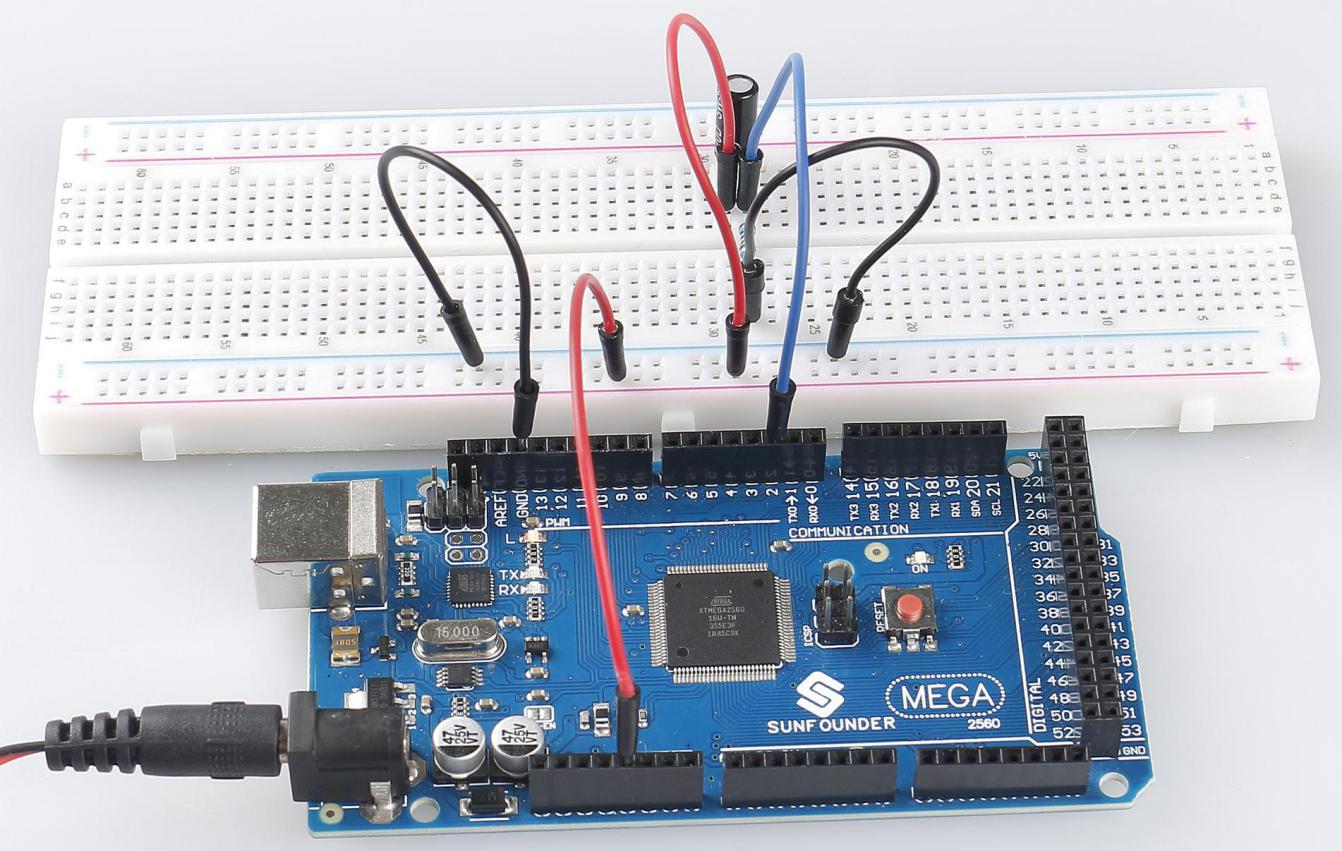
After the codes are uploaded to the Mega2560 board, you can open the serial monitor to see the readings of pins, which displays 「1」 or 「0」 when Tilt Switch is vertical (bringing the internal metal ball into contacting with the Wire Pins) or tilted. For detailed explanation of codes, you can turn to 1.4 Digital Read.
Phenomenon Picture