Note
Hello, welcome to the SunFounder Raspberry Pi & Arduino & ESP32 Enthusiasts Community on Facebook! Dive deeper into Raspberry Pi, Arduino, and ESP32 with fellow enthusiasts.
Why Join?
Expert Support: Solve post-sale issues and technical challenges with help from our community and team.
Learn & Share: Exchange tips and tutorials to enhance your skills.
Exclusive Previews: Get early access to new product announcements and sneak peeks.
Special Discounts: Enjoy exclusive discounts on our newest products.
Festive Promotions and Giveaways: Take part in giveaways and holiday promotions.
👉 Ready to explore and create with us? Click [here] and join today!
1.3 Analog Write
Overview
You can write the PWM wave to the pin by using analogWrite(). This method can be used to adjust the brightness of LED, change the color of RGB, or adjust the motor speed, etc. Here we will take LED as an example to get gradient brightness of LED.
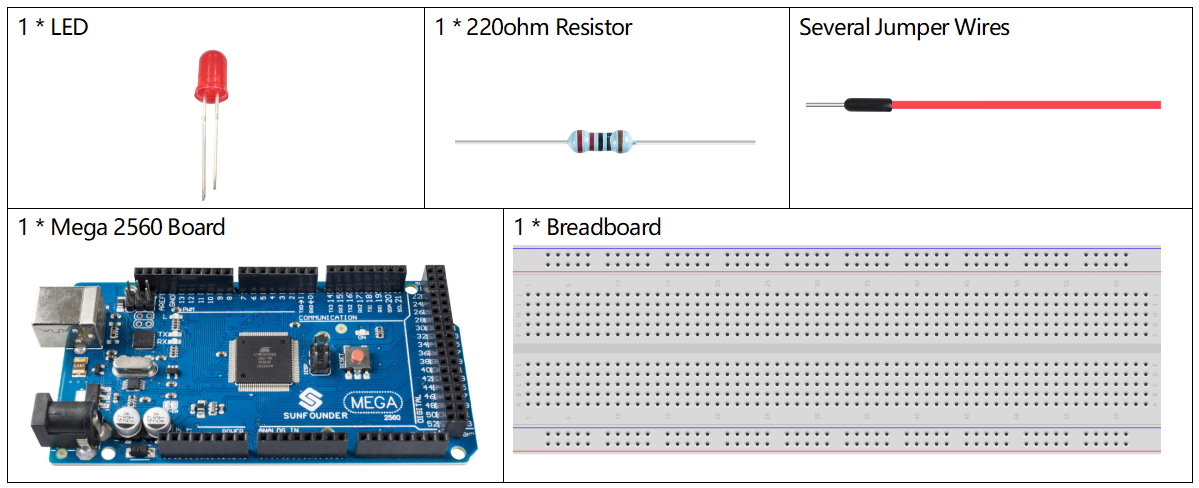
Components Required
※ Pulse Width Modulation
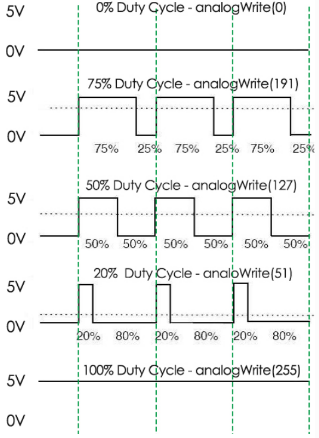
Pulse Width Modulation, or PWM, is a technique for getting analog results with digital means. Digital control is used to create a square wave, a signal switched between on and off. This on-off pattern can simulate voltages in between full on (5 Volts) and off (0 Volts) by changing the portion of the time the signal spends on versus the time that the signal spends off. The duration of “on time” is called the pulse width. To get varying analog values, you change, or modulate, that pulse width. If you repeat this on-off pattem fast enough with an LED for example, the result is as if the signal is a steady voltage between 0 and 5v controlling the brightness of the LED.
A call to analogWrite() is on a scale of 0 - 255, such that analogWrite(255) requests a 100% duty cycle (always on), and analogWrite(127) is a 50% duty cycle (on half the time) for example.
Fritzing Circuit
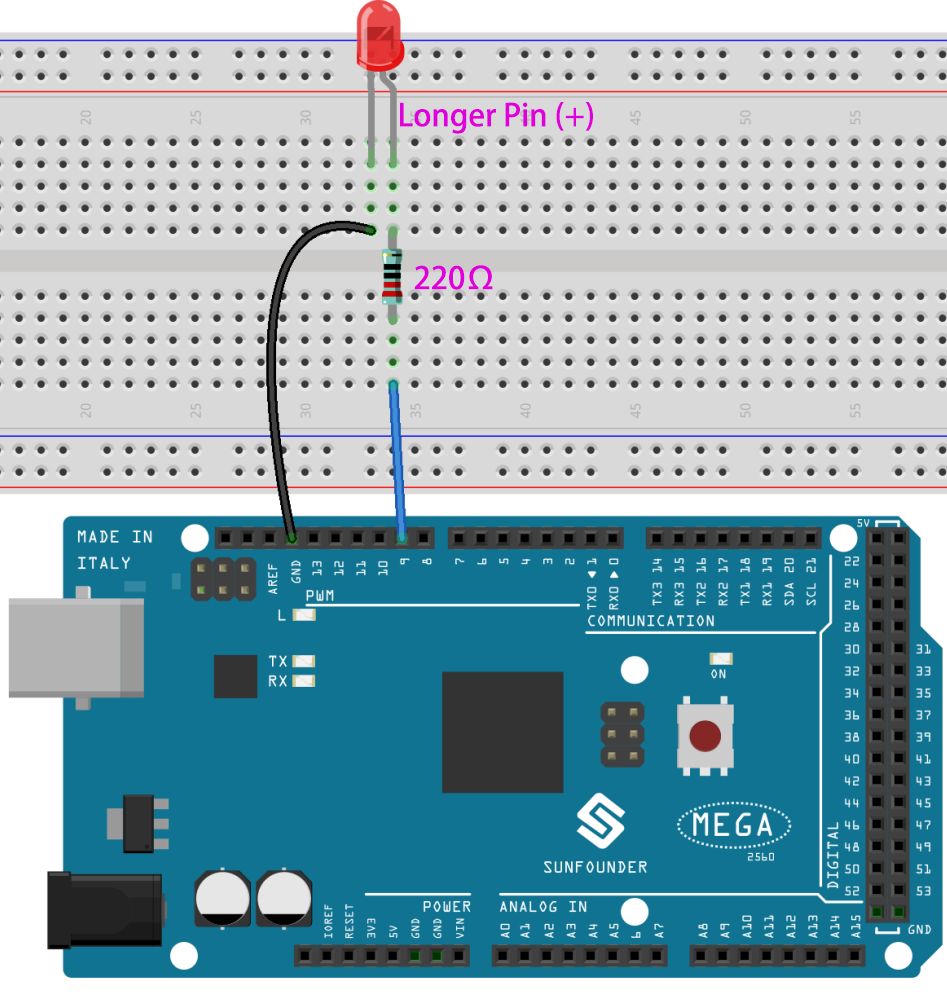
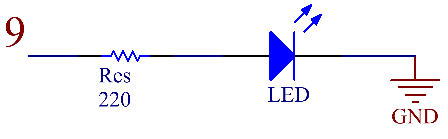
In this example, we use the PWM pin 9 to drive the LED. Connect one end of the resistor to pin 9. Connect the long pin (anode) of the LED to the other end of the resistor. Connect the short pin (negative, referred to as the cathode) of LED to GND.
Note
PWM pins of Mega2560 board are 2 -13, 44 - 46.
Schematic Diagram
Code
Note
You can open the file
1.3_analogWrite.inounder the path ofsunfounder_vincent_kit_for_arduino\code\1.3_analogWritedirectly.Or copy this code into Arduino IDE.
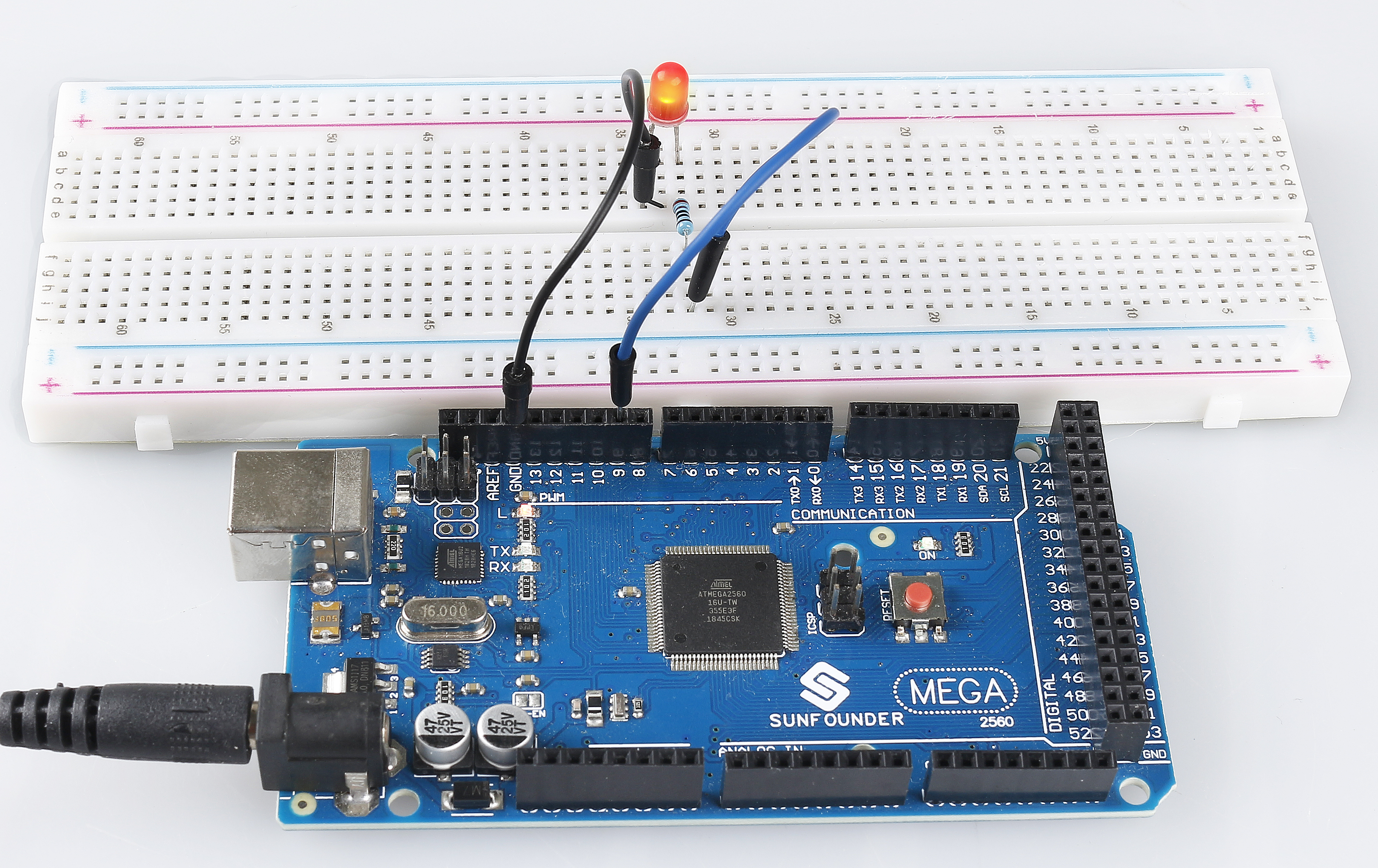
After uploading the code to the Mega2560 board, you can see that the LED gradually brightens out and turns off gradually.
Code Analysis
Declare pin 9 as ledPin.
int ledPin = 9;
analogWrite() in loop() assigns ledPin an analog value (PWM wave) between 0 and 255 to change the brightness of LED.
analogWrite(ledPin, value);
Using a for loop, the value of analogWrite() can be changed step by step between the minimum value (0) and the maximum value (255).
for (int value = 0 ; value <= 255; value += 5) {
    analogWrite(ledPin, value);
}
In order to see the experimental phenomenon clearly, a delay(30) needs to be added to the for cycle to control the brightness change time.
void loop() {
for (int value = 0 ; value <= 255; value += 5) {
    analogWrite(ledPin, value);
    delay(30);
}
}
Phenomenon Picture