Note
Hello, welcome to the SunFounder Raspberry Pi & Arduino & ESP32 Enthusiasts Community on Facebook! Dive deeper into Raspberry Pi, Arduino, and ESP32 with fellow enthusiasts.
Why Join?
Expert Support: Solve post-sale issues and technical challenges with help from our community and team.
Learn & Share: Exchange tips and tutorials to enhance your skills.
Exclusive Previews: Get early access to new product announcements and sneak peeks.
Special Discounts: Enjoy exclusive discounts on our newest products.
Festive Promotions and Giveaways: Take part in giveaways and holiday promotions.
👉 Ready to explore and create with us? Click [here] and join today!
2.29 Water Sensor Module
Overview
In this lesson, you will learn how to use a water sensor module. A water sensor module is designed for water detection, which can be widely used in sensing the rainfall, water level, even the liquid leakage.
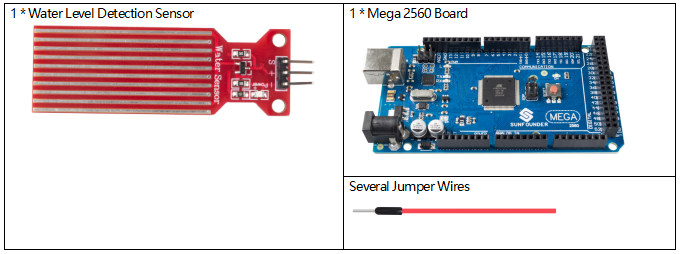
Components Required
Fritzing Circuit
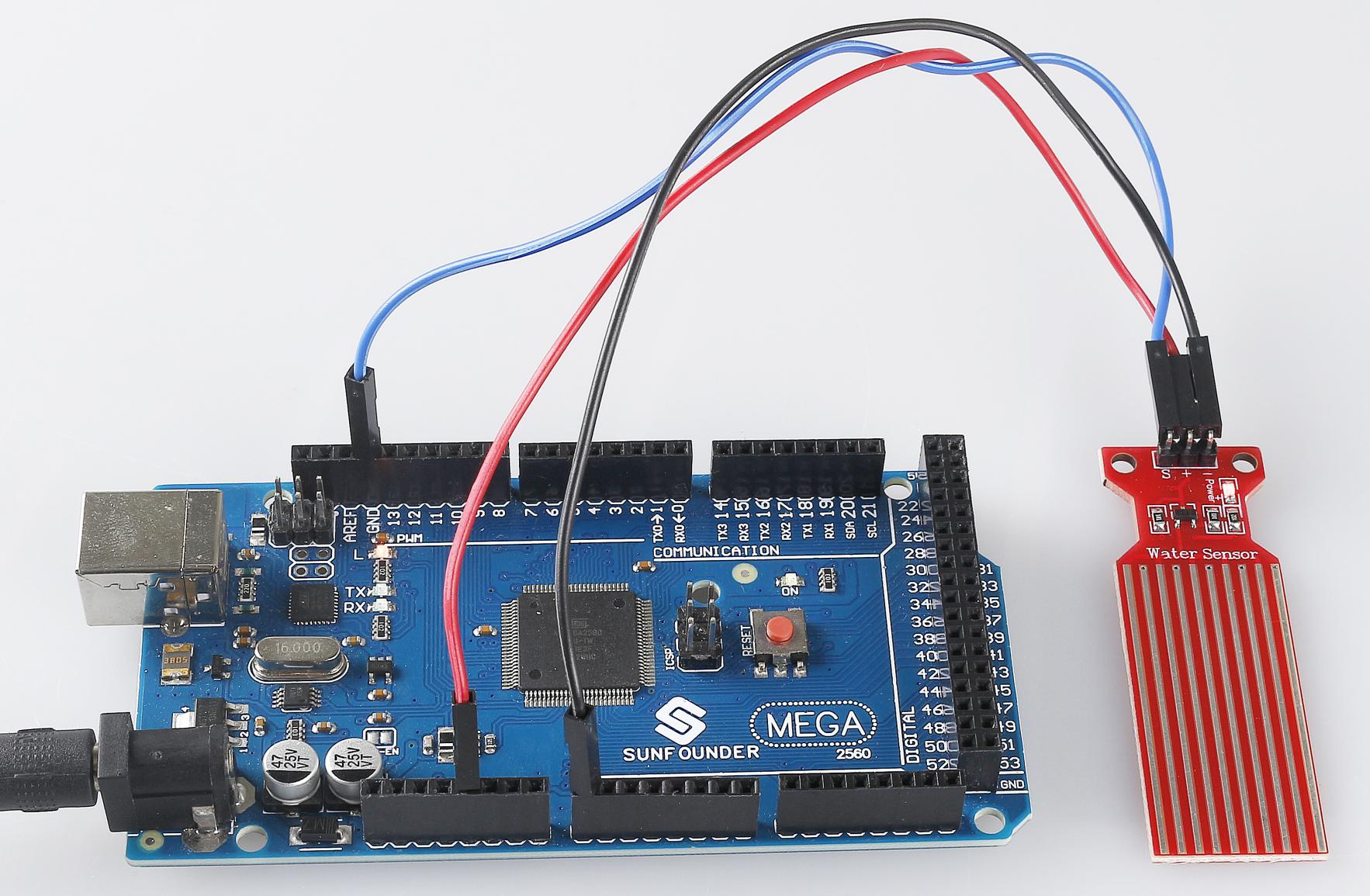
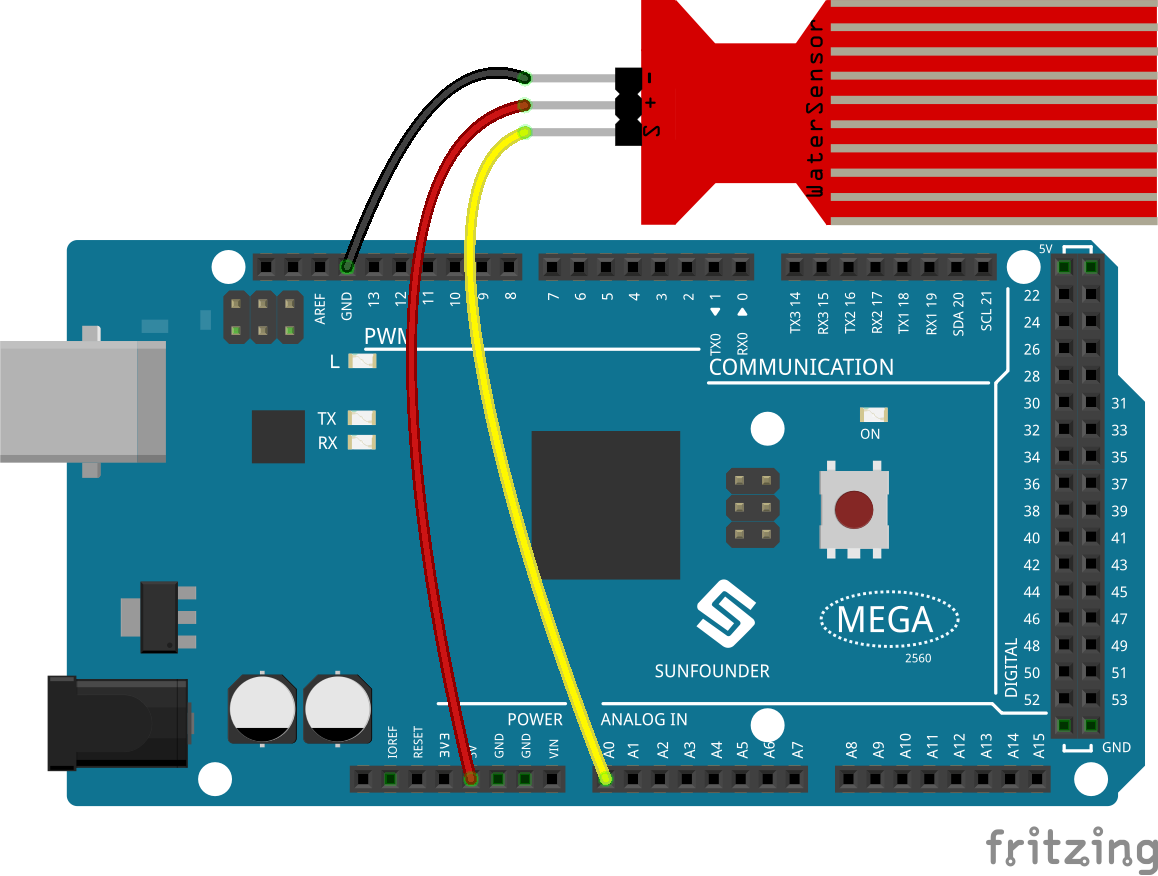
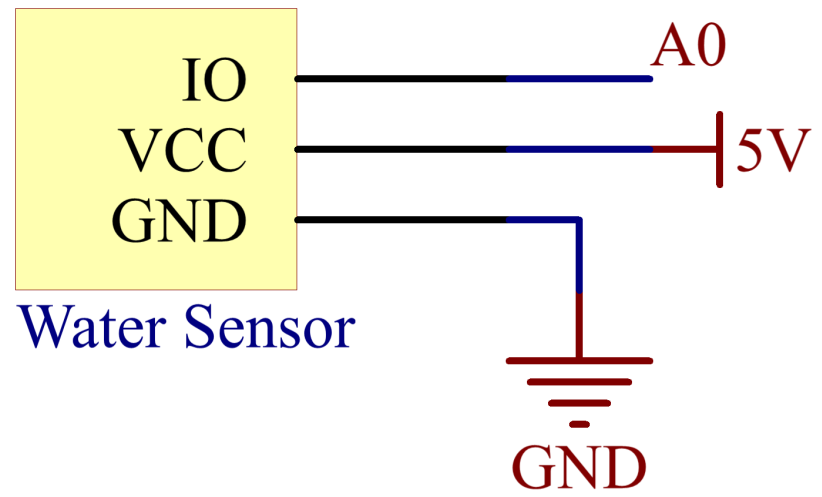
In this example, we directly connect the pins of Water Sensor Module to pins of Mega 2560 Board. We use analog A0 to get the value of Water Sensor Module, and get the pin「S」of Water Sensor Module to A0, 「-」to GND, 「+」to 5V.
Schematic Diagram
Code
Note
You can open the file
2.29_waterSensorModule.inounder the path ofsunfounder_vincent_kit_for_arduino\code\2.29_waterSensorModuledirectly.Or copy this code into Arduino IDE.
After uploading the code to the Mega2560 board, you can open the serial monitor to see the read value of the pin. As the water level rises, the readings increase. Readings vary within the range 「0」~「1023」, but influenced by the environmental condition and the characteristics of water level sensor, the actual reading range may be smaller than the theoretical range. Refer to Part 1-1.5 Analog Read to check the detail code explanation.
Phenomenon Picture