Trash Can
Note
🌟 Welcome to the SunFounder Facebook Community! Whether you’re into Raspberry Pi, Arduino, or ESP32, you’ll find inspiration, help ideas here.
✅ Be the first to get free learning resources.
✅ Stay updated on new products & exclusive giveaways.
✅ Share your creations and get real feedback.
Kit purchase
Looking for parts? Check out our all-in-one kits below — packed with components, beginner-friendly guides, and tons of fun.
Name |
Includes ESP32 board |
PURCHASE LINK |
|---|---|---|
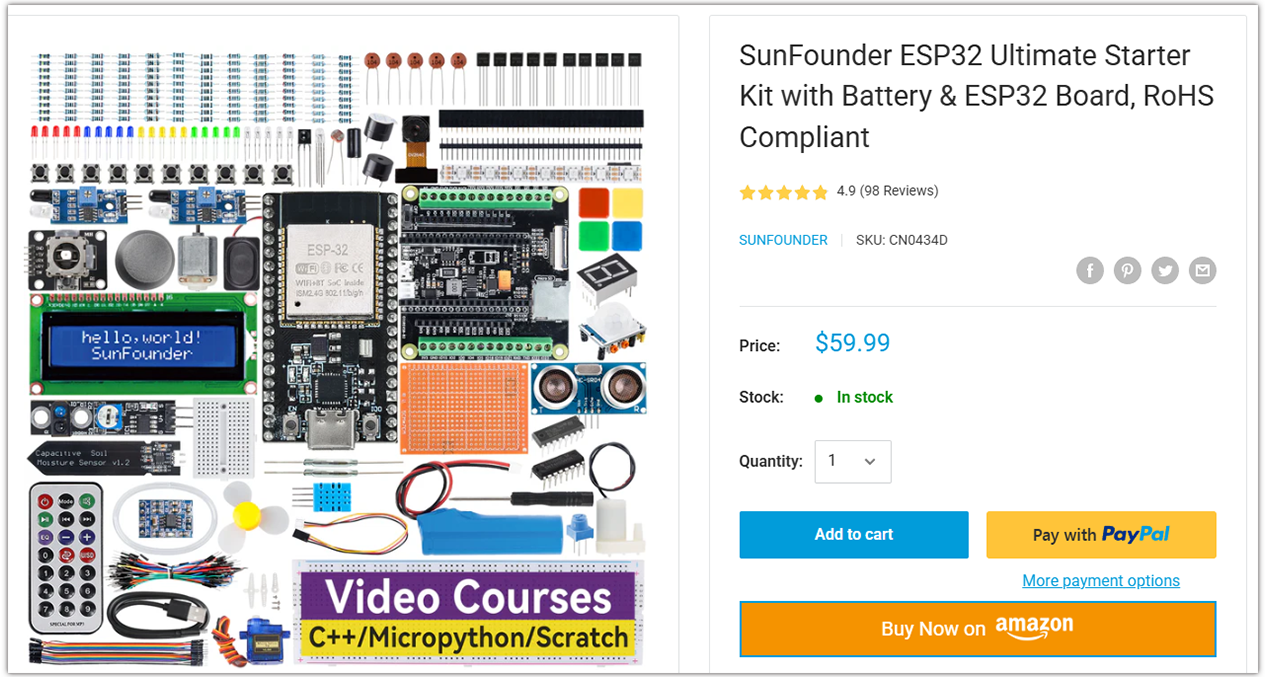
ESP32 Ultimate Starter Kit |
ESP32 WROOM 32E + |
|
Universal Maker Sensor Kit |
Course Introduction
In this lesson, you’ll learn how to use an ultrasonic sensor module, a digital servo motor, and an ESP32 board to build a smart trash can.
When the ultrasonic sensor module detects trash being thrown in, the digital servo motor opens the lid of the trash can.
Note
If this is your first time working with an ESP32 project, we recommend downloading and reviewing the basic materials first.
Required Components
In this project, we need the following components:
SN |
COMPONENT INTRODUCTION |
QUANTITY |
PURCHASE LINK |
|---|---|---|---|
1 |
ESP-WROOM-32 ESP32 ESP-32S Development Board |
1 |
|
2 |
USB Type-C cable |
1 |
|
3 |
Breadboard |
1 |
|
4 |
Wires |
Several |
|
5 |
1kΩ resistor |
2 |
|
6 |
Ultrasonic Sensor Module |
1 |
|
7 |
LED |
2 |
|
8 |
Digital Servo Motor |
1 |
Wiring
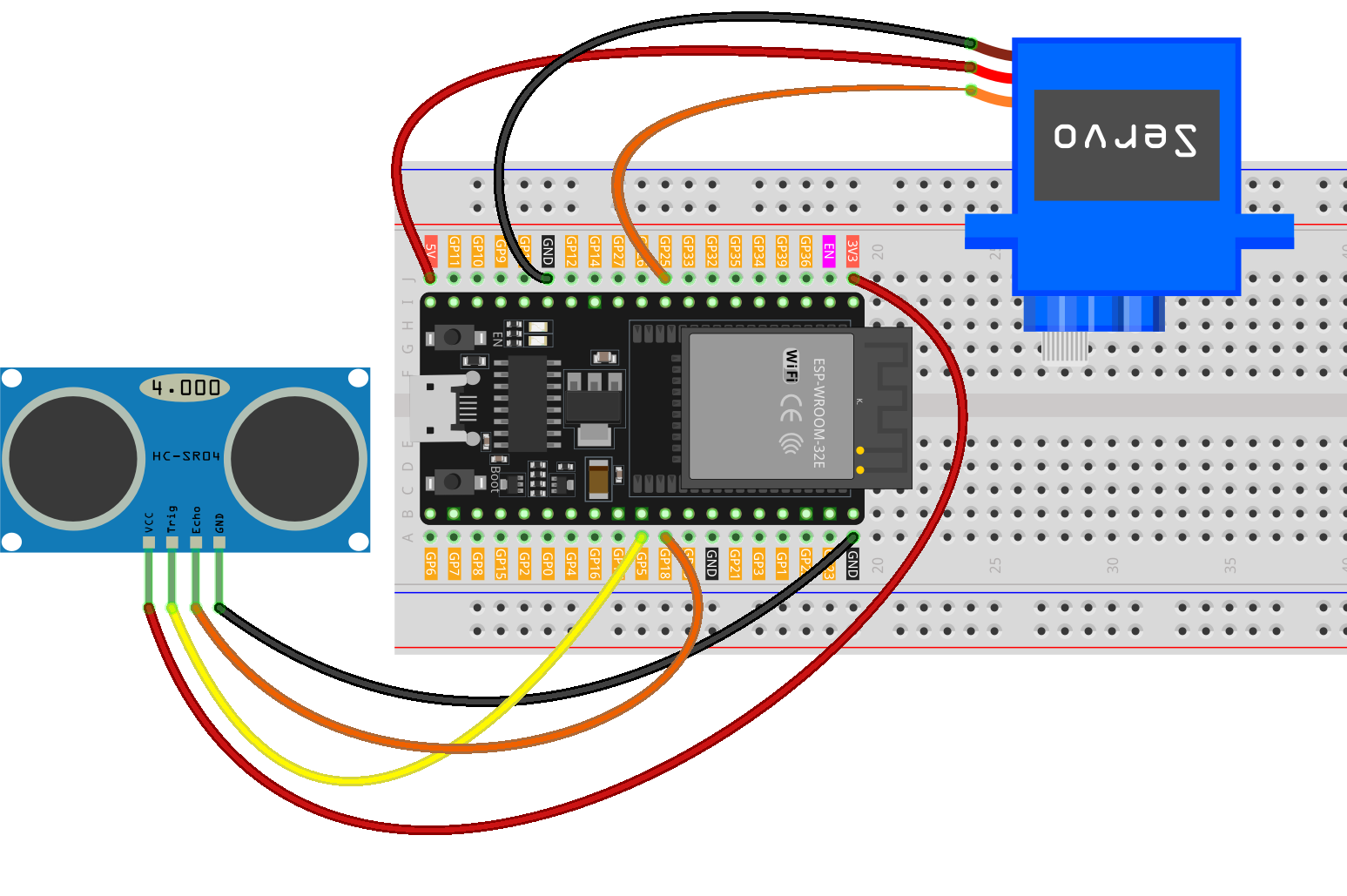
Common Connections:
Digital Servo Motor
GND: Connect to GND on the ESP32.
VCC: Connect to 5V on the ESP32.
Connect to GPIO25 on the ESP32.
Ultrasonic Sensor Module
Trig: Connect to GPIO5 on the ESP32.
Echo: Connect to GPIO18 on the ESP32.
GND: Connect to GND on the ESP32.
VCC: Connect to 3.3V on the ESP32.
Writing the Code
Note
You can copy this code into Arduino IDE.
Don’t forget to select the board(ESP32 Dev module) and the correct port before clicking the Upload button.
#include <ESP32Servo.h>

// -------- Servo parameters --------
Servo servo;
const int servoPin   = 25;   // Any ESP32 GPIO capable of PWM (avoid 34–39, input-only)
const int openAngle  = 0;
const int closeAngle = 90;

// -------- Ultrasonic sensor parameters (HC-SR04 type) --------
const int trigPin = 5;       // Trigger pin, ESP32 outputs 3.3V
const int echoPin = 18;      // Echo pin (must be level-shifted to 3.3V)
long distance, averageDistance;
long averDist[3];

// Distance threshold (in cm)
const int distanceThreshold = 20;

// Constants
const unsigned long echoTimeoutUs = 30000UL; // 30ms timeout ≈ 5m max range
const int servoMinUs = 500;   // Minimum pulse width for servo (µs)
const int servoMaxUs = 2500;  // Maximum pulse width for servo (µs)

void setup() {
  Serial.begin(9600);

  pinMode(trigPin, OUTPUT);
  pinMode(echoPin, INPUT); // Input (make sure hardware level shifting is done)

  // Initialize servo: attach at 50Hz, move to closed angle, then detach to save power
  servo.setPeriodHertz(50);
  servo.attach(servoPin, servoMinUs, servoMaxUs);
  servo.write(closeAngle);
  delay(200);
  servo.detach();
}

void loop() {
  // Take three consecutive measurements
  for (int i = 0; i < 3; i++) {
    distance = readDistanceCm();
    averDist[i] = distance;
    delay(10);
  }

  // Calculate the average
  averageDistance = (averDist[0] + averDist[1] + averDist[2]) / 3;
  Serial.println(averageDistance);

  // Control the servo based on distance
  if (averageDistance > 0 && averageDistance <= distanceThreshold) {
    // Attach only when needed, reduces idle power and jitter
    if (!servo.attached()) {
      servo.attach(servoPin, servoMinUs, servoMaxUs);
    }
    servo.write(openAngle);
    delay(3500);
  } else {
    if (servo.attached()) {
      servo.write(closeAngle);
      delay(1000);
      servo.detach();
    } else {
      // Maintain loop rhythm even if servo is detached
      delay(50);
    }
  }
}

// Measure distance (in cm); returns -1 if timeout
long readDistanceCm() {
  // Trigger 10µs pulse
  digitalWrite(trigPin, LOW);
  delayMicroseconds(2);
  digitalWrite(trigPin, HIGH);
  delayMicroseconds(10);
  digitalWrite(trigPin, LOW);

  // Measure echo pulse width (with timeout)
  unsigned long duration = pulseIn(echoPin, HIGH, echoTimeoutUs);
  if (duration == 0) {
    return -1; // Timeout / no echo
  }

  // Distance (cm) = pulse width (µs) / 58.0
  long dist = (long)(duration / 58.0);
  return dist;
}