Note
Hello, welcome to the SunFounder Raspberry Pi & Arduino & ESP32 Enthusiasts Community on Facebook! Dive deeper into Raspberry Pi, Arduino, and ESP32 with fellow enthusiasts.
Why Join?
Expert Support: Solve post-sale issues and technical challenges with help from our community and team.
Learn & Share: Exchange tips and tutorials to enhance your skills.
Exclusive Previews: Get early access to new product announcements and sneak peeks.
Special Discounts: Enjoy exclusive discounts on our newest products.
Festive Promotions and Giveaways: Take part in giveaways and holiday promotions.
👉 Ready to explore and create with us? Click [here] and join today!
Button
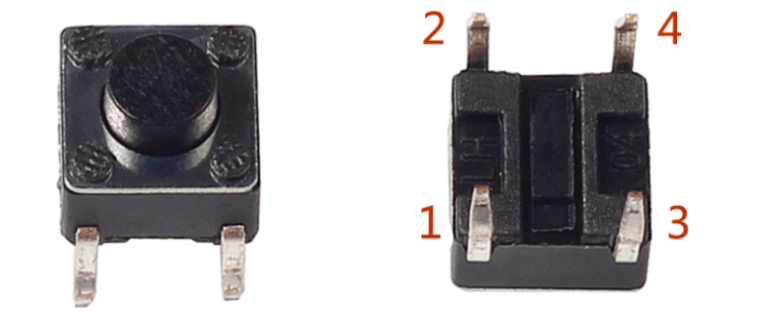
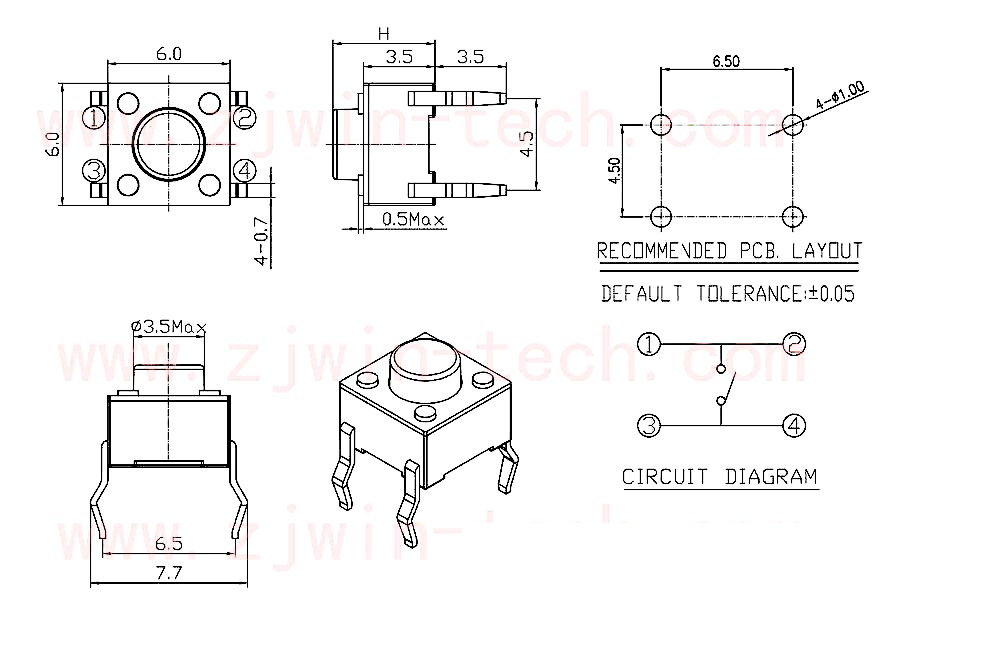
Buttons are commonly used components for controlling electronic devices, typically functioning as switches to open or close circuits. While buttons come in various sizes and shapes, the one used here is a 6mm mini push-button, as shown in the images below.
In this button, pin 1 is internally connected to pin 2, and pin 3 is connected to pin 4. To complete a circuit, you only need to connect either pin 1 or pin 2 to either pin 3 or pin 4.
The following is the internal structure of a button. The symbol on the right below is usually used to represent a button in circuits.
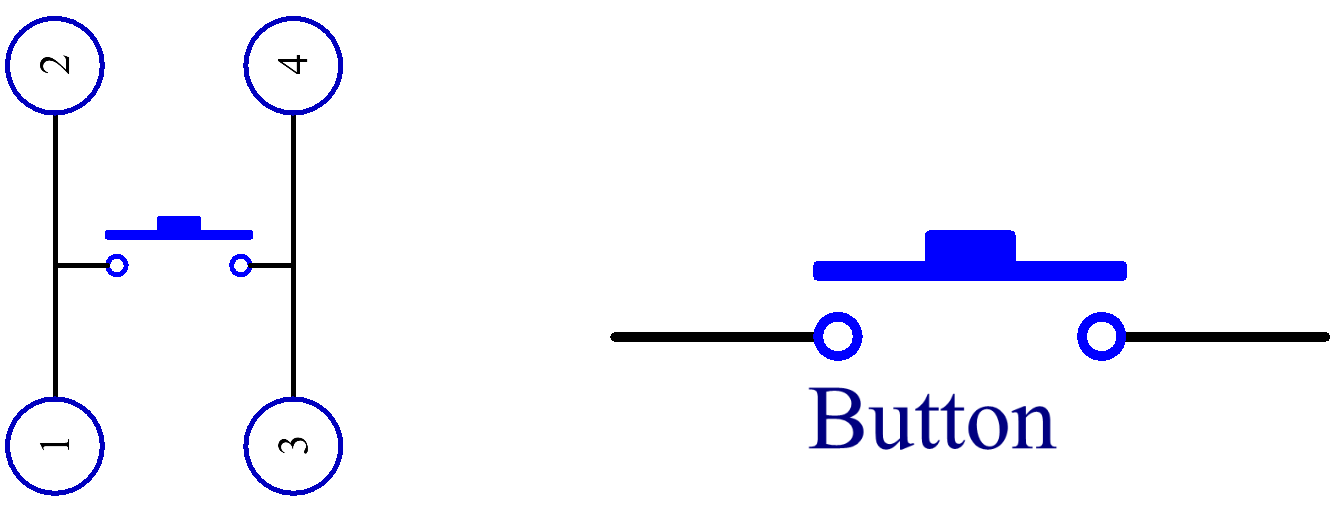
Since the pin 1 is connected to pin 2, and pin 3 to pin 4, when the button is pressed, the 4 pins are connected, thus closing the circuit.
Example
2.5 Reading Button Value (For MicroPython User)
8.5 Cloud Calling System with @MQTT (For MicroPython User)
2.5 Reading Button Value (For Arduino User)