Note
Hello, welcome to the SunFounder Raspberry Pi & Arduino & ESP32 Enthusiasts Community on Facebook! Dive deeper into Raspberry Pi, Arduino, and ESP32 with fellow enthusiasts.
Why Join?
Expert Support: Solve post-sale issues and technical challenges with help from our community and team.
Learn & Share: Exchange tips and tutorials to enhance your skills.
Exclusive Previews: Get early access to new product announcements and sneak peeks.
Special Discounts: Enjoy exclusive discounts on our newest products.
Festive Promotions and Giveaways: Take part in giveaways and holiday promotions.
👉 Ready to explore and create with us? Click [here] and join today!
Li-po Charger Module
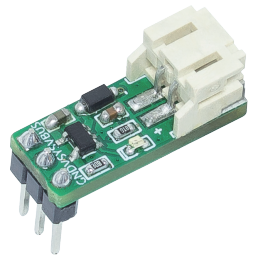
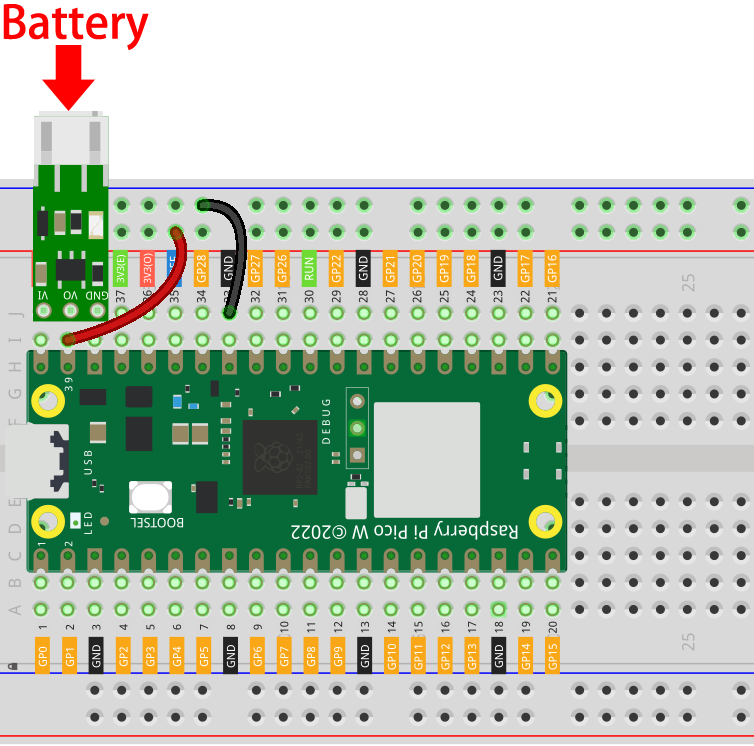
This Li-Po charger module is designed specifically for the Raspberry Pi Pico, Pico H, Pico W and Pico 2 W. To use it, simply plug the module and the Pico into a breadboard as shown below, connect a Power Pack to the module, and it’s ready to go.
When the Pico 2 W is connected to a computer or power socket via a USB cable, the indicator light on the Li-Po charger module will turn on, indicating that the Power Pack is charging. Once the USB cable is disconnected, the Pico 2 W will automatically switch to Power Pack power, allowing your project to continue running seamlessly.
Note
For some computers with poor performance, sometimes if you plug in your Pico 2 W to your computer with this charging module attached, it may cause the computer not to recognize your Pico 2 W.
The reason is that after plugging in, while charging the Power Pack, the USB port voltage is pulled down, resulting in the Pico 2 W power supply is insufficient to be recognized by the computer.
In this case, you need to pull out the Li-Po charging module and then plug in the Pico 2 W again.
Features
Input voltage: 5V
Output voltage: 3.3V
Size: 20mmx7mm
Interface model: PH2.0
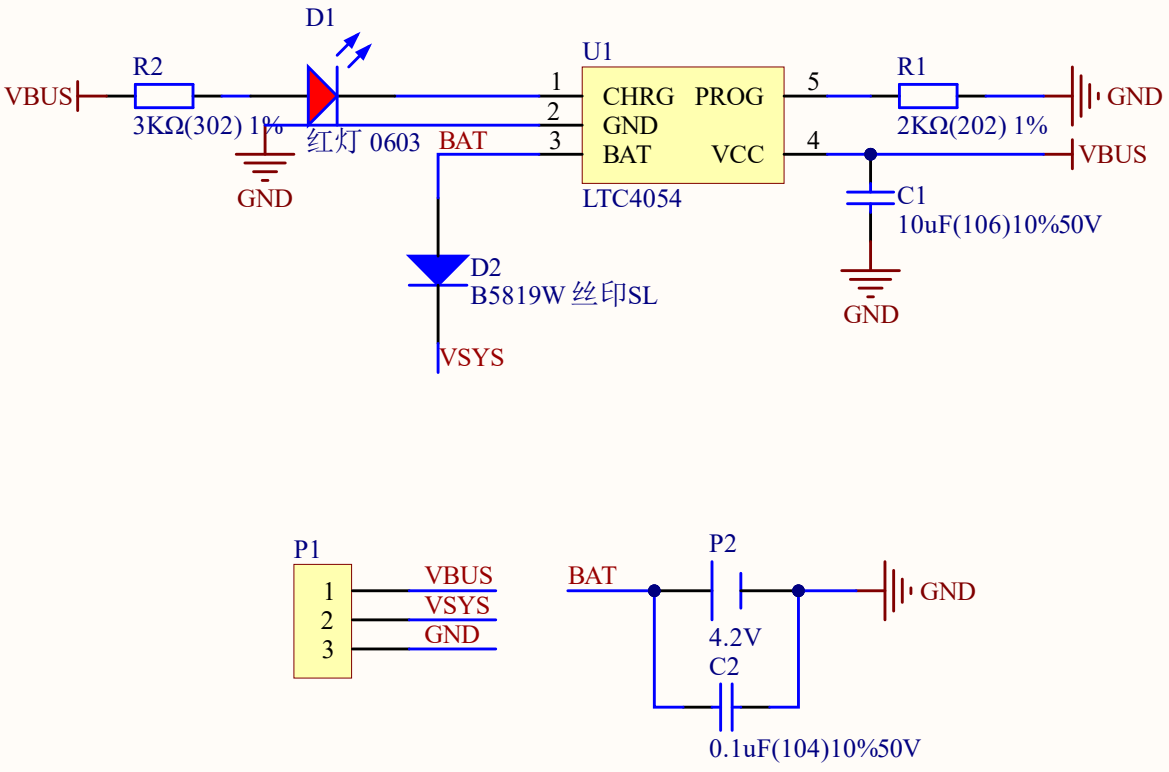
Schematic