Nota
Ciao, benvenuto nella Community di SunFounder per gli appassionati di Raspberry Pi, Arduino ed ESP32 su Facebook! Approfondisci le tue conoscenze su Raspberry Pi, Arduino ed ESP32 insieme a noi e a tanti altri appassionati.
Perché Unirsi a Noi?
Supporto Esperto: Risolvi problemi post-vendita e affronta sfide tecniche con l’aiuto della nostra community e del nostro team.
Impara e Condividi: Scambia consigli e tutorial per migliorare le tue competenze.
Anteprime Esclusive: Ottieni accesso anticipato ai nuovi annunci di prodotti e alle anteprime.
Sconti Esclusivi: Approfitta di sconti esclusivi sui nostri prodotti più recenti.
Promozioni e Concorsi Speciali: Partecipa a giveaway e promozioni durante le festività.
👉 Sei pronto a esplorare e creare con noi? Clicca su [here] e unisciti oggi stesso!
2. Dimostrazione delle Funzioni
Questo progetto ti mostra tutte le azioni e i suoni abituali del PiDog.
Puoi far eseguire al PiDog movimenti o effetti sonori inserendo il numero corrispondente.
Di seguito sono elencati i movimenti/gli effetti sonori attualmente inclusi in questo esempio.
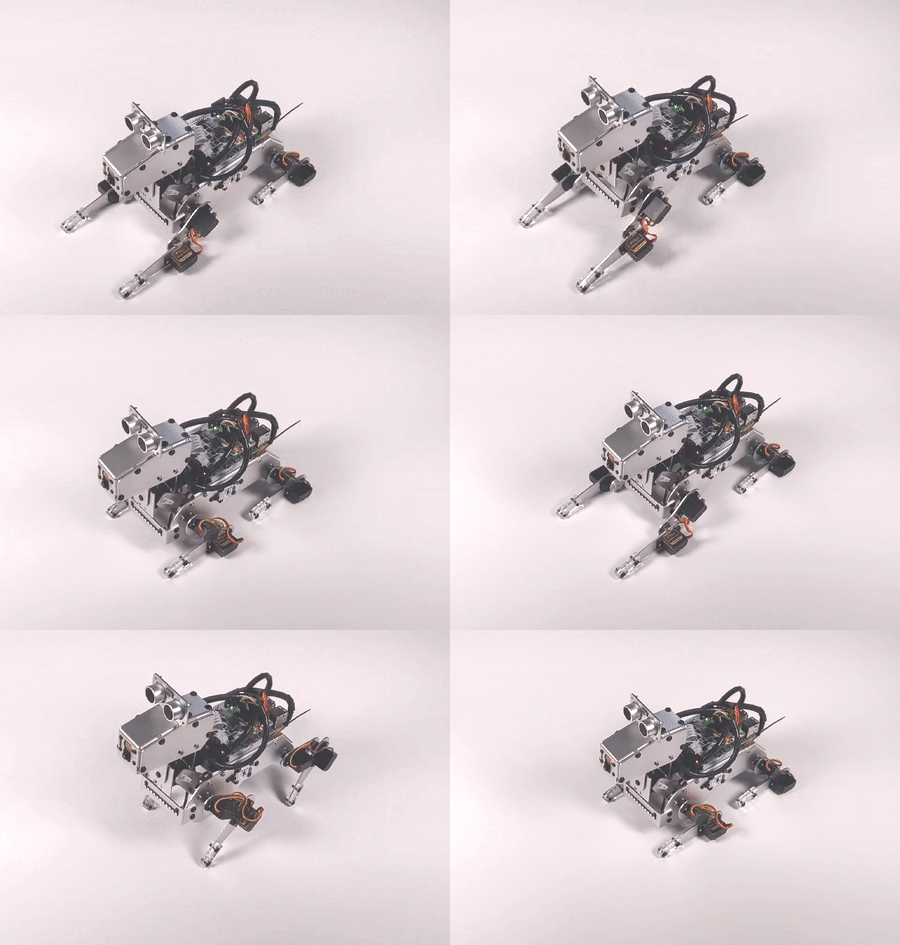
Actions: |
Sound Effect: |
|---|---|
1.stand |
16.angry |
2.sit |
17.confused_1 |
3.lie |
18.confused_2 |
4.lie_with_hands_out |
19.confused_3 |
5.trot |
20.growl_1 |
6.forward |
21.growl_2 |
7.backward |
22.howling |
8.turn_left |
23.pant |
9.turn_right |
24.single_bark_1 |
10.doze_off |
25.single_bark_2 |
11.stretch |
26.snoring |
12.pushup |
27.woohoo |
13.shake_head |
|
14.tilting_head |
|
15.wag_tail |
Esegui il Codice
cd ~/pidog/examples
sudo python3 2_function_demonstration.py
Dopo aver eseguito l’esempio, inserisci 1 e premi ENTER, PiDog si metterà in piedi; inserisci 2, e PiDog si siederà; inserisci 27, e PiDog emetterà il suono «woohoo~ «.
Premi Ctrl+C per uscire dal programma.
Codice
Nota
Puoi Modificare/Resettare/Copiare/Eseguire/Interrompere il codice riportato qui sotto. Ma prima, devi accedere al percorso del codice sorgente come pidog\examples. Dopo aver modificato il codice, puoi eseguirlo direttamente per vedere l’effetto.
#!/usr/bin/env python3
from time import sleep
from pidog import Pidog
import os
import curses
import curses_utils

# inizializzazione del pidog
# ======================================
my_dog = Pidog()
sleep(0.5)

# variabili globali
# ======================================
actions = [
    # nome, head_pitch_adjust(-1, usa last_pitch), velocità
    ['stand', 0, 50],
    ['sit', -30, 50],
    ['lie', 0, 20],
    ['lie_with_hands_out', 0,  20],
    ['trot', 0, 95],
    ['forward', 0, 98],
    ['backward', 0, 98],
    ['turn_left', 0, 98],
    ['turn_right', 0, 98],
    ['doze_off', -30, 90],
    ['stretch', 20, 20],
    ['push_up', -30, 50],
    ['shake_head', -1, 90],
    ['tilting_head', -1, 60],
    ['wag_tail', -1, 100],
]
actions_len = len(actions)

sound_effects = []
# cambio directory di lavoro
abspath = os.path.abspath(os.path.dirname(__file__))
# print(abspath)
os.chdir(abspath)
for name in os.listdir('../sounds'):
    sound_effects.append(name.split('.')[0])
sound_effects.sort()
sound_len = len(sound_effects)
# limitazione della quantità di suoni
if sound_len > actions_len:
    sound_len = actions_len
    sound_effects = sound_effects[:actions_len]

last_index = 0
last_display_index = 0
exit_flag = False
last_head_pitch = 0

STANDUP_ACTIONS = ['trot', 'forward', 'backward', 'turn_left', 'turn_right']

# dimensioni del pad
# ======================================
curses_utils.PAD_Y = 22
curses_utils.PAD_X = 70

# funzioni di visualizzazione
# ======================================
def display_head(subpad):
    title = "Function Demonstration"
    tip1 = "Input Function number to see how it goes."
    tip2 = "Actions will repeat 10 times."
    type_name_1 = "Actions:"
    type_name_2 = "Sound Effect:"
    tip3 = "(need to run with sudo)"

    curses_utils.clear_line(subpad, 0, color=curses_utils.BLACK_BLUE)
    subpad.addstr(0, 2, title, curses_utils.BLACK_BLUE | curses.A_BOLD)
    subpad.addstr(1, 2, tip1, curses_utils.GRAY)
    subpad.addstr(2, 2, tip2, curses_utils.GRAY)
    curses_utils.clear_line(subpad, 3, color=curses_utils.WHITE_GRAY)
    subpad.addstr(3, 2, type_name_1, curses_utils.WHITE_GRAY)
    subpad.addstr(3, 30, type_name_2, curses_utils.WHITE_GRAY)
    subpad.addstr(3, 31+len(type_name_2), tip3, curses_utils.YELLOW_GRAY)

def display_selection(subpad, index):
    global last_display_index
    # resetta ultima selezione
    if last_display_index > actions_len + sound_len-1 or last_display_index < 0:
        last_display_index = 0
    if last_display_index != index:
        if last_display_index < actions_len:
            subpad.addstr(last_display_index, 2, f"{last_display_index+1}. {actions[last_display_index][0]}", curses_utils.LIGHT_GRAY)
        else:
            sound_index = last_display_index-actions_len
            subpad.addstr(sound_index, 30, f"{last_display_index+1}. {sound_effects[sound_index]}", curses_utils.LIGHT_GRAY)
        last_display_index = index
    # evidenzia selezione corrente
    if index > actions_len + sound_len-1 or index < 0:
        pass
    elif index < actions_len:
        subpad.addstr(index, 2, f"{index+1}. {actions[index][0]}", curses_utils.WHITE_BLUE)
    else:
        sound_index = index-actions_len
        subpad.addstr(sound_index, 30, f"{index+1}. {sound_effects[sound_index]}", curses_utils.WHITE_BLUE)

def display_actions(subpad):
    for i in range(actions_len):
        subpad.addstr(i, 2, f"{i+1}. {actions[i][0]}", curses_utils.LIGHT_GRAY)
    for i in range(sound_len):
        subpad.addstr(i, 30, f"{i+actions_len+1}. {sound_effects[i]}", curses_utils.LIGHT_GRAY)

def display_bottom(subpad):
    curses_utils.clear_line(subpad, 0, color=curses_utils.WHITE_GRAY)
    subpad.addstr(0, 0, "Enter function number: ", curses_utils.WHITE_GRAY)
    subpad.addstr(0, curses_utils.PAD_X-16, "Ctrl^C to quit", curses_utils.WHITE_GRAY)


def do_function(index):
    global last_index, last_head_pitch
    my_dog.body_stop()
    if index < 0:
        return
    if index < actions_len:
        name, head_pitch_adjust, speed = actions[index]
        # Se l'ultima azione è push_up, esegui prima il comando "lie"
        if last_index < len(actions) and actions[last_index][0] in ('push_up'):
            last_head_pitch = 0
            my_dog.do_action('lie', speed=60)
        # Se l'azione corrente è "trot", "forward", "turn left", "turn right" o "backward", e l'ultima non lo è, allora esegui il comando "stand"
        if name in STANDUP_ACTIONS and last_index < len(actions) and actions[last_index][0] not in STANDUP_ACTIONS:
            last_head_pitch = 0
            my_dog.do_action('stand', speed=60)
        if head_pitch_adjust != -1:
            last_head_pitch = head_pitch_adjust
        my_dog.head_move_raw([[0, 0, last_head_pitch]], immediately=False, speed=60)
        my_dog.do_action(name, step_count=10, speed=speed, pitch_comp=last_head_pitch)
        last_index = index
    elif index < actions_len + sound_len:
        my_dog.speak(sound_effects[index - len(actions)], volume=80)
        last_index = index

def main(stdscr):
    # resetta schermo
    stdscr.clear()
    stdscr.move(4, 0)
    stdscr.refresh()

    # disabilita cursore
    curses.curs_set(0)

    # inizializza colori
    curses.start_color()
    curses.use_default_colors()
    curses_utils.init_preset_colors()
    curses_utils.init_preset__color_pairs()

    # inizializza pad
    pad = curses.newpad(curses_utils.PAD_Y, curses_utils.PAD_X)

    # inizializza subpad
    head_pad = pad.subpad(4, curses_utils.PAD_X, 0, 0)
    selection_pad = pad.subpad(actions_len, curses_utils.PAD_X, 4, 0)
    bottom_pad = pad.subpad(1, curses_utils.PAD_X, actions_len+4, 0)
    # aggiungi contenuto a
    display_head(head_pad)
    display_actions(selection_pad)
    display_head(head_pad)
    curses_utils.pad_refresh(pad)
    curses_utils.pad_refresh(selection_pad)

    # for i in range(2):
    #     for i in range(30):
    #         display_selection(selection_pad, i)
    #         curses_utils.pad_refresh(selection_pad)
    #         sleep(0.1)

    # enable cursor and echo
    curses.curs_set(0)
    curses.echo()

    while True:
        # visualizza barra inferiore
        display_bottom(bottom_pad)
        curses_utils.pad_refresh(bottom_pad)
        # resetta cursore
        stdscr.move(actions_len+4, 23)
        stdscr.refresh()
        # leggi input
        key = stdscr.getstr()
        try:
            index = int(key) - 1
        except ValueError:
            index = -1
        # visualizza selezione
        display_selection(selection_pad, index)
        curses_utils.pad_refresh(selection_pad)
        # esegui funzione
        do_function(index)

        sleep(0.2)

if __name__ == "__main__":
    try:
        curses.wrapper(main)
    except KeyboardInterrupt:
        pass
    except Exception as e:
        print(f"\033[31mERROR: {e}\033[m")
    finally:
        my_dog.close()