注釈
こんにちは!SunFounder Raspberry Pi & Arduino & ESP32 Enthusiasts Communityへようこそ!Raspberry Pi、Arduino、ESP32について、他の愛好者と一緒にさらに深く学びましょう。
参加する理由
専門家のサポート: 購入後の問題や技術的な課題を、コミュニティやチームのサポートで解決できます。
学びと共有: ヒントやチュートリアルを交換して、スキルを向上させましょう。
特別なプレビュー: 新製品の発表や先行公開に早期アクセスできます。
特別割引: 新製品に対して限定割引を楽しめます。
祝祭プロモーションとプレゼント: プレゼントや祝祭プロモーションに参加できます。
👉 私たちと一緒に探求し、創造する準備はできましたか?[ここ]をクリックして、今すぐ参加しましょう!
7. ブルファイト
PiCrawlerを怒った雄牛に変身させましょう!そのカメラを使って赤い布を追跡し、突進させます!
コードを実行する
cd ~/picrawler/examples
sudo python3 7_bull_fight.py
画像の表示
コードが実行されると、ターミナルには以下のようなプロンプトが表示されます:
No desktop !
* Serving Flask app "vilib.vilib" (lazy loading)
* Environment: production
WARNING: Do not use the development server in a production environment.
Use a production WSGI server instead.
* Debug mode: off
* Running on http://0.0.0.0:9000/ (Press CTRL+C to quit)
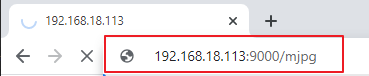
その後、ブラウザで http://<your IP>:9000/mjpg を入力して、ビデオ画面を表示できます。例: https://192.168.18.113:9000/mjpg
コード
注釈
以下のコードは 修正/リセット/コピー/実行/停止 できます。ただし、まずソースコードのパス(例: picrawler/examples )に移動する必要があります。コードを修正した後、直接実行して効果を確認できます。
from picrawler import Picrawler
from time import sleep, time
from robot_hat import Music
from vilib import Vilib

# Create robot and audio controller objects
crawler = Picrawler()
music = Music()

def main():
    # Start camera and enable preview window
    Vilib.camera_start(vflip=False, hflip=False)
    Vilib.display(local=False, web=True)

    # Enable red color detection
    Vilib.color_detect("red")

    speed = 80                  # Movement speed
    last_seen = False           # Indicates whether the red target was detected in previous loop
    last_beep = 0               # Timestamp of last sound playback
    BEEP_COOLDOWN = 1.0         # Minimum interval between sound effects (seconds)

    # Stand once before starting tracking
    crawler.do_step('stand', 40)
    sleep(1.0)

    try:
        while True:
            # Read detection result
            if Vilib.detect_obj_parameter.get('color_n', 0) != 0:

                # Get horizontal coordinate of detected red object
                coordinate_x = Vilib.detect_obj_parameter.get('color_x', 0)

                # Play sound effect with cooldown to avoid spamming
                now = time()
                if now - last_beep >= BEEP_COOLDOWN:
                    try:
                        music.sound_play_threading('./sounds/talk1.wav')
                    except Exception:
                        pass
                    last_beep = now

                # Steering logic based on horizontal position
                # Left side of image
                if coordinate_x < 100:
                    crawler.do_action('turn left', 1, speed)

                # Right side of image
                elif coordinate_x > 220:
                    crawler.do_action('turn right', 1, speed)

                # Center area → move forward
                else:
                    crawler.do_action('forward', 2, speed)

                last_seen = True
                sleep(0.05)

            else:
                # No red target detected

                # Stop movement only once when target is lost
                # This prevents repeated stand() calls that cause "push-up" effect
                if last_seen:
                    crawler.do_step('stand', 40)
                    last_seen = False

                sleep(0.15)

    except KeyboardInterrupt:
        # Stop program safely when Ctrl+C is pressed
        print("\nStop.")

    finally:
        # Cleanup section to avoid exit errors

        # Disable color detection
        try:
            Vilib.color_detect("close")
        except Exception:
            pass

        # Close camera safely
        try:
            Vilib.camera_close()
        except Exception:
            pass

        # Make the robot sit before exit
        try:
            crawler.do_step('sit', 40)
            sleep(1.0)
        except Exception:
            pass

if __name__ == "__main__":
    main()
仕組み
カメラの初期化
Vilib.camera_start(vflip=False, hflip=False)
Vilib.display(local=False, web=True)
Vilib.color_detect("red")
カメラを起動し、Webプレビューを有効にします。 赤色の検出機能が有効になります。 Vilib はバックグラウンドで継続的にフレームを処理し、 検出結果を
detect_obj_parameterに保存します。ロボットの準備
crawler.do_step('stand', 40)
sleep(1.0)
追跡を開始する前に、ロボットは立ち上がる動作を行います。 短い待機時間を入れることで、姿勢が安定します。
ターゲットの検出
if Vilib.detect_obj_parameter.get('color_n', 0) != 0:
    coordinate_x = Vilib.detect_obj_parameter.get('color_x', 0)
プログラムは赤色の物体が検出されているかどうかを確認します。 検出された場合、画像内における赤色物体の水平方向の中心座標 (x位置)を取得します。
進行方向の判断ロジック
if coordinate_x < 100:
    crawler.do_action('turn left', 1, speed)
elif coordinate_x > 220:
    crawler.do_action('turn right', 1, speed)
else:
    crawler.do_action('forward', 2, speed)
画像は水平方向に3つの領域に分割されます: 左・中央・右。
左の領域 → 左に旋回
右の領域 → 右に旋回
中央の領域 → 前進
これにより、ロボットは赤色の物体を追跡しながら移動できます。
サウンドのクールダウン機構
now = time()
if now - last_beep >= BEEP_COOLDOWN:
    music.sound_play_threading('./sounds/talk1.wav')
    last_beep = now
クールダウンタイマーにより、音声が連続して再生されるのを防ぎます。 物体が継続して検出されている場合でも、 効果音は最大で1秒に1回だけ再生されます。
ターゲット消失時の処理
if last_seen:
    crawler.do_step('stand', 40)
    last_seen = False
赤色の物体が画面から消えた場合、 ロボットは停止し、安定した立ち姿勢に戻ります。
last_seenフラグにより、stand()が1回だけ呼び出されるようにします。 これにより、姿勢リセットが繰り返されてロボットが揺れるのを防ぎます。安全な終了とクリーンアップ
finally:
    Vilib.color_detect("close")
    Vilib.camera_close()
    crawler.do_step('sit', 40)
プログラムが終了する際(例:Ctrl+C)、 色検出を無効化し、 カメラを安全に閉じ、 ロボットは座る動作を行います。
これにより、カメラエラーや不安定な終了動作を防ぎます。