注釈
こんにちは!SunFounder Raspberry Pi & Arduino & ESP32 Enthusiasts Communityへようこそ!Raspberry Pi、Arduino、ESP32に興味がある仲間たちと一緒に、さらに深く学んでいきましょう。
なぜ参加するのか?
専門家のサポート: 購入後の問題や技術的な課題を、コミュニティやチームのサポートを通じて解決できます。
学びと共有: ヒントやチュートリアルを交換して、スキルを向上させましょう。
限定プレビュー: 新製品の発表に早期アクセスし、先行して情報を得られます。
特別割引: 最新の製品に対して、限定の割引を楽しむことができます。
祝祭プロモーションとプレゼント: プレゼント企画や祝祭プロモーションに参加できます。
👉 私たちと一緒に探求し、創造する準備はできましたか?[ここ]をクリックして、今すぐ参加しましょう!
8. 宝探し
部屋に迷路を作り、6つの異なる色のカードを6つの隅に配置します。その後、PiCrawlerを使って、これらの色のカードを一つずつ探していきます!
注釈
色の検出のために、PDFカラーカード をダウンロードして印刷できます。
コードを実行する
cd ~/picrawler/examples
sudo python3 8_treasure_hunt.py
画像を表示する
コードが実行されると、ターミナルに以下のようなプロンプトが表示されます:
No desktop !
* Serving Flask app "vilib.vilib" (lazy loading)
* Environment: production
WARNING: Do not use the development server in a production environment.
Use a production WSGI server instead.
* Debug mode: off
* Running on http://0.0.0.0:9000/ (Press CTRL+C to quit)
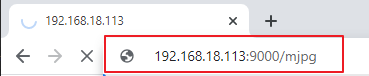
その後、ブラウザに http://<your IP>:9000/mjpg と入力して、動画画面を表示できます。例えば、 http://192.168.18.113:9000/mjpg 。
コード
#!/usr/bin/env python3
from picrawler import Picrawler
from time import sleep, time
from robot_hat import Music, TTS
from vilib import Vilib
import readchar
import random
import threading

crawler = Picrawler()
music = Music()   # kept for compatibility (not used here)
tts = TTS()

MANUAL = '''
Press keys on keyboard to control Picrawler!
        w: Forward
        a: Turn left
        s: Backward
        d: Turn right
        space: Say the target again
        Ctrl+C: Quit
'''

color = "red"
color_list = ["red", "orange", "yellow", "green", "blue", "purple"]

key_dict = {
        'w': 'forward',
        's': 'backward',
        'a': 'turn_left',
        'd': 'turn_right',
}

# ----------------------------
# Thread-safe key handling
# ----------------------------
lock = threading.Lock()
key_state = None               # last key event
stop_event = threading.Event() # signal to exit cleanly

def set_key(k):
        global key_state
        with lock:
                key_state = k

def pop_key():
        """Read and clear the last key event."""
        global key_state
        with lock:
                k = key_state
                key_state = None
        return k

def key_scan_thread():
        """Keyboard input thread (quiet exit on Ctrl+C)."""
        while not stop_event.is_set():
                try:
                        k = readchar.readkey()
                except KeyboardInterrupt:
                        # Ctrl+C may raise KeyboardInterrupt inside this thread
                        stop_event.set()
                        break
                except Exception:
                        sleep(0.02)
                        continue

                if k == readchar.key.SPACE:
                        set_key('space')
                elif k == readchar.key.CTRL_C:
                        set_key('quit')
                        stop_event.set()
                        break
                else:
                        try:
                                set_key(str(k).lower())
                        except Exception:
                                pass

                sleep(0.01)

# ----------------------------
# Game logic
# ----------------------------
def renew_color_detect():
        global color
        color = random.choice(color_list)
        try:
                Vilib.color_detect(color)
        except Exception:
                pass
        try:
                tts.say("Look for " + color)
        except Exception:
                pass

def safe_camera_close():
        try:
                Vilib.color_detect("close")
        except Exception:
                pass
        try:
                Vilib.camera_close()
        except Exception:
                pass

def safe_sit():
        try:
                crawler.do_step('sit', 40)
                sleep(0.5)
        except Exception:
                pass

def stand_ready():
        """
        Stand up after startup.
        Requirement: stand at 40, then only move after WASD is pressed.
        """
        try:
                crawler.do_step('stand', 40)
                sleep(0.8)
        except Exception:
                pass

def main():
        speed = 80
        action = None

        # Start camera + web preview
        Vilib.camera_start(vflip=False, hflip=False)
        Vilib.display(local=False, web=True)
        sleep(0.8)

        print(MANUAL)

        # Start keyboard thread (daemon, so it won't block process exit)
        t = threading.Thread(target=key_scan_thread, daemon=True)
        t.start()

        # Announce and stand up to 40
        try:
                tts.say("game start")
        except Exception:
                pass
        sleep(0.05)

        stand_ready()
        renew_color_detect()

        try:
                while not stop_event.is_set():
                        # If target detected and large enough -> renew target
                        try:
                                n = Vilib.detect_obj_parameter.get('color_n', 0)
                                w = Vilib.detect_obj_parameter.get('color_w', 0)
                        except Exception:
                                n, w = 0, 0

                        if n != 0 and w > 100:
                                try:
                                        tts.say("well done")
                                except Exception:
                                        pass
                                sleep(0.05)
                                renew_color_detect()

                        # Handle key event
                        k = pop_key()

                        if k in key_dict:
                                action = key_dict[k]

                        elif k == 'space':
                                try:
                                        tts.say("Look for " + color)
                                except Exception:
                                        pass

                        elif k == 'quit':
                                stop_event.set()

                        # Move only after receiving a WASD action
                        if action is not None:
                                try:
                                        crawler.do_action(action, 1, speed)
                                except Exception:
                                        pass
                                action = None

                        sleep(0.05)

        except KeyboardInterrupt:
                stop_event.set()

        finally:
                # Clean exit
                stop_event.set()
                safe_camera_close()
                safe_sit()
                print("\nQuit")

if __name__ == "__main__":
        main()
仕組みは?
このプログラムの概要
このプログラムは、PiCrawler 用のシンプルな「宝探しゲーム」です。
カメラ映像は Web ページにストリーミングされます(ローカル GUI ウィンドウは使用しません)。
Vilib がターゲットカラー(red / orange / yellow / green / blue / purple)を検出します。
WASD キーでロボットを操作します。
検出された色の物体が十分大きくなると、プログラムは成功をアナウンスし、新しいターゲットカラーに切り替えます。
Ctrl+C を押すと、スレッドのエラー表示なしで安全に終了します。
キーボード入力はバックグラウンドスレッドで処理
stop_event = threading.Event()
key_state = None

def key_scan_thread():
    while not stop_event.is_set():
        try:
            k = readchar.readkey()
        except KeyboardInterrupt:
            stop_event.set()
            break
キーボード入力の読み取りは、専用のスレッドで実行されます。 これにより、キー入力待ちでメインループがブロックされるのを防ぎます。
Ctrl+C はこのスレッド内(readchar の動作)で KeyboardInterrupt を発生させることがあるため、 それを捕捉してエラー表示ではなくクリーン終了のトリガーとして使用します。
キーイベントの安全な共有
lock = threading.Lock()

def set_key(k):
    global key_state
    with lock:
        key_state = k

def pop_key():
    global key_state
    with lock:
        k = key_state
        key_state = None
    return k
プログラムは共有変数
key_stateを保護するためにロックを使用します。キーボードスレッドは
set_key()を使ってキーイベントを書き込み、 メインループはpop_key()を使ってイベントを読み取り、同時にクリアします。これにより、競合状態を防ぎながら安全にキー入力へ反応できます。
カメラと Web プレビュー
Vilib.camera_start(vflip=False, hflip=False)
Vilib.display(local=False, web=True)
カメラを起動し、Web プレビューを有効にします。
local=Falseにすることで、デスクトップ環境のないシステムで GUI クラッシュが発生するのを防ぎます。まず立ち上がり、その後操作キーを待つ
crawler.do_step('stand', 40)
sleep(0.8)
起動後、ロボットは速度 40 で立ち上がり、姿勢を安定させます。 プログラムはロボットを自動で動かしません。 WASD キーが入力されたときのみ動作します。
ターゲットカラーの選択
color = random.choice(COLOR_LIST)
Vilib.color_detect(color)
tts.say("Look for " + color)
リストからランダムに色が選ばれます。 Vilib のカラー検出がその色に対して有効になります。 TTS が現在のターゲットを読み上げ、ユーザーに探す色を知らせます。
「成功」の検出とターゲットの切り替え
n = Vilib.detect_obj_parameter.get('color_n', 0)
w = Vilib.detect_obj_parameter.get('color_w', 0)

if n != 0 and w > 100:
    tts.say("well done")
    renew_color_detect()
Vilib は
detect_obj_parameterを継続的に更新します。color_nはターゲットが検出されたかどうかを示しますcolor_wは検出された物体の幅(距離 / 大きさの目安)です
ターゲットが存在し、かつ十分大きい場合、 プログラムは成功をアナウンスし、すぐに新しいランダムカラーへ切り替えます。
WASD による移動制御
if k in key_dict:
    action = key_dict[k]

if action is not None:
    crawler.do_action(action, 1, speed)
    action = None
メインループはキーイベントを確認します:
w → forward
s → backward
a → turn_left
d → turn_right
移動キーが押されると、ロボットは短い動作ステップを1回実行します。 この設計により、操作の反応性を保ちながら、 ロボットが暴走するような連続移動を防ぎます。
スペースキー:ターゲットメッセージの再表示
elif k == 'space':
    tts.say("Look for " + color)
Space キーを押すと、現在のターゲットメッセージを再度読み上げます。 ユーザーがターゲットカラーを忘れた場合に便利です。
終了処理とクリーンアップ
finally:
    stop_event.set()
    Vilib.color_detect("close")
    Vilib.camera_close()
    crawler.do_step('sit', 40)
プログラム終了時:
stop_eventによりキーボードスレッドを停止します。Vilib のカラー検出を無効化します。
カメラを安全に閉じます。
ロボットは座る姿勢に戻ります。
この終了処理の順序により、カメラリソースのエラーを防ぎ、 ロボットが安全な姿勢でプログラムを終了できるようにします。