Note
Hello, welcome to the SunFounder Raspberry Pi & Arduino & ESP32 Enthusiasts Community on Facebook! Dive deeper into Raspberry Pi, Arduino, and ESP32 with fellow enthusiasts.
Why Join?
Expert Support: Solve post-sale issues and technical challenges with help from our community and team.
Learn & Share: Exchange tips and tutorials to enhance your skills.
Exclusive Previews: Get early access to new product announcements and sneak peeks.
Special Discounts: Enjoy exclusive discounts on our newest products.
Festive Promotions and Giveaways: Take part in giveaways and holiday promotions.
👉 Ready to explore and create with us? Click [here] and join today!
Lesson 23 Simple Creation - Digital Dice
Introduction
In previous experiments, we learned how to use a 7-segment display and control LEDs by a button. In this lesson, we will use a 7-segment display and a button together to create a simple digital dice.
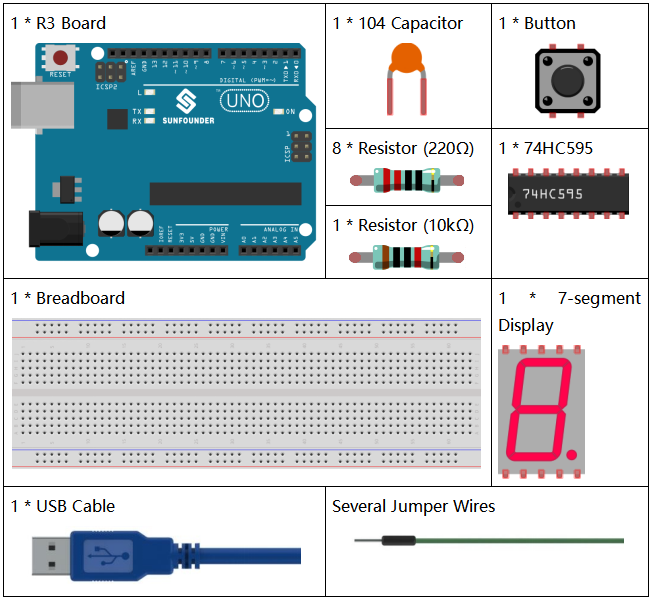
Components
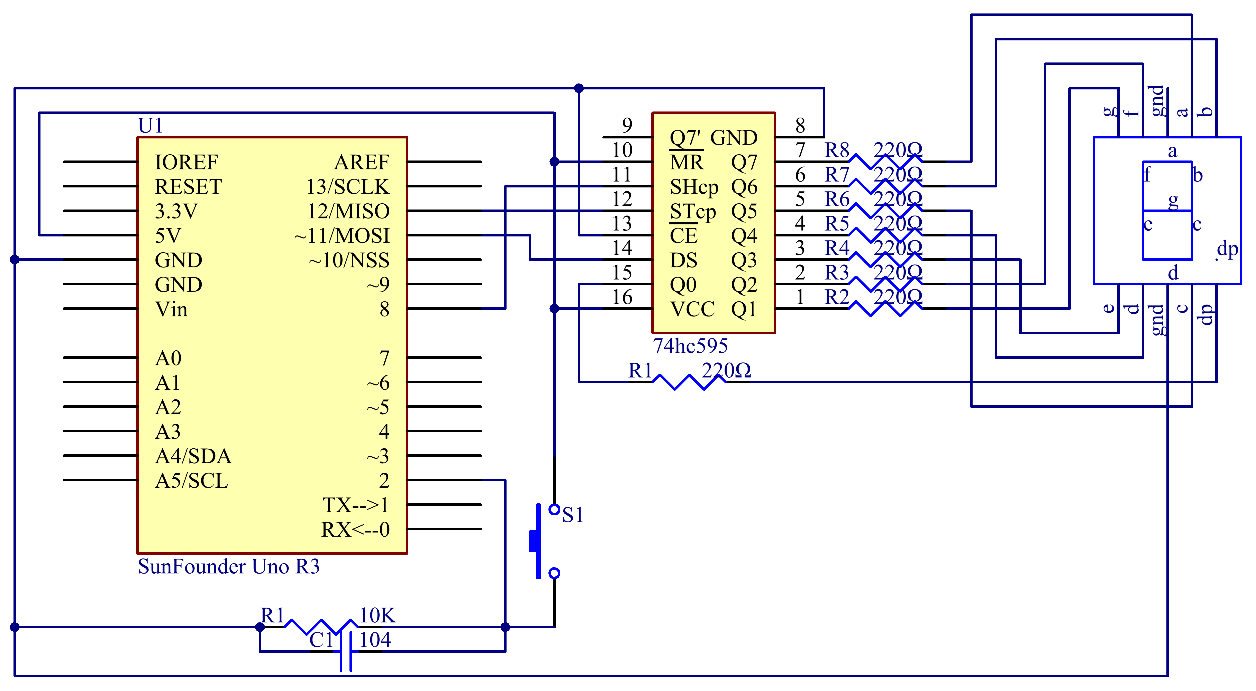
Schematic Diagram
The idea behind a digital dice is very simple: a 7-segment display circularly jumps from 1 to 7 rapidly. When the button is pressed, the jumping will slow down until it stops on a number. When the button is pressed again, the process will repeat.
Experimental Procedures
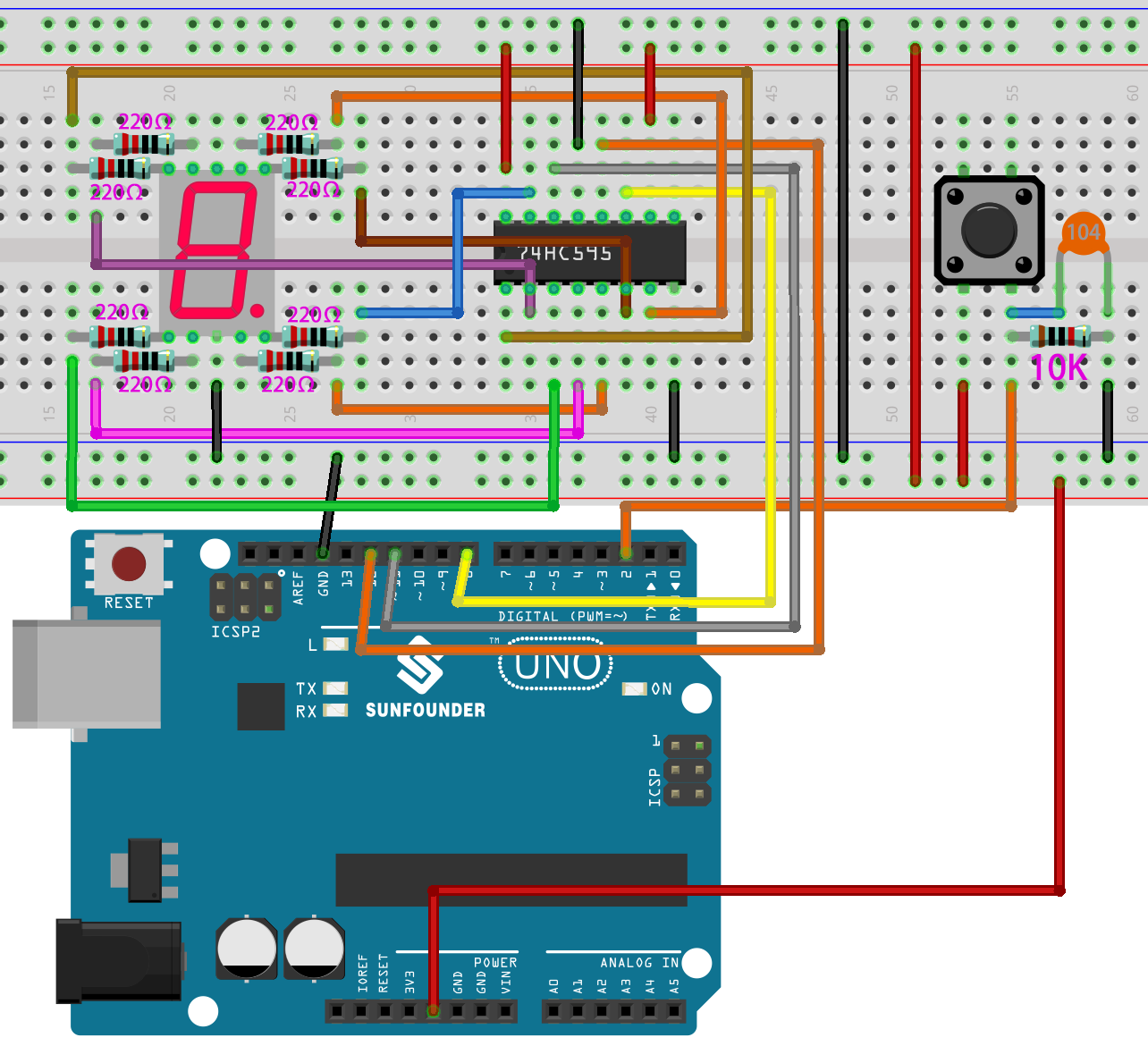
Step 1: Build the circuit.
Step 2: Open the code file.
Step 3: Select the Board and Port.
Step 4: Upload the sketch to the board.
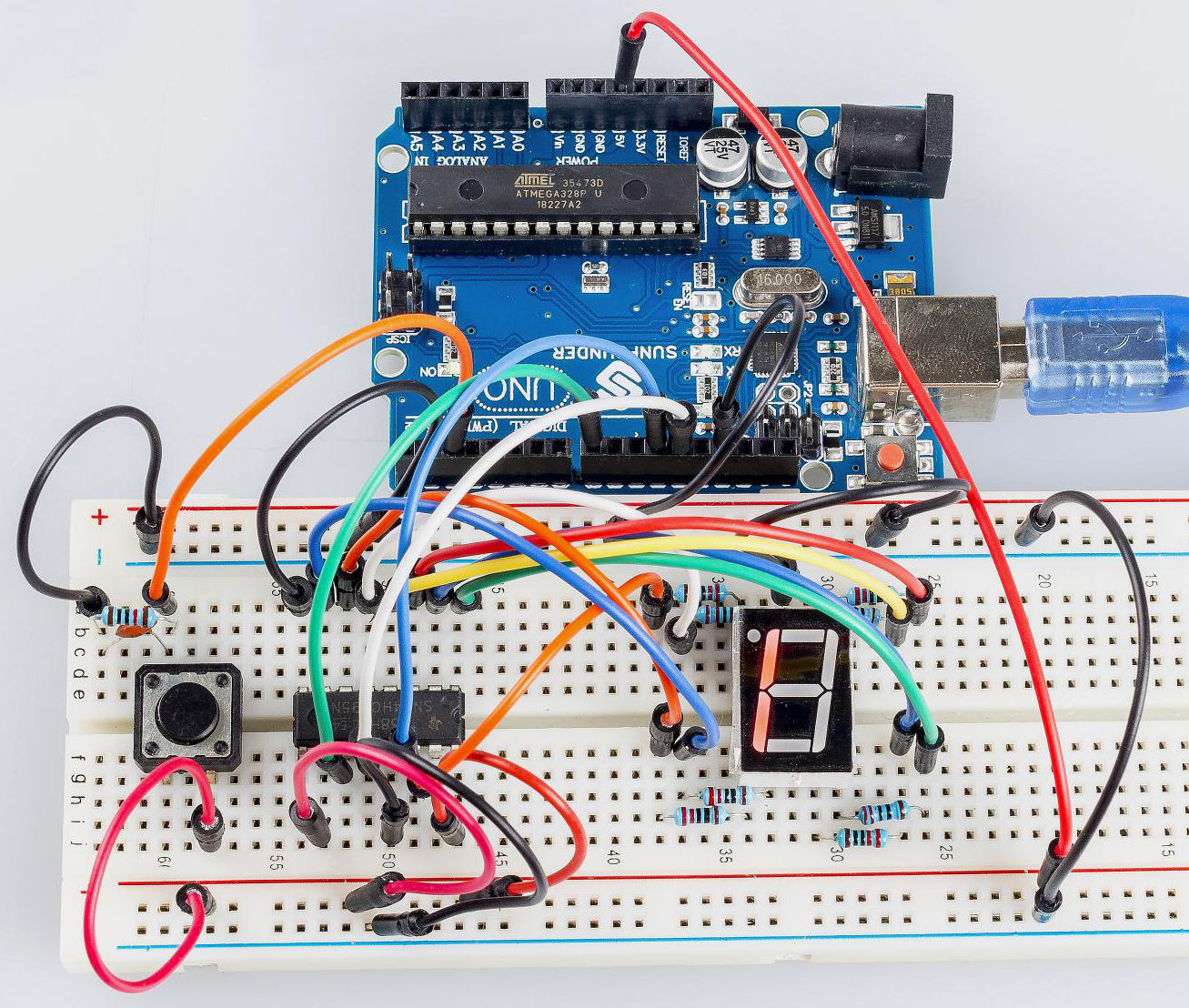
You can now see the 7-segment display jump between numbers from 1 to 6. Press the button, and the jumping will slow down until it stops three seconds later. Press the button again, and the process will repeat.
Code
Code Analysis
The initial random number comes from A0
randomSeed(analogRead(0));
The initial random number is generated from A0 and the range for the random numbers is 0-1023.
Digital Dice
void loop()
{
   int stat = digitalRead(keyIn);  //store value read from keyIn
   if(stat == HIGH)  // check if the pushbutton is pressed
If yes, the corresponding pin is high level.
{
   num ++; // num adds 1
   if(num > 1)
   {
      num = 0;
   }
}
If num > 1, clear the value. This is to prevent repeated pressing. So just count it as once no matter how many times you press.
Serial.println(num);  // print the num on serial monitor
if(num == 1)  //when pushbutton is pressed
{
   randNumber = random(1,7); //Generate a random number in 1-7
   showNum(randNumber);  //show the randNumber on 7-segment
   delay(1000);  //wait for 1 second
   while(!digitalRead(keyIn));  //When not press button,program stop here.
Make it keep displaying the last random number.
int stat = digitalRead(keyIn);
Read the state of the button again.
if(stat == HIGH) // check if the pushbutton is pressed
If yes, run the code below.
      {
         num ++; // num+1=2
         digitalWrite(ledPin,HIGH); //turn on the led
         delay(100);
         digitalWrite(ledPin,LOW); //turn off the led
         delay(100);
         if(num >= 1) // clear the num
         {
            num = 0;
         }
      }
   }
   //show random numbers at 100 microseconds intervals
   //If the button has not been pressed
   randNumber = random(1,7);
   showNum(randNumber);
   delay(100);
}
showNum() function
void showNum(int num)

{

    digitalWrite(latchPin,LOW); //ground latchPin and hold low for transmitting

    shiftOut(dataPin,clockPin,MSBFIRST,datArray[num]);

    //return the latch pin high to signal chip that it

    //no longer needs to listen for information

    digitalWrite(latchPin,HIGH); //pull the latchPin to save the data

}
This function is to display the number in dataArray[] on the 7-segment
display.