Note
Hello, welcome to the SunFounder Raspberry Pi & Arduino & ESP32 Enthusiasts Community on Facebook! Dive deeper into Raspberry Pi, Arduino, and ESP32 with fellow enthusiasts.
Why Join?
Expert Support: Solve post-sale issues and technical challenges with help from our community and team.
Learn & Share: Exchange tips and tutorials to enhance your skills.
Exclusive Previews: Get early access to new product announcements and sneak peeks.
Special Discounts: Enjoy exclusive discounts on our newest products.
Festive Promotions and Giveaways: Take part in giveaways and holiday promotions.
👉 Ready to explore and create with us? Click [here] and join today!
Plant Monitor
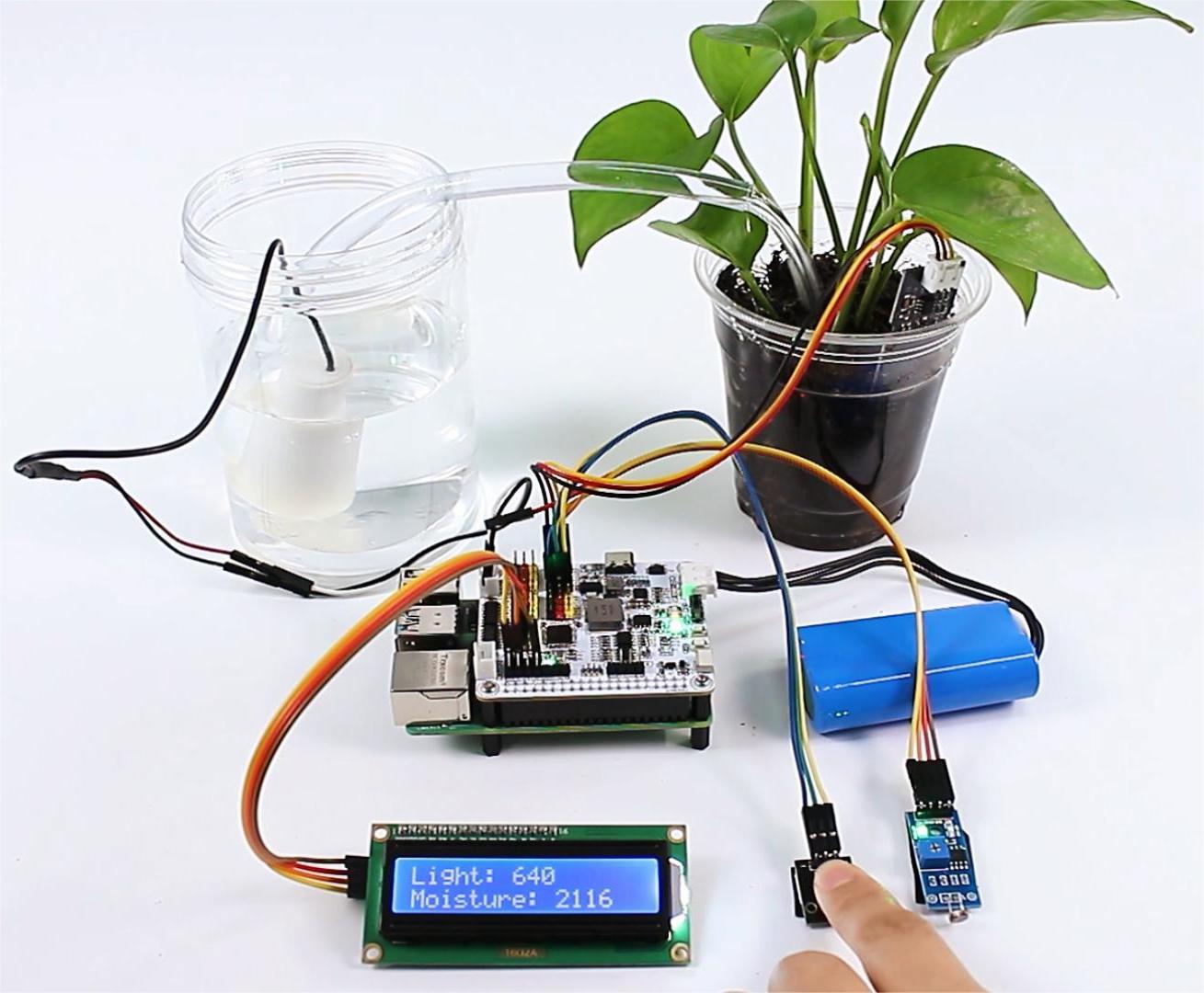
In this project, we detect both light intensity and soil moisture levels, and display them on the I2C LCD1602 . When you feel that the soil moisture is insufficient, you can press the button module to water the potted plant.
Steps
In this project, an I2C LCD1602 is used, so it’s necessary to download the relevant libraries to make it work.
cd ~/
wget https://github.com/sunfounder/raphael-kit/blob/master/python/LCD1602.py
Install
smbus2for I2C.sudo pip3 install smbus2
Save the following code to your Raspberry Pi and give it a name, for example,
plant_monitor.ty.from robot_hat import ADC, Motors, Pin import LCD1602 import time import threading from robot_hat.utils import reset_mcu reset_mcu() time.sleep(.1) # Initialize objects light_sensor = ADC(1) moisture_sensor = ADC(0) motors = Motors() button = Pin('D0') # Thread running flag running = True def init_lcd(): LCD1602.init(0x27, 1) time.sleep(2) def update_lcd(light_value, moisture_value): LCD1602.write(0, 0, 'Light: %d ' % light_value) LCD1602.write(0, 1, 'Moisture: %d ' % moisture_value) def read_sensors(): light_value = light_sensor.read() time.sleep(0.2) moisture_value = moisture_sensor.read() time.sleep(0.2) return light_value, moisture_value def control_motor(): global running while running: button_pressed = button.value() == 0 if button_pressed: motors[1].speed(80) time.sleep(0.1) else: motors[1].speed(0) time.sleep(0.1) time.sleep(0.1) def setup(): init_lcd() def destroy(): global running running = False LCD1602.clear() def loop(): global running while running: light_value, moisture_value = read_sensors() update_lcd(light_value, moisture_value) time.sleep(.2) if __name__ == '__main__': try: setup() motor_thread = threading.Thread(target=control_motor) motor_thread.start() loop() except KeyboardInterrupt: motor_thread.join() # Wait for motor_thread to finish print("Program stopped") except Exception as e: print("Error:", e) finally: motors[1].speed(0) time.sleep(.1) destroy() print('end')
Use the command
sudo python3 plant_monitor.tyto run this code.