10. 调整姿态
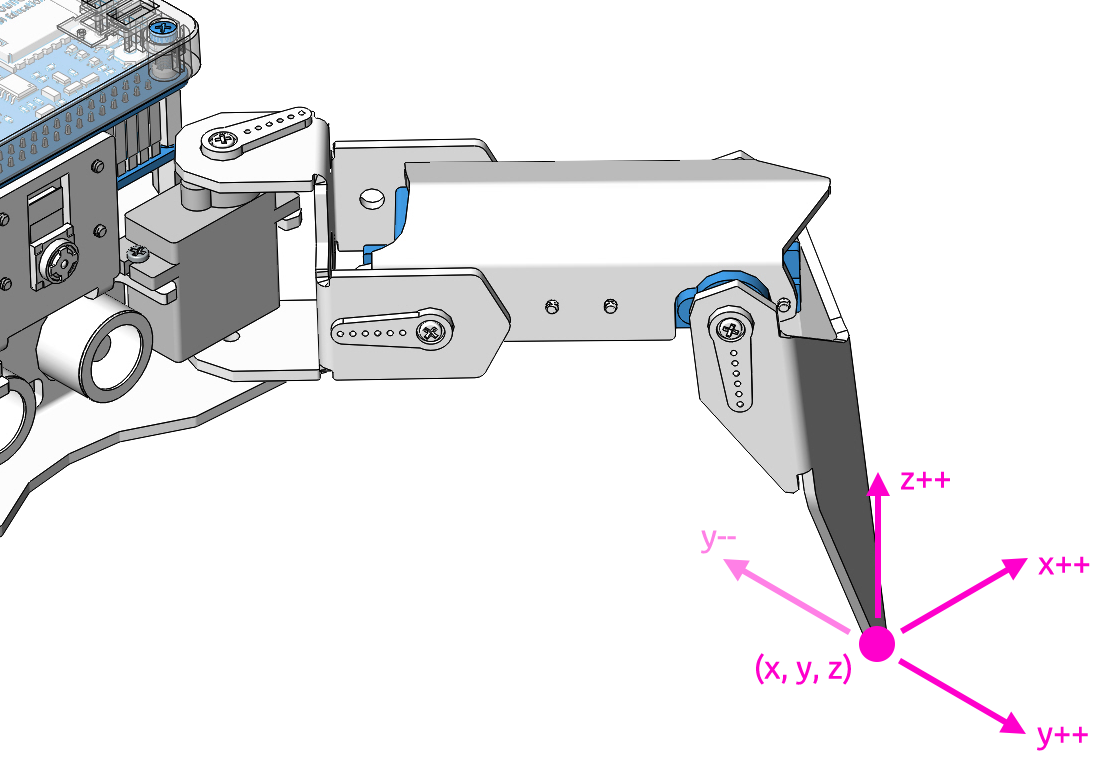
在本示例中,我们将通过键盘逐条腿地控制 PiCrawler,并调整到所需的姿态。
你可以按下空格键打印出当前的坐标值。在为 PiCrawler 创建独特的动作时,这些坐标值将非常有用。
运行代码
cd ~/picrawler/examples
sudo python3 10_do_single_leg.py
代码运行后,请根据终端中出现的提示进行操作。
按下
1234分别选择腿部,1:右前腿,2:左前腿,3:左后腿,4:右后腿按下
w、a、s、d、r、f可逐步调整 PiCrawler 的坐标值按下
Ctrl+C退出程序
代码
#!/usr/bin/env python3
from picrawler import Picrawler
from time import sleep
import readchar

crawler = Picrawler()

SPEED = 80
STEP_SIZE = 2

manual = '''
-------- PiCrawler Controller ---------
    .......          .......
    <=|   2   |┌-┌┐┌┐-┐|   1   |=>
    ``````` ├      ┤ ```````
    ....... ├      ┤ .......
    <=|   3   |└------┘|   4   |=>
    ```````          ```````
    1: Select right front leg
    2: Select left front leg
    3: Select left rear leg
    4: Select right rear leg

    W: Y++          R: Z++
    A: X--          F: Z--
    S: Y--
    D: X++          Ctrl+C: Quit
'''

legs_list = ['right front', 'left front', 'left rear', 'right rear']

# Axis mapping for cleaner logic
move_map = {
    'w': (1, +STEP_SIZE),  # Y++
    's': (1, -STEP_SIZE),  # Y--
    'a': (0, -STEP_SIZE),  # X--
    'd': (0, +STEP_SIZE),  # X++
    'r': (2, +STEP_SIZE),  # Z++
    'f': (2, -STEP_SIZE),  # Z--
}


def clear_screen():
    print("\033[H\033[J", end='')


def show_info(selected_leg, coordinate):
    clear_screen()
    print(manual)
    print(f"Selected leg: {selected_leg + 1} - {legs_list[selected_leg]}")
    print(f"Coordinate: {coordinate}")


def main():
    selected_leg = 0

    try:
        print(manual)

        # Stand up first
        crawler.do_step('stand', 40)
        sleep(0.5)

        # Get current coordinates
        coordinate = crawler.current_step_all_leg_value()
        show_info(selected_leg, coordinate)

        while True:
            key = readchar.readkey().lower()

            # Select leg
            if key in ('1', '2', '3', '4'):
                selected_leg = int(key) - 1
                show_info(selected_leg, coordinate)

            # Move selected leg
            elif key in move_map:
                axis, delta = move_map[key]

                # Update coordinate
                coordinate[selected_leg][axis] += delta

                # Send updated position
                crawler.do_single_leg(selected_leg, coordinate[selected_leg], SPEED)
                sleep(0.1)

                show_info(selected_leg, coordinate)

            sleep(0.05)

    except KeyboardInterrupt:
        print("\nExiting safely...")

    finally:
        # Return to sitting position on exit
        try:
            crawler.do_step('sit', 40)
            sleep(1)
        except Exception:
            pass

        print("Robot is now sitting. Program ended.")


if __name__ == "__main__":
    main()
current_step_all_leg_value():返回所有腿部的坐标值do_single_leg(leg,coordinate[leg],speed):单独修改某条腿的坐标值