7. 斗牛
让 PiCrawler 变身愤怒的公牛!利用摄像头锁定红布并发起冲击!
运行代码
cd ~/picrawler/examples
sudo python3 7_bull_fight.py
查看画面
代码运行后,终端会显示如下提示:
No desktop !
* Serving Flask app "vilib.vilib" (lazy loading)
* Environment: production
WARNING: Do not use the development server in a production environment.
Use a production WSGI server instead.
* Debug mode: off
* Running on http://0.0.0.0:9000/ (Press CTRL+C to quit)
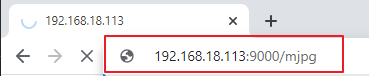
然后在浏览器中输入 http://<your IP>:9000/mjpg 即可查看视频画面,例如: https://192.168.18.113:9000/mjpg
代码
备注
你可以对以下代码进行 Modify/Reset/Copy/Run/Stop 操作。但在此之前,需要进入源码路径,如 picrawler\examples。修改后可直接运行查看效果。
from picrawler import Picrawler
from time import sleep, time
from robot_hat import Music
from vilib import Vilib

# Create robot and audio controller objects
crawler = Picrawler()
music = Music()

def main():
    # Start camera and enable preview window
    Vilib.camera_start(vflip=False, hflip=False)
    Vilib.display(local=False, web=True)

    # Enable red color detection
    Vilib.color_detect("red")

    speed = 80                  # Movement speed
    last_seen = False           # Indicates whether the red target was detected in previous loop
    last_beep = 0               # Timestamp of last sound playback
    BEEP_COOLDOWN = 1.0         # Minimum interval between sound effects (seconds)

    # Stand once before starting tracking
    crawler.do_step('stand', 40)
    sleep(1.0)

    try:
        while True:
            # Read detection result
            if Vilib.detect_obj_parameter.get('color_n', 0) != 0:

                # Get horizontal coordinate of detected red object
                coordinate_x = Vilib.detect_obj_parameter.get('color_x', 0)

                # Play sound effect with cooldown to avoid spamming
                now = time()
                if now - last_beep >= BEEP_COOLDOWN:
                    try:
                        music.sound_play_threading('./sounds/talk1.wav')
                    except Exception:
                        pass
                    last_beep = now

                # Steering logic based on horizontal position
                # Left side of image
                if coordinate_x < 100:
                    crawler.do_action('turn left', 1, speed)

                # Right side of image
                elif coordinate_x > 220:
                    crawler.do_action('turn right', 1, speed)

                # Center area → move forward
                else:
                    crawler.do_action('forward', 2, speed)

                last_seen = True
                sleep(0.05)

            else:
                # No red target detected

                # Stop movement only once when target is lost
                # This prevents repeated stand() calls that cause "push-up" effect
                if last_seen:
                    crawler.do_step('stand', 40)
                    last_seen = False

                sleep(0.15)

    except KeyboardInterrupt:
        # Stop program safely when Ctrl+C is pressed
        print("\nStop.")

    finally:
        # Cleanup section to avoid exit errors

        # Disable color detection
        try:
            Vilib.color_detect("close")
        except Exception:
            pass

        # Close camera safely
        try:
            Vilib.camera_close()
        except Exception:
            pass

        # Make the robot sit before exit
        try:
            crawler.do_step('sit', 40)
            sleep(1.0)
        except Exception:
            pass

if __name__ == "__main__":
    main()
工作原理
摄像头初始化
Vilib.camera_start(vflip=False, hflip=False)
Vilib.display(local=False, web=True)
Vilib.color_detect("red")
启动摄像头并启用网页预览。 同时开启红色目标检测功能。
Vilib 会在后台持续处理图像帧, 并将检测结果存储在
detect_obj_parameter中。机器人准备
crawler.do_step('stand', 40)
sleep(1.0)
在开始目标跟踪之前, 机器人先执行站立动作。
短暂的延时用于确保机器人姿态稳定。
检测目标
if Vilib.detect_obj_parameter.get('color_n', 0) != 0:
    coordinate_x = Vilib.detect_obj_parameter.get('color_x', 0)
程序首先检查是否检测到红色物体。
如果检测到目标, 则读取该红色物体在图像中的水平中心坐标(x 位置)。
转向决策逻辑
if coordinate_x < 100:
    crawler.do_action('turn left', 1, speed)
elif coordinate_x > 220:
    crawler.do_action('turn right', 1, speed)
else:
    crawler.do_action('forward', 2, speed)
图像在水平方向被划分为三个区域: 左侧、中间和右侧。
左侧区域 → 向左转
右侧区域 → 向右转
中间区域 → 向前移动
通过这种方式,机器人可以持续跟随红色目标。
声音冷却机制
now = time()
if now - last_beep >= BEEP_COOLDOWN:
    music.sound_play_threading('./sounds/talk1.wav')
    last_beep = now
通过设置冷却计时器, 可以防止声音被连续重复播放。
即使目标持续被检测到, 声音效果也最多每秒播放一次。
目标丢失处理
if last_seen:
    crawler.do_step('stand', 40)
    last_seen = False
当红色目标消失时, 机器人会停止移动并恢复到稳定的站立姿态。
last_seen标志确保stand()只会执行一次, 从而避免重复复位姿态导致机器人抖动。安全退出与资源清理
finally:
    Vilib.color_detect("close")
    Vilib.camera_close()
    crawler.do_step('sit', 40)
当程序退出时(例如按下 Ctrl+C):
关闭颜色检测功能
安全关闭摄像头
机器人执行坐下动作
这样可以避免摄像头错误, 并防止程序异常退出导致系统状态不稳定。