Note
Hello, welcome to the SunFounder Raspberry Pi & Arduino & ESP32 Enthusiasts Community on Facebook! Dive deeper into Raspberry Pi, Arduino, and ESP32 with fellow enthusiasts.
Why Join?
Expert Support: Solve post-sale issues and technical challenges with help from our community and team.
Learn & Share: Exchange tips and tutorials to enhance your skills.
Exclusive Previews: Get early access to new product announcements and sneak peeks.
Special Discounts: Enjoy exclusive discounts on our newest products.
Festive Promotions and Giveaways: Take part in giveaways and holiday promotions.
👉 Ready to explore and create with us? Click [here] and join today!
1.2 Adding the required libraries
You need to add the correct libraries for the Arduino IDE to use Blynk.
Click HERE, scroll down to the bottom of the page and download the first
.zipfile.
Unzip this file and you can see the following folders.
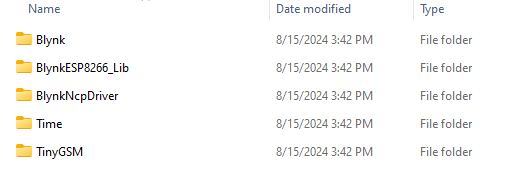
Copy them all and paste them to the default libraries directory of the Arduino IDE, which is usually located at
C:\Users\xxx\Documents\Arduino\libraries.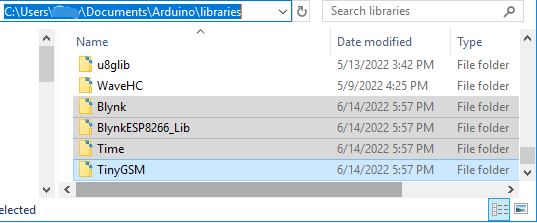
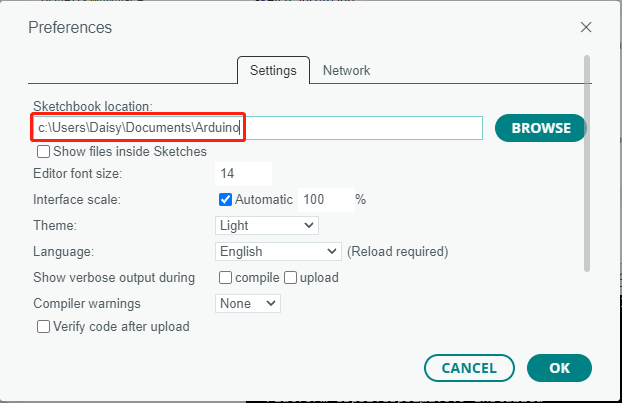
If your libraries directory is different, you can check it by going to File -> Preferences.