寻宝游戏
在房间里摆放一个迷宫,并在六个角落放置六张不同颜色的卡片。然后控制 PiCrawler 挨个寻找这些彩色卡片!
备注
你可以下载并打印 PDF 彩色卡片 以便进行颜色识别。
运行代码
cd ~/picrawler/examples
sudo python3 treasure_hunt.py
查看图片
代码运行后,终端会显示如下提示:
No desktop !
* Serving Flask app "vilib.vilib" (lazy loading)
* Environment: production
WARNING: Do not use the development server in a production environment.
Use a production WSGI server instead.
* Debug mode: off
* Running on http://0.0.0.0:9000/ (Press CTRL+C to quit)
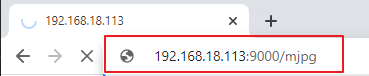
然后,你可以在浏览器中输入 http://<your IP>:9000/mjpg 查看视频画面。例如: http://192.168.18.113:9000/mjpg
代码
#!/usr/bin/env python3
from picrawler import Picrawler
from time import sleep, time
from robot_hat import Music, TTS
from vilib import Vilib
import readchar
import random
import threading

crawler = Picrawler()
music = Music()   # kept for compatibility (not used here)
tts = TTS()

MANUAL = '''
Press keys on keyboard to control Picrawler!
        w: Forward
        a: Turn left
        s: Backward
        d: Turn right
        space: Say the target again
        Ctrl+C: Quit
'''

color = "red"
color_list = ["red", "orange", "yellow", "green", "blue", "purple"]

key_dict = {
        'w': 'forward',
        's': 'backward',
        'a': 'turn_left',
        'd': 'turn_right',
}

# ----------------------------
# Thread-safe key handling
# ----------------------------
lock = threading.Lock()
key_state = None               # last key event
stop_event = threading.Event() # signal to exit cleanly

def set_key(k):
        global key_state
        with lock:
                key_state = k

def pop_key():
        """Read and clear the last key event."""
        global key_state
        with lock:
                k = key_state
                key_state = None
        return k

def key_scan_thread():
        """Keyboard input thread (quiet exit on Ctrl+C)."""
        while not stop_event.is_set():
                try:
                        k = readchar.readkey()
                except KeyboardInterrupt:
                        # Ctrl+C may raise KeyboardInterrupt inside this thread
                        stop_event.set()
                        break
                except Exception:
                        sleep(0.02)
                        continue

                if k == readchar.key.SPACE:
                        set_key('space')
                elif k == readchar.key.CTRL_C:
                        set_key('quit')
                        stop_event.set()
                        break
                else:
                        try:
                                set_key(str(k).lower())
                        except Exception:
                                pass

                sleep(0.01)

# ----------------------------
# Game logic
# ----------------------------
def renew_color_detect():
        global color
        color = random.choice(color_list)
        try:
                Vilib.color_detect(color)
        except Exception:
                pass
        try:
                tts.say("Look for " + color)
        except Exception:
                pass

def safe_camera_close():
        try:
                Vilib.color_detect("close")
        except Exception:
                pass
        try:
                Vilib.camera_close()
        except Exception:
                pass

def safe_sit():
        try:
                crawler.do_step('sit', 40)
                sleep(0.5)
        except Exception:
                pass

def stand_ready():
        """
        Stand up after startup.
        Requirement: stand at 40, then only move after WASD is pressed.
        """
        try:
                crawler.do_step('stand', 40)
                sleep(0.8)
        except Exception:
                pass

def main():
        speed = 80
        action = None

        # Start camera + web preview
        Vilib.camera_start(vflip=False, hflip=False)
        Vilib.display(local=False, web=True)
        sleep(0.8)

        print(MANUAL)

        # Start keyboard thread (daemon, so it won't block process exit)
        t = threading.Thread(target=key_scan_thread, daemon=True)
        t.start()

        # Announce and stand up to 40
        try:
                tts.say("game start")
        except Exception:
                pass
        sleep(0.05)

        stand_ready()
        renew_color_detect()

        try:
                while not stop_event.is_set():
                        # If target detected and large enough -> renew target
                        try:
                                n = Vilib.detect_obj_parameter.get('color_n', 0)
                                w = Vilib.detect_obj_parameter.get('color_w', 0)
                        except Exception:
                                n, w = 0, 0

                        if n != 0 and w > 100:
                                try:
                                        tts.say("well done")
                                except Exception:
                                        pass
                                sleep(0.05)
                                renew_color_detect()

                        # Handle key event
                        k = pop_key()

                        if k in key_dict:
                                action = key_dict[k]

                        elif k == 'space':
                                try:
                                        tts.say("Look for " + color)
                                except Exception:
                                        pass

                        elif k == 'quit':
                                stop_event.set()

                        # Move only after receiving a WASD action
                        if action is not None:
                                try:
                                        crawler.do_action(action, 1, speed)
                                except Exception:
                                        pass
                                action = None

                        sleep(0.05)

        except KeyboardInterrupt:
                stop_event.set()

        finally:
                # Clean exit
                stop_event.set()
                safe_camera_close()
                safe_sit()
                print("\nQuit")

if __name__ == "__main__":
        main()
它是如何工作的?
程序功能
该程序是一个为 PiCrawler 设计的简单“寻宝游戏”:
摄像头视频流通过网页显示(没有本地 GUI 窗口)
Vilib 会检测指定颜色目标(red / orange / yellow / green / blue / purple)
用户使用 WASD 控制机器人移动
当检测到的颜色物体足够大时,程序会宣布成功,并切换到新的目标颜色
按 Ctrl+C 退出程序时会安全关闭,不会出现线程报错
键盘输入在后台线程中运行
stop_event = threading.Event()
key_state = None

def key_scan_thread():
    while not stop_event.is_set():
        try:
            k = readchar.readkey()
        except KeyboardInterrupt:
            stop_event.set()
            break
键盘读取被放在独立的线程中运行。
这样主循环就不会因为等待按键输入而被阻塞。
Ctrl+C 有时会在该线程中触发 KeyboardInterrupt(readchar 的行为), 因此程序捕获该异常并触发安全退出,而不是打印错误信息。
按键事件的安全共享
lock = threading.Lock()

def set_key(k):
    global key_state
    with lock:
        key_state = k

def pop_key():
    global key_state
    with lock:
        k = key_state
        key_state = None
    return k
程序使用锁(lock)来保护共享变量 key_state。
键盘线程通过 set_key() 写入按键事件。 主循环通过 pop_key() 读取并清除事件。
这样可以确保机器人响应按键时不会发生线程竞争问题。
摄像头与网页预览
Vilib.camera_start(vflip=False, hflip=False)
Vilib.display(local=False, web=True)
启动摄像头并开启网页预览。
设置 local=False 可以避免在没有桌面环境的系统中出现 GUI 崩溃问题。
机器人先站立,然后等待移动指令
crawler.do_step('stand', 40)
sleep(0.8)
程序启动后,机器人会先以速度 40 站立,以稳定姿态。
程序不会自动移动机器人, 只有在接收到 WASD 按键时才会执行动作。
选择目标颜色
color = random.choice(COLOR_LIST)
Vilib.color_detect(color)
tts.say("Look for " + color)
程序会从颜色列表中随机选择一个目标颜色。
Vilib 会开启该颜色的检测。
TTS 会朗读当前目标颜色,让用户知道需要寻找哪种颜色。
检测“成功”并切换目标
n = Vilib.detect_obj_parameter.get('color_n', 0)
w = Vilib.detect_obj_parameter.get('color_w', 0)

if n != 0 and w > 100:
    tts.say("well done")
    renew_color_detect()
Vilib 会持续更新 detect_obj_parameter 数据。
color_n 表示是否检测到目标
color_w 表示目标的宽度(大致反映目标距离或大小)
当检测到目标且目标足够大时, 程序会宣布成功并立即切换到新的随机目标颜色。
使用 WASD 控制移动
if k in key_dict:
    action = key_dict[k]

if action is not None:
    crawler.do_action(action, 1, speed)
    action = None
主循环会检查是否有新的按键事件:
w → 前进
s → 后退
a → 左转
d → 右转
当检测到移动按键时, 机器人会执行一个短动作步。
这种设计可以保持控制灵敏, 并避免机器人持续失控移动。
Space 键:重复目标提示
elif k == 'space':
    tts.say("Look for " + color)
按下 Space 键可以再次朗读当前目标颜色。
如果用户忘记目标颜色,这个功能会很有用。
退出与资源清理
finally:
    stop_event.set()
    Vilib.color_detect("close")
    Vilib.camera_close()
    crawler.do_step('sit', 40)
当程序退出时:
stop_event 会通知键盘线程停止运行
关闭 Vilib 颜色检测
安全关闭摄像头
机器人执行坐下动作,避免退出后姿态不稳定
按照这样的清理顺序可以防止摄像头资源错误, 并确保机器人以安全姿态结束程序。