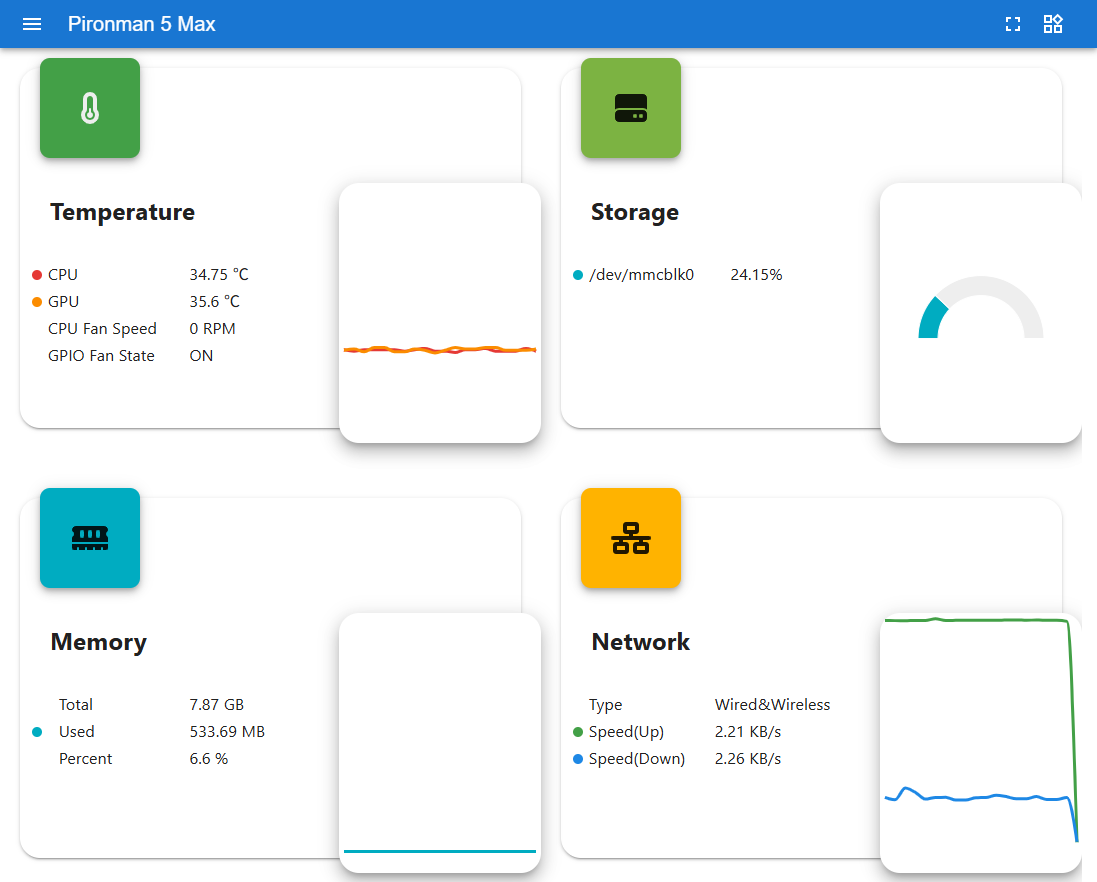
在 Umbrel OS 上的配置
如果你在 Raspberry Pi 5 上安装了 Umbrel OS,你可以通过命令行配置 Pironman 5 MAX。请按照以下步骤完成设置:
使用以太网线将 Raspberry Pi 5 连接到网络。此步骤非常重要,以确保设备能够访问互联网。
打开浏览器并访问:
http://umbrel.local。如果页面无法打开,请在路由器中查找 Umbrel 设备的 IP 地址,例如:http://192.168.1.50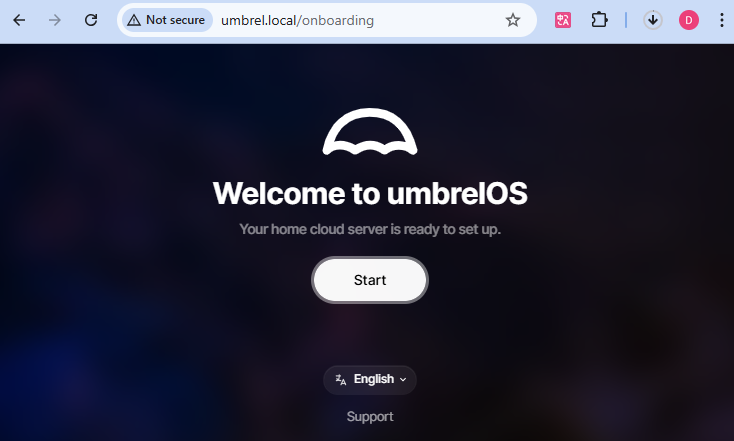
创建你的 Umbrel 账户,设置用户名和密码。该密码将用于今后远程登录,请务必妥善保管。

点击 Next 以完成 Umbrel 配置并进入桌面环境。
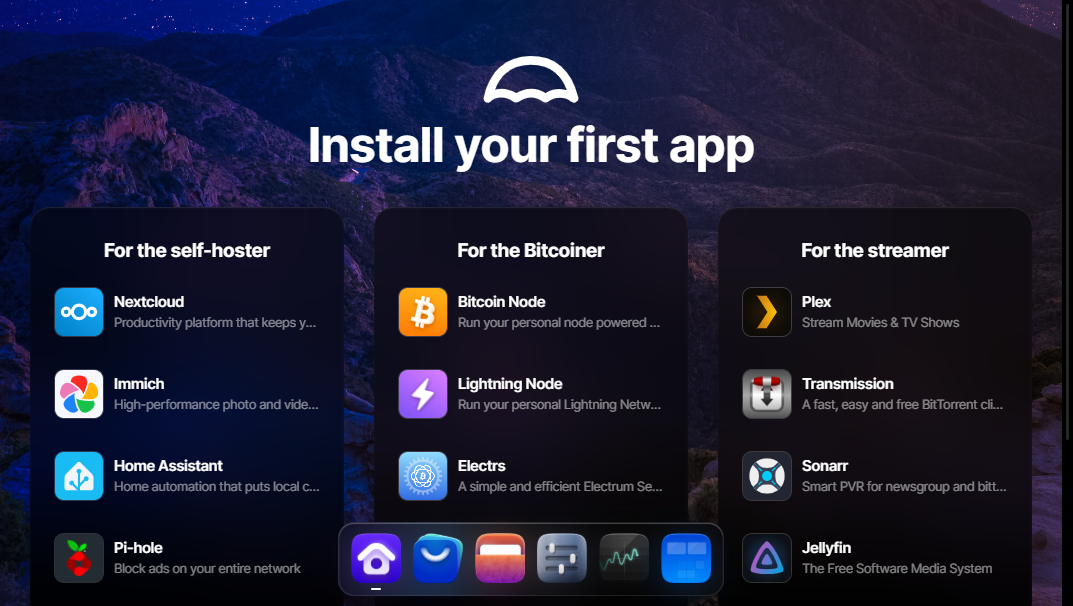
点击 App Store 图标打开应用商店。
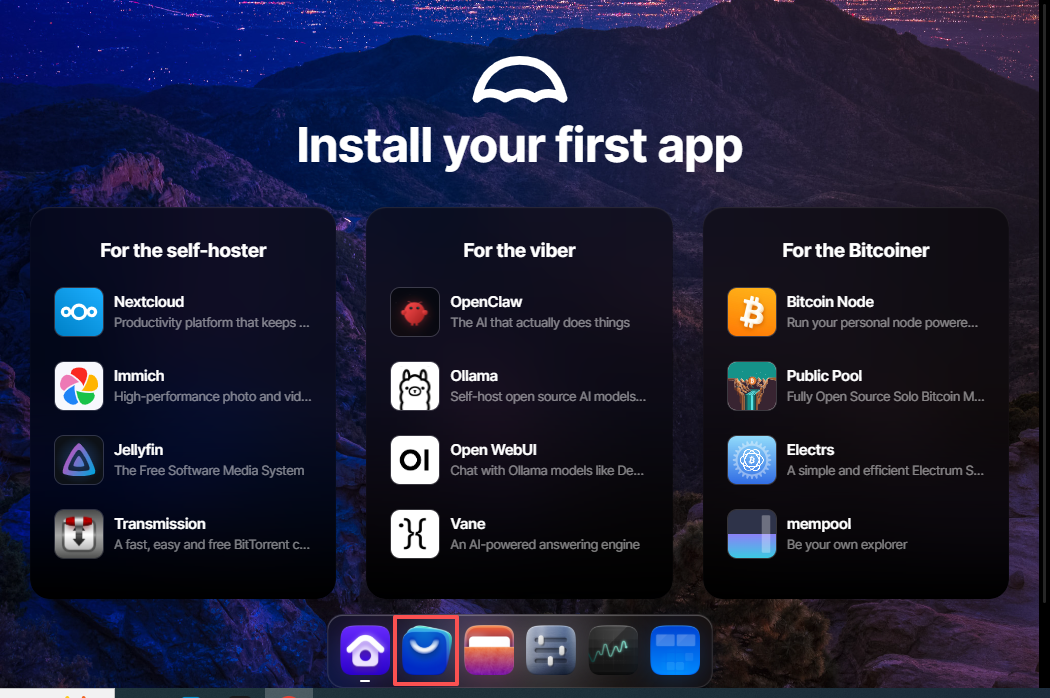
在 Umbrel 应用商店中,点击右上角的 Community App Store 按钮。
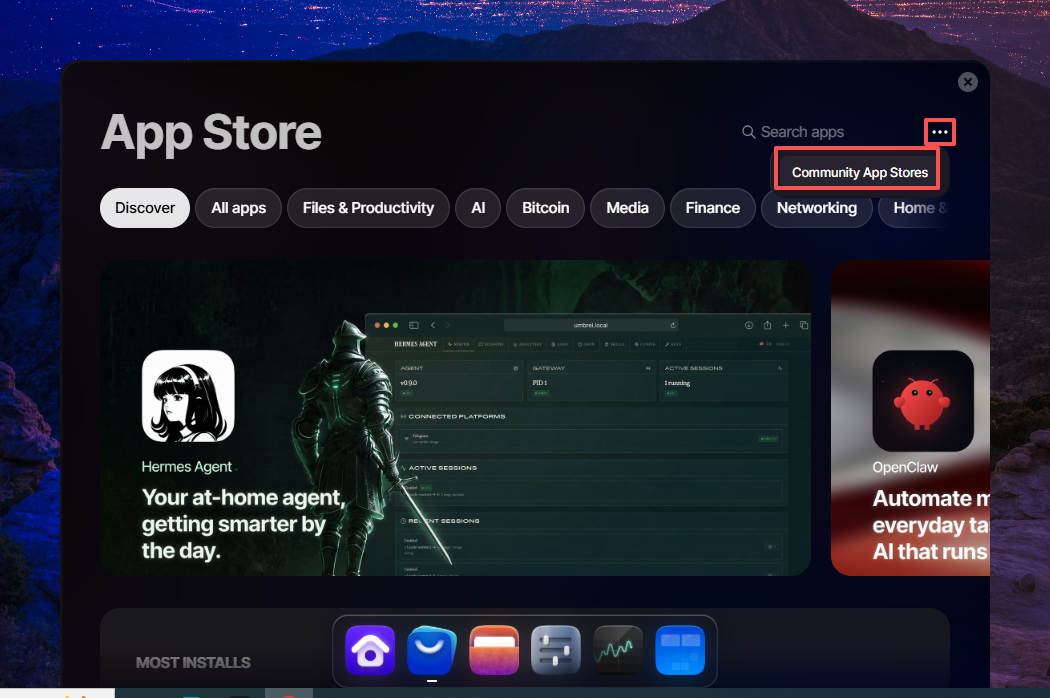
输入我们的自定义仓库 URL:
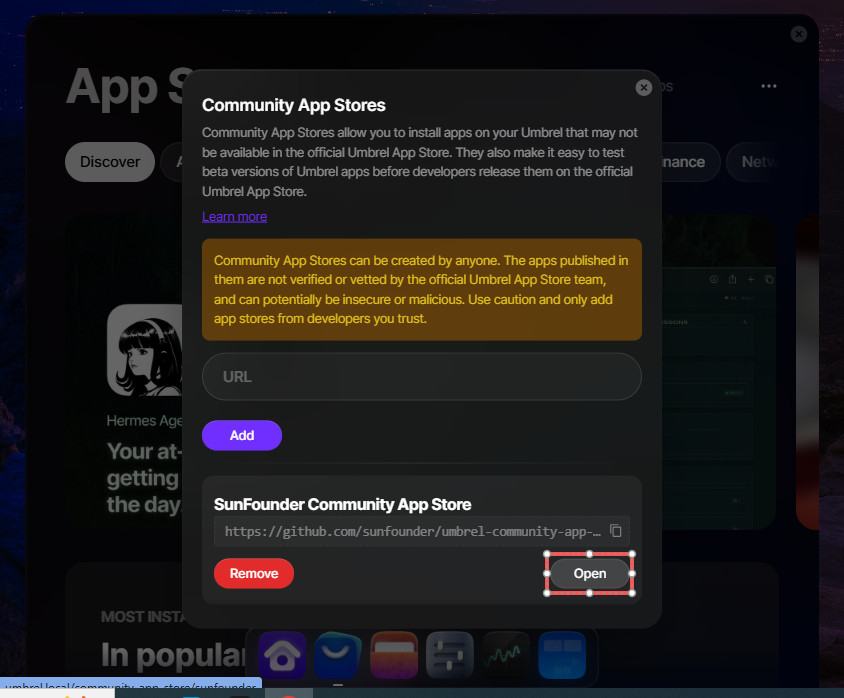
https://github.com/sunfounder/umbrel-community-app-store/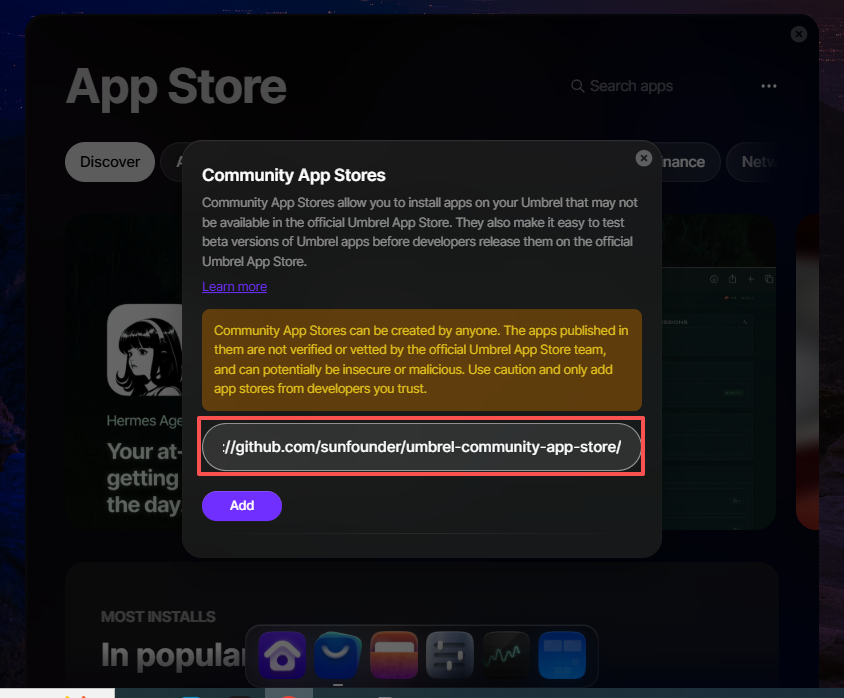
添加仓库后,点击 Open 打开 SunFounder Store。
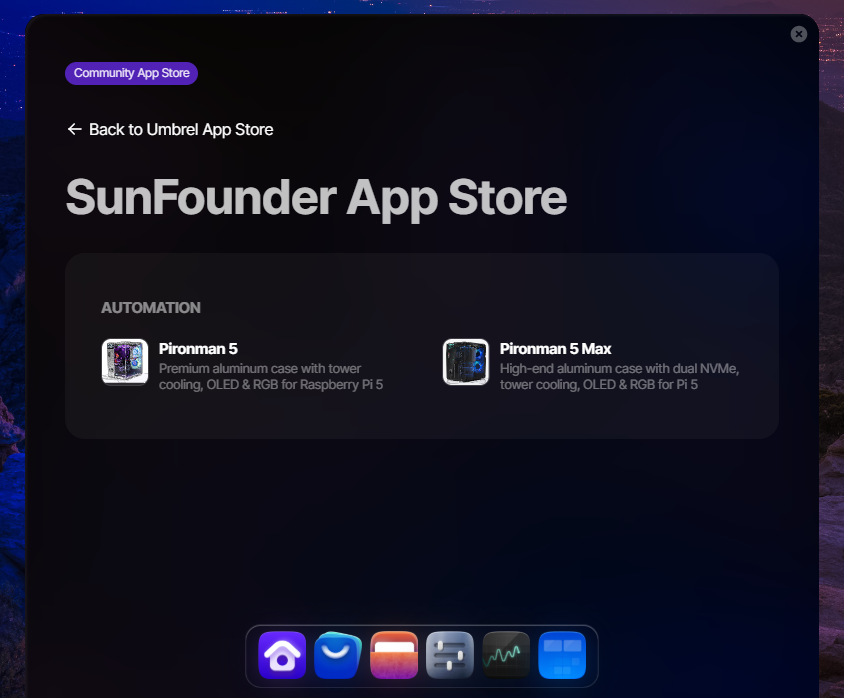
在 SunFounder 应用商店 中,你会看到两个可用的应用。选择 Pironman 5 或 Pironman 5 Max。
点击 Install 开始安装。
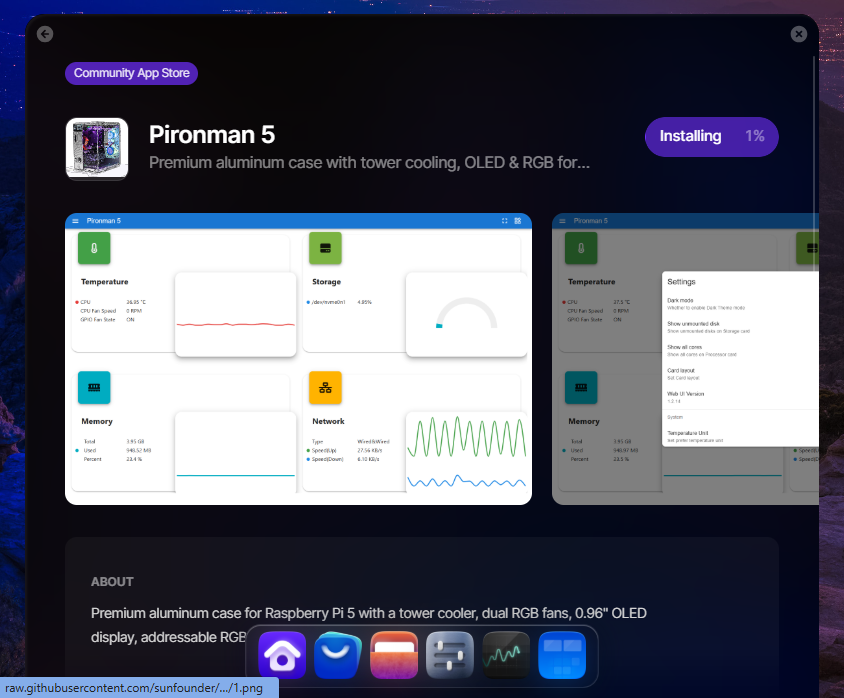
安装完成后,点击 Open 启动仪表盘。