通过 PowerShell 安装 OpenSSH
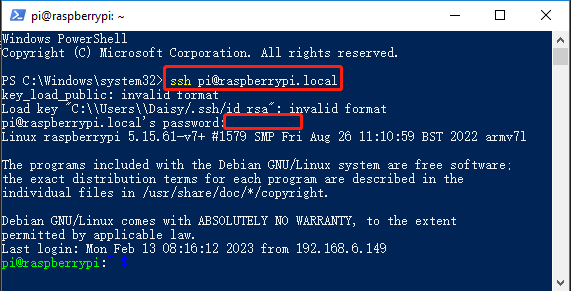
如果在运行 ssh <username>@<hostname>.local 或 ssh <username>@<IP> 时看到如下错误:
ssh: The term 'ssh' is not recognized as the name of a cmdlet, function, script file, or operable program.
这意味着你的 Windows 系统尚未安装 OpenSSH。 请按照以下步骤手动安装。
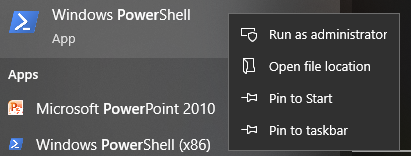
打开 Windows 开始菜单,输入 powershell,右键点击 Windows PowerShell,选择 以管理员身份运行。
安装 OpenSSH 客户端:
Add-WindowsCapability -Online -Name OpenSSH.Client~~~~0.0.1.0
安装完成后,你应该会看到类似如下的输出:
Path          :
Online        : True
RestartNeeded : False
验证安装是否成功:
Get-WindowsCapability -Online | Where-Object Name -like 'OpenSSH*'
如果 OpenSSH 已正确安装,输出中将包含:
Name  : OpenSSH.Client~~~~0.0.1.0
State : Installed
Name  : OpenSSH.Server~~~~0.0.1.0
State : NotPresent
警告
如果没有显示
Installed,说明你的 Windows 系统版本可能过旧。 在这种情况下,建议使用第三方 SSH 工具。请参见:PuTTY关闭 PowerShell,然后重新打开(这次无需以管理员身份运行),并使用
ssh命令登录:ssh <username>@<hostname>.local