Note
Hello, welcome to the SunFounder Raspberry Pi & Arduino & ESP32 Enthusiasts Community on Facebook! Dive deeper into Raspberry Pi, Arduino, and ESP32 with fellow enthusiasts.
Why Join?
Expert Support: Solve post-sale issues and technical challenges with help from our community and team.
Learn & Share: Exchange tips and tutorials to enhance your skills.
Exclusive Previews: Get early access to new product announcements and sneak peeks.
Special Discounts: Enjoy exclusive discounts on our newest products.
Festive Promotions and Giveaways: Take part in giveaways and holiday promotions.
👉 Ready to explore and create with us? Click [here] and join today!
Record New Step
We use the remote function to control PiCrawler to make several poses in turn, and record these poses. Replay them later.
Program
Note
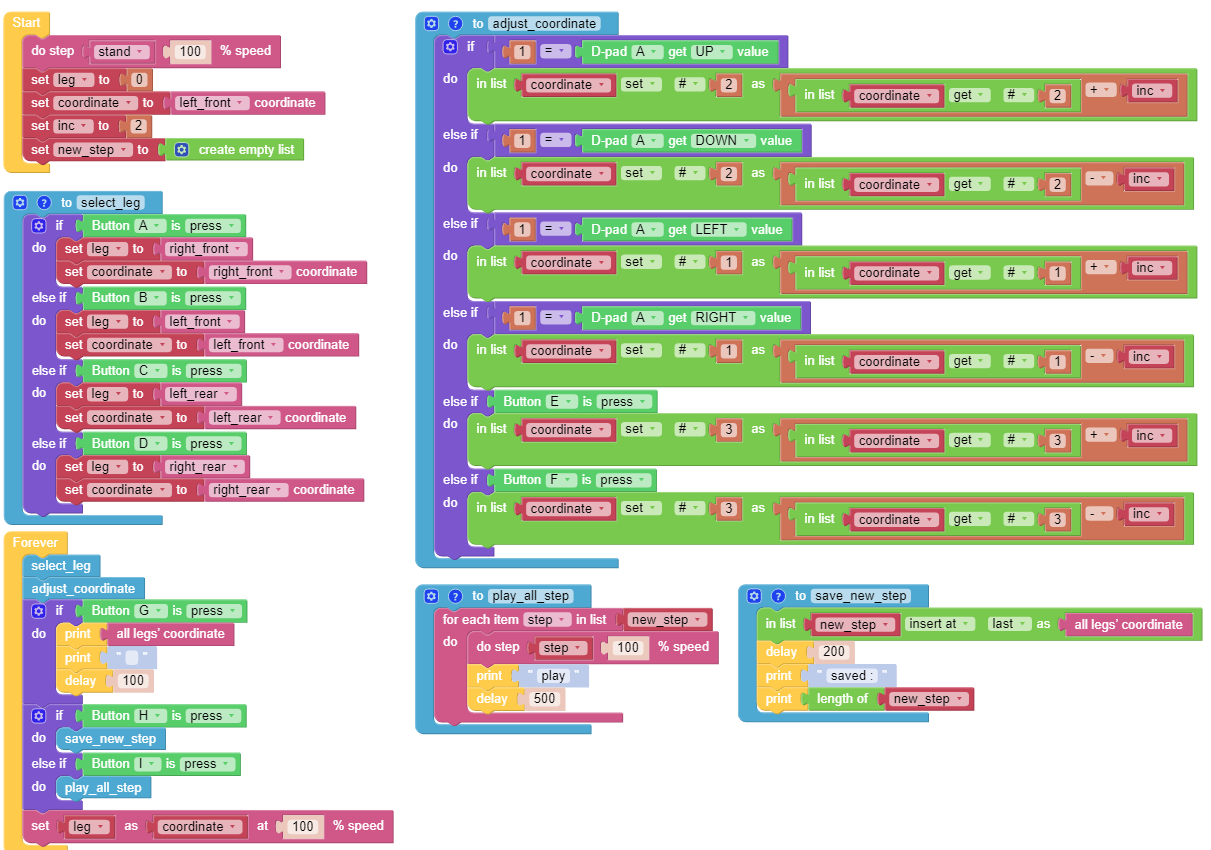
You can write the program according to the following picture, please refer to the tutorial: How to Create a New Project?.
Or find the code with the same name on the Examples page of the EzBlock Studio and click Run or Edit directly.
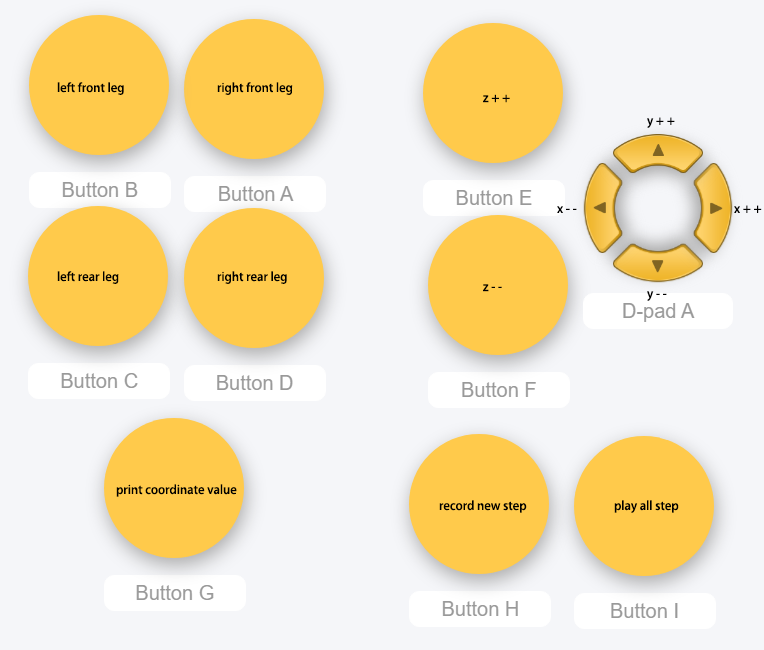
Switch to the Remote Control interface, and you will see the following widgets.
How it works?
This project was born out of Adjust Posture. Added recording and replay functions.
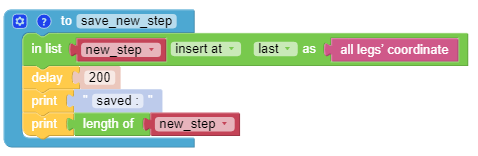
The recording function is implemented by the following code.
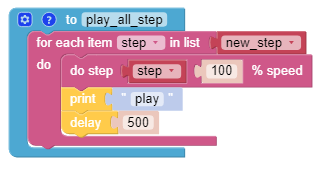
The replay function is implemented by the following code.