Note
Hello, welcome to the SunFounder Raspberry Pi & Arduino & ESP32 Enthusiasts Community on Facebook! Dive deeper into Raspberry Pi, Arduino, and ESP32 with fellow enthusiasts.
Why Join?
Expert Support: Solve post-sale issues and technical challenges with help from our community and team.
Learn & Share: Exchange tips and tutorials to enhance your skills.
Exclusive Previews: Get early access to new product announcements and sneak peeks.
Special Discounts: Enjoy exclusive discounts on our newest products.
Festive Promotions and Giveaways: Take part in giveaways and holiday promotions.
👉 Ready to explore and create with us? Click [here] and join today!
Pose
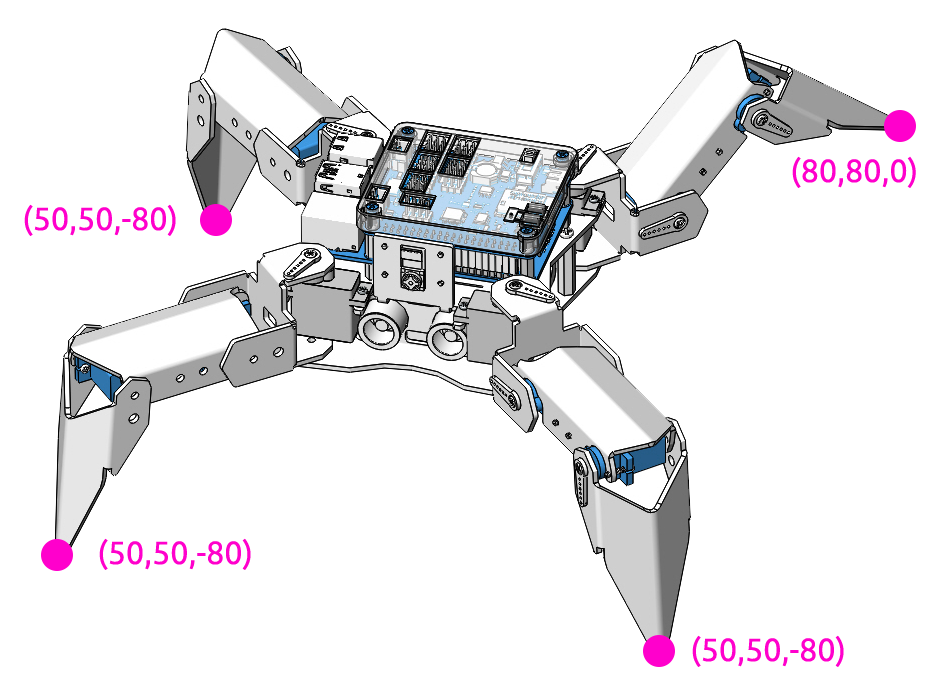
PiCrawler can assume a specific posture by writing a coordinate array. Here it assumes a raised right rear foot posture.
Program
Note
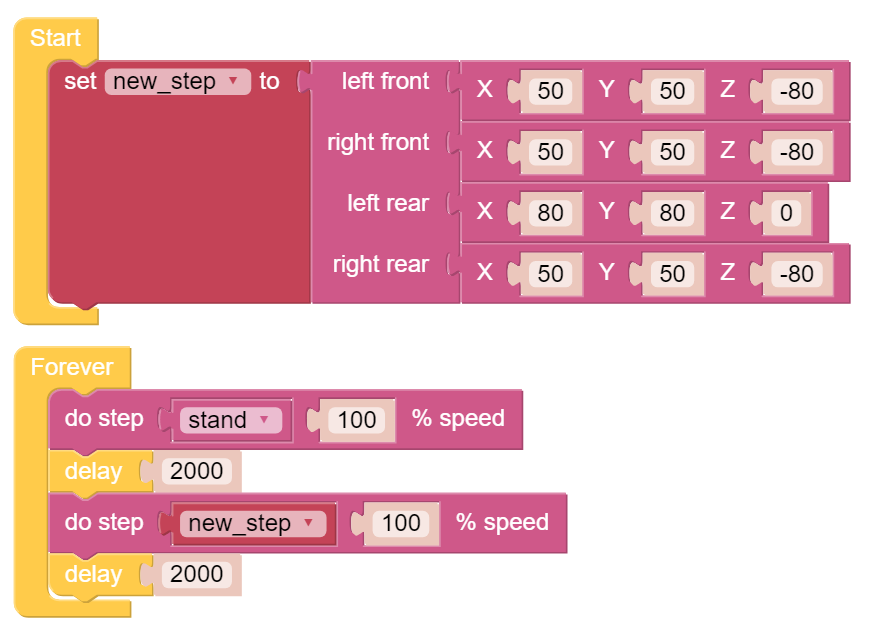
You can write the program according to the following picture, please refer to the tutorial: How to Create a New Project?.
Or find the code with the same name on the Examples page of the EzBlock Studio and click Run or Edit directly.
How it works?
In this code, the code you need to pay attention to is this do step.
It has two uses:
One: It can directly use stand or sit.
Second: It can also write an array of 4 coordinate values.
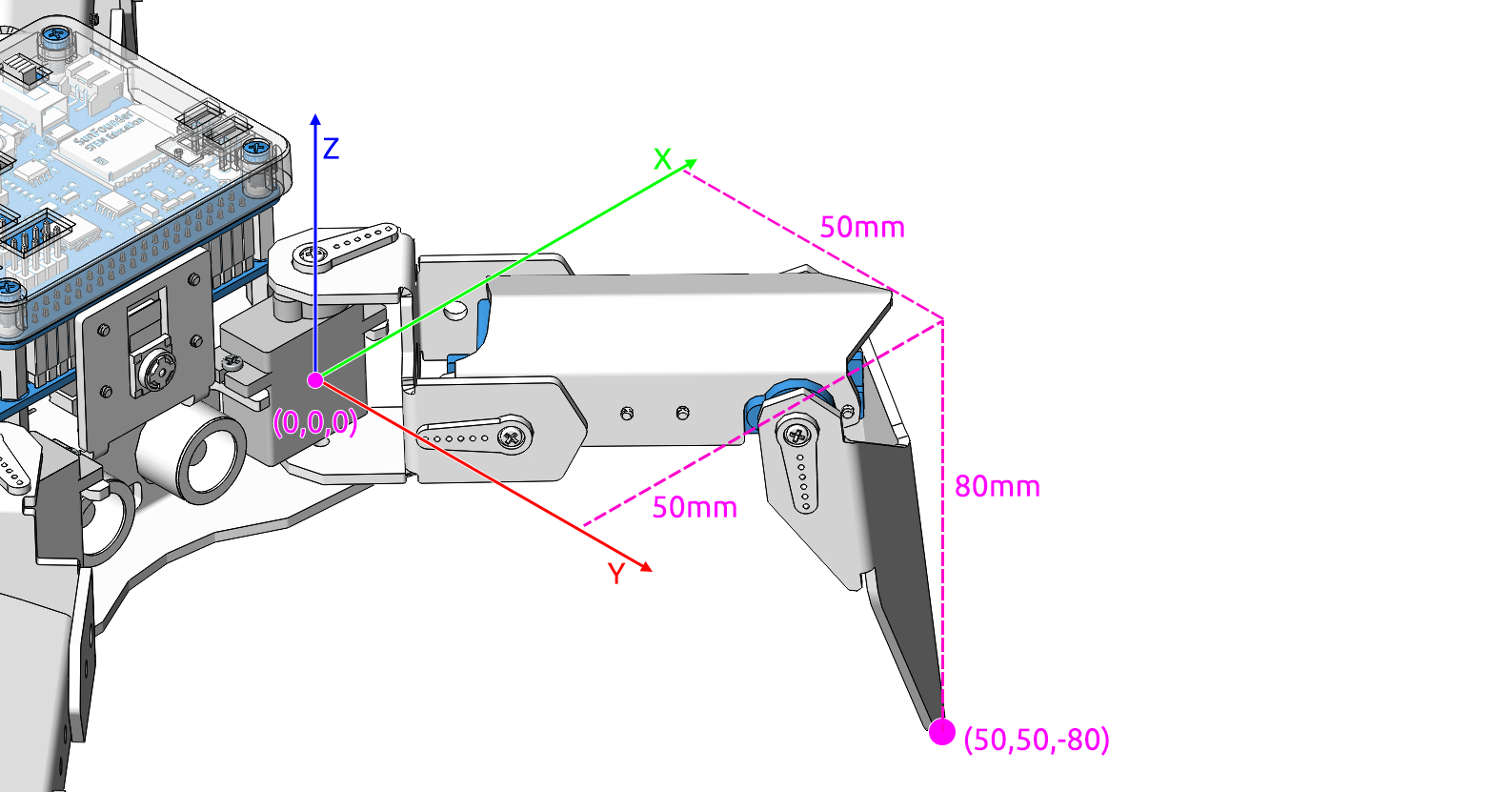
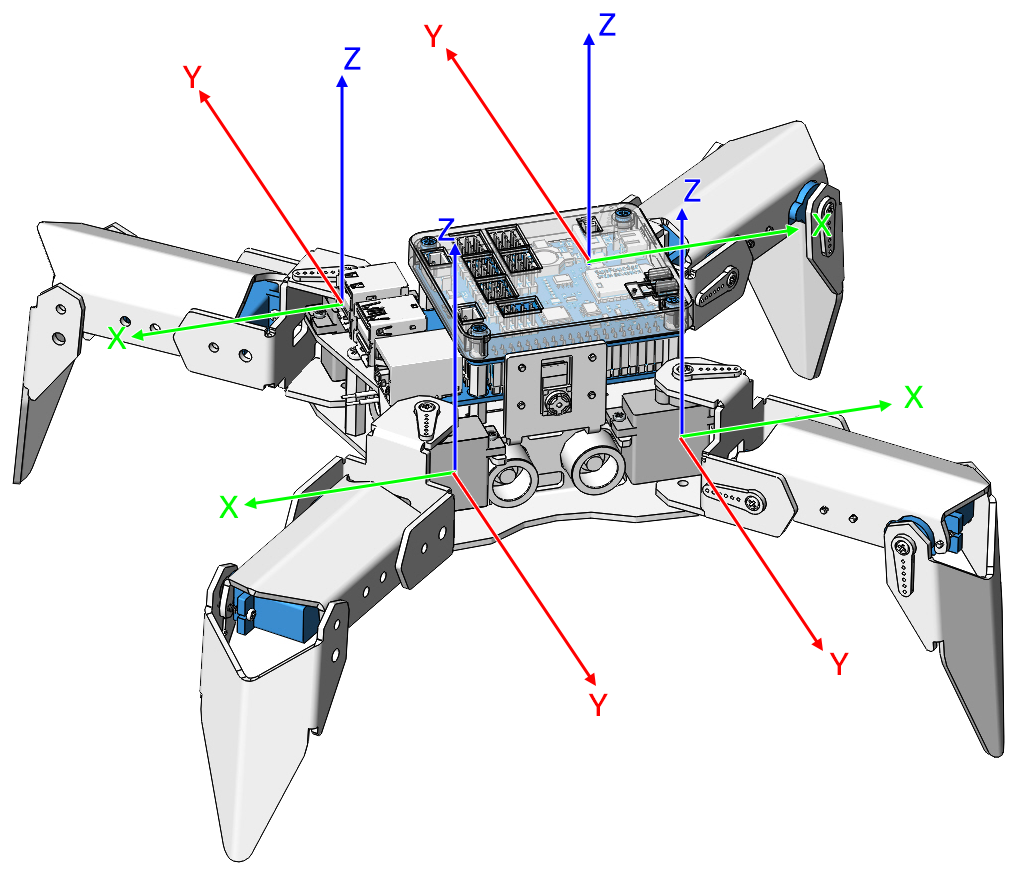
Each foot has an independent coordinate system. As shown below:
You need to measure the coordinates of each toe individually. As shown below: