Note
Hello, welcome to the SunFounder Raspberry Pi & Arduino & ESP32 Enthusiasts Community on Facebook! Dive deeper into Raspberry Pi, Arduino, and ESP32 with fellow enthusiasts.
Why Join?
Expert Support: Solve post-sale issues and technical challenges with help from our community and team.
Learn & Share: Exchange tips and tutorials to enhance your skills.
Exclusive Previews: Get early access to new product announcements and sneak peeks.
Special Discounts: Enjoy exclusive discounts on our newest products.
Festive Promotions and Giveaways: Take part in giveaways and holiday promotions.
👉 Ready to explore and create with us? Click [here] and join today!
7-segment Display
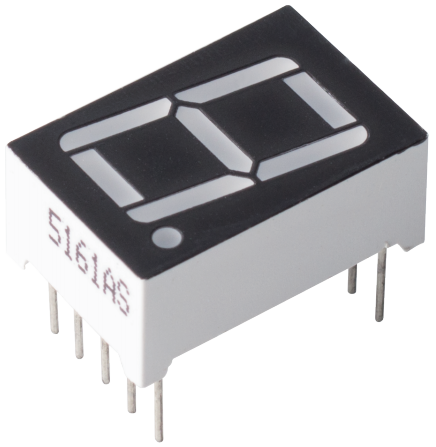
A 7-segment display is an 8-shaped component which packages 7 LEDs. Each LED is called a segment - when energized, one segment forms part of a numeral to be displayed.
Each of the LEDs in the display is given a positional segment with one of its connection pins led out from the rectangular plastic package.
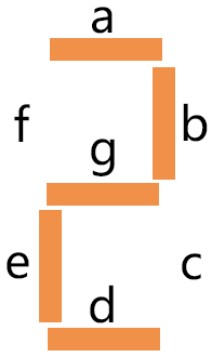
These LED pins are labeled from “a” through to “g” representing each individual LED.
The other LED pins are connected together forming a common pin.
So by forward biasing the appropriate pins of the LED segments in a particular order, some segments will brighten and others stay dim, thus showing the corresponding character on the display.
Features
Size: 19 x 12.7 x 13.8mm(LxWxH, include the pin)
Screen: 0.56’’
Color: red
Common Cathode
Forward Voltage: 1.8V
10 pins
Pitch: standard 0.1” (2.54mm)
Common Cathode (CC) or Common Anode (CA)
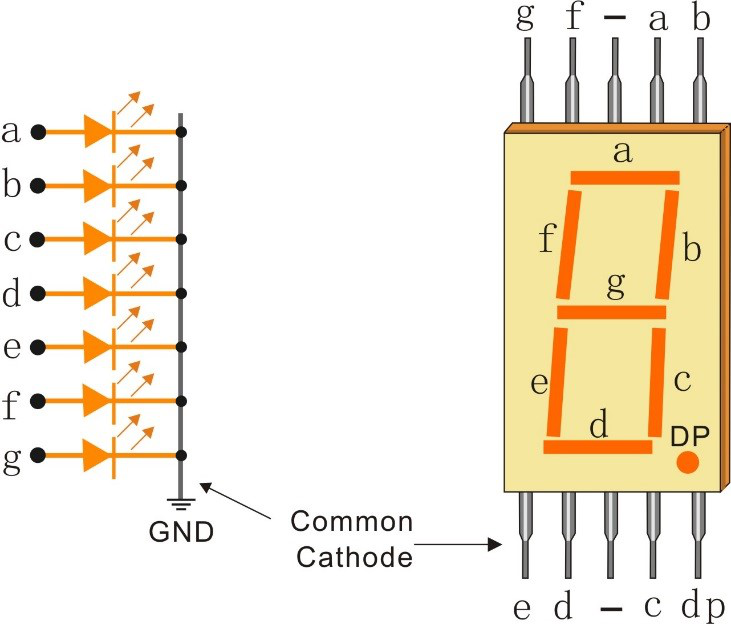
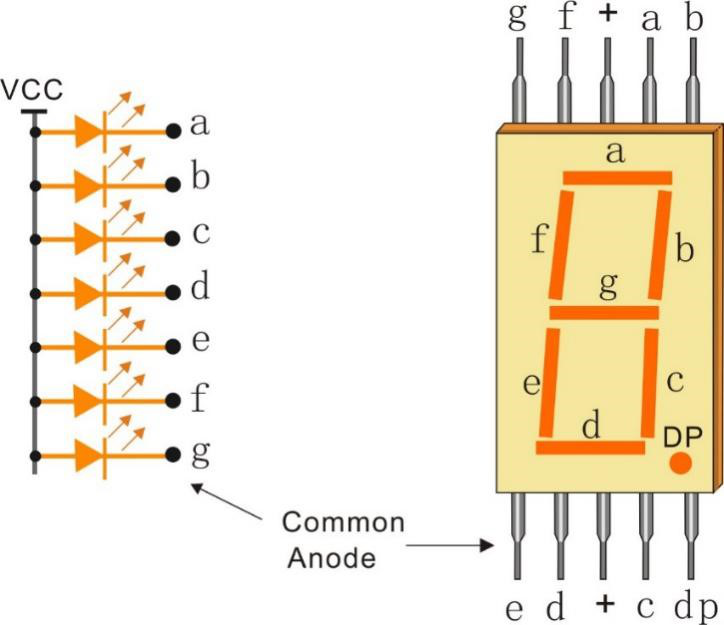
There are two types of pin connection: Common Cathode (CC) and Common Anode (CA). As the name suggests, a CC display has all the cathodes of the 7 LEDs connected when a CA display has all the anodes of the 7 segments connected.
Common Cathode 7-Segment Display
Common Anode 7-Segment Display
How to Know CC or CA?
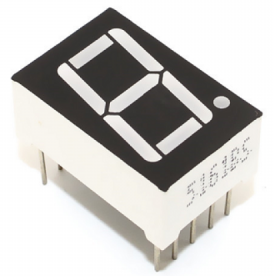
Usually there will be label on the side of the 7-segment display, xxxAx or xxxBx. Generally speaking xxxAx stands for common cathode and xxxBx stands for common anode.
You can also use a multimeter to check the 7-segment display if there is no label. Set the multimeter to diode test mode and connect the black lead to the middle pin of the 7-segment display, and the red lead to any other pin except the middle one. The 7-segment display is common cathode if a segment lights up.
You swap the red and black meter heads if there is no segment lit. When a segment is lit, it indicates a common anode.

Display Codes
To help you get to know how 7-segment displays(Common Cathode) display Numbers, we have drawn the following table. Numbers are the number 0-F displayed on the 7-segment display; (DP) GFEDCBA refers to the corresponding LED set to 0 or 1.
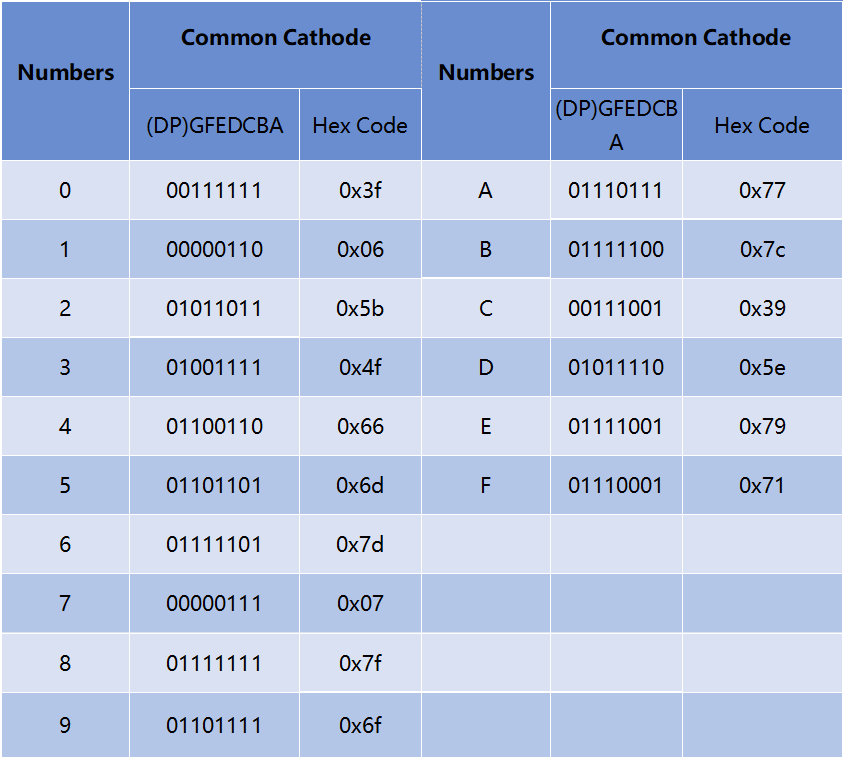
For example, 01011011 means that DP, F and C are set to 0, while others are set to 1. Therefore, the number 2 is displayed on the 7-segment display.
Example
2.5 7 Segment Display (Arduino Project)
6.4 Digital Dice (Arduino Project)
2.5 Number Display (MicroPython Project)
6.6 Digital Dice (MicroPython Project)