注釈
こんにちは、SunFounderのRaspberry Pi & Arduino & ESP32愛好家コミュニティへようこそ!Facebook上でRaspberry Pi、Arduino、ESP32についてもっと深く掘り下げ、他の愛好家と交流しましょう。
参加する理由は?
エキスパートサポート:コミュニティやチームの助けを借りて、販売後の問題や技術的な課題を解決します。
学び&共有:ヒントやチュートリアルを交換してスキルを向上させましょう。
独占的なプレビュー:新製品の発表や先行プレビューに早期アクセスしましょう。
特別割引:最新製品の独占割引をお楽しみください。
祭りのプロモーションとギフト:ギフトや祝日のプロモーションに参加しましょう。
👉 私たちと一緒に探索し、創造する準備はできていますか?[ここ]をクリックして今すぐ参加しましょう!
1.3.1 モーター
はじめに
このプロジェクトでは、L293Dを使用してDCモーターを駆動し、時計回りおよび反時計回りに回転させる方法を学びます。DCモーターには大きな電流が必要なため、安全のために、ここでは電源モジュールを使用してモーターに電源を供給します。
必要な部品
このプロジェクトで必要な部品は以下のとおりです。
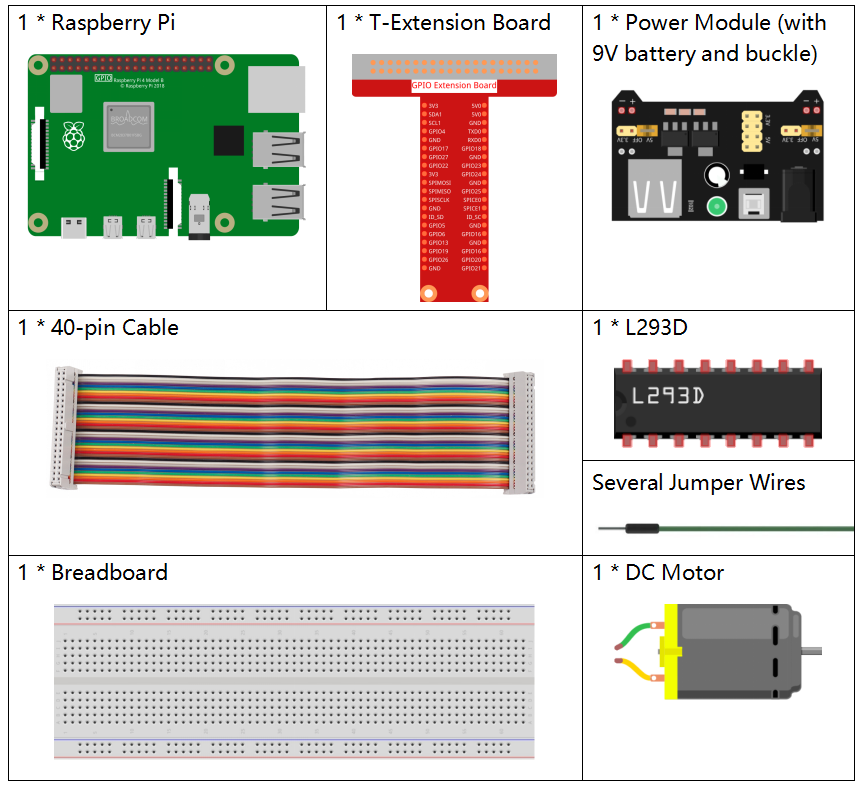
全体のキットを購入するのは非常に便利です。リンクはこちらです:
名前 |
このキットのアイテム |
リンク |
|---|---|---|
Raphael Kit |
337 |
以下のリンクから個別に購入することもできます。
コンポーネントの紹介 |
購入リンク |
|---|---|
- |
|
- |
|
回路図
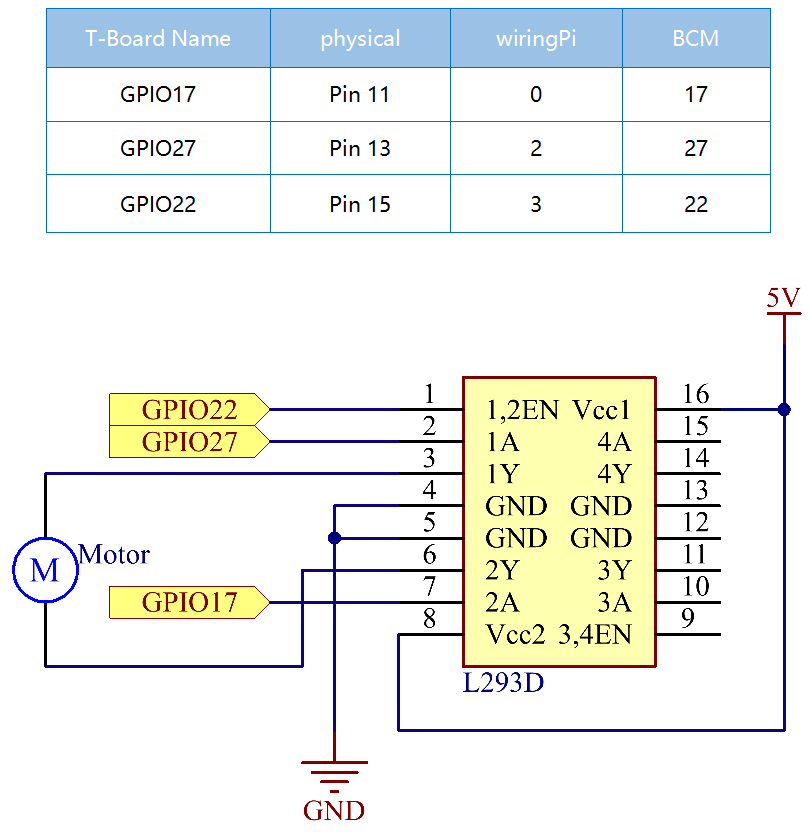
電源モジュールをブレッドボードに差し込み、ジャンパキャップを5Vのピンに差し込むと、5Vの電圧が出力されます。L293Dのピン1をGPIO22に接続し、高レベルに設定します。ピン2をGPIO27に、ピン7をGPIO17に接続し、一方のピンを高く、もう一方のピンを低く設定します。これにより、モーターの回転方向を変更できます。
実験手順
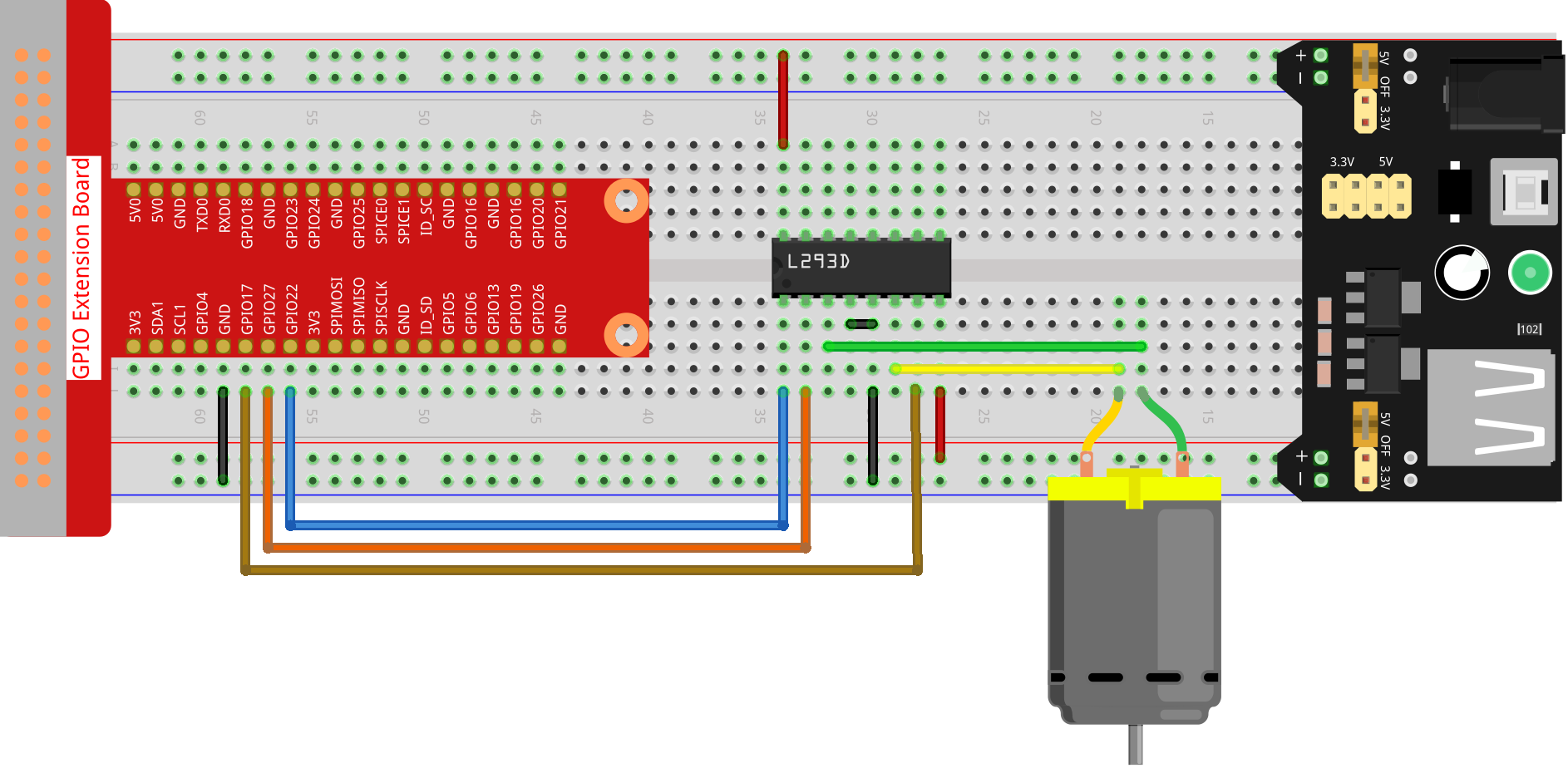
ステップ1: 回路を作成します。
注釈
電源モジュールはキットの9Vバッテリーバックルを使用して9Vの電池を使用できます。電源モジュールのジャンパキャップをブレッドボードの5Vバスストリップに挿入します。

ステップ2: コードのフォルダに移動します。
cd ~/raphael-kit/nodejs/
ステップ4: コードを実行します。
sudo node motor.js
コードを実行すると、モーターは最初に時計回りに1秒間回転し、その後1秒間停止します。その後、モーターは反時計回りに1秒間回転します。その後、モーターは1秒間停止します。この一連の動作は繰り返し実行されます。
コード
const Gpio = require('pigpio').Gpio;

MotorPin1 = new Gpio(17, { mode: Gpio.OUTPUT });
MotorPin2 = new Gpio(27, { mode: Gpio.OUTPUT });
MotorEnable = new Gpio(22, { mode: Gpio.OUTPUT });


// Define a motor function to spin the motor
// direction should be
// 2(clockwise), 1(counterclockwise), 0(stop)
function motor(direction) {
    switch (direction) {
        case 2: // Clockwise
            // Set direction
            MotorPin1.digitalWrite(1)
            MotorPin2.digitalWrite(0)
            // Enable the motor
            MotorEnable.digitalWrite(1)
            console.log('Clockwise')
            break;
        case 1:  // Counterclockwise
            // Set direction
            MotorPin1.digitalWrite(0)
            MotorPin2.digitalWrite(1)
            // Enable the motor
            MotorEnable.digitalWrite(1)
            console.log('Counterclockwise')
            break;
        case 0: // Stop
            // Disable the motor
            MotorEnable.digitalWrite(0)
            console.log('Stop')

    }
}

process.on('SIGINT', function () {
    MotorEnable.digitalWrite(0)
    process.exit();
})

let index=-1
setInterval(() => {
    index=(index+1)%3
    motor(index)
}, 1000)
コード説明
MotorPin1 = new Gpio(17, { mode: Gpio.OUTPUT });
MotorPin2 = new Gpio(27, { mode: Gpio.OUTPUT });
MotorEnable = new Gpio(22, { mode: Gpio.OUTPUT });
pigpioモジュールをインポートし、Gpio17、Gpio27、Gpio22の3つのIOポートを制御するための3つのGpioクラスオブジェクトを作成します。
function motor(direction) {
    switch (direction) {
        case 2: // Clockwise
            // Set direction
            MotorPin1.digitalWrite(1)
            MotorPin2.digitalWrite(0)
            // Enable the motor
            MotorEnable.digitalWrite(1)
            console.log('Clockwise')
            break;
        case 1:  // Counterclockwise
            // Set direction
            MotorPin1.digitalWrite(0)
            MotorPin2.digitalWrite(1)
            // Enable the motor
            MotorEnable.digitalWrite(1)
            console.log('Counterclockwise')
            break;
        case 0: // Stop
            // Disable the motor
            MotorEnable.digitalWrite(0)
            console.log('Stop')

    }
}
モーターを制御するmotor()関数を定義します。
directionが2の場合、MotorPin1ポートに高レベルを書き込み、MotorPin2ポートに低レベルを書き込み、有効ポートMotorEnableに高レベルを書き込み、モーターは時計回りに回転します。
directionが1の場合、MotorPin1ポートに低レベルを書き込み、MotorPin2ポートに高レベルを書き込み、有効ポートMotorEnableに高レベルを書き込み、モーターは反時計回りに回転します。
directionが0の場合、有効ポートMotorEnableに低レベルを書き込み、モーターは回転を停止します。
let index=-1
setInterval(() => {
    index=(index+1)%3
    motor(index)
}, 1000)
モーターを1秒の間隔で時計回りと反時計回りに交互に回転させます。
process.on('SIGINT', function () {
    MotorEnable.digitalWrite(0)
    process.exit();
})
ctrl+c が押されたことを検出すると、 MotorEnableに低を書き込んでモーターの回転を停止します。
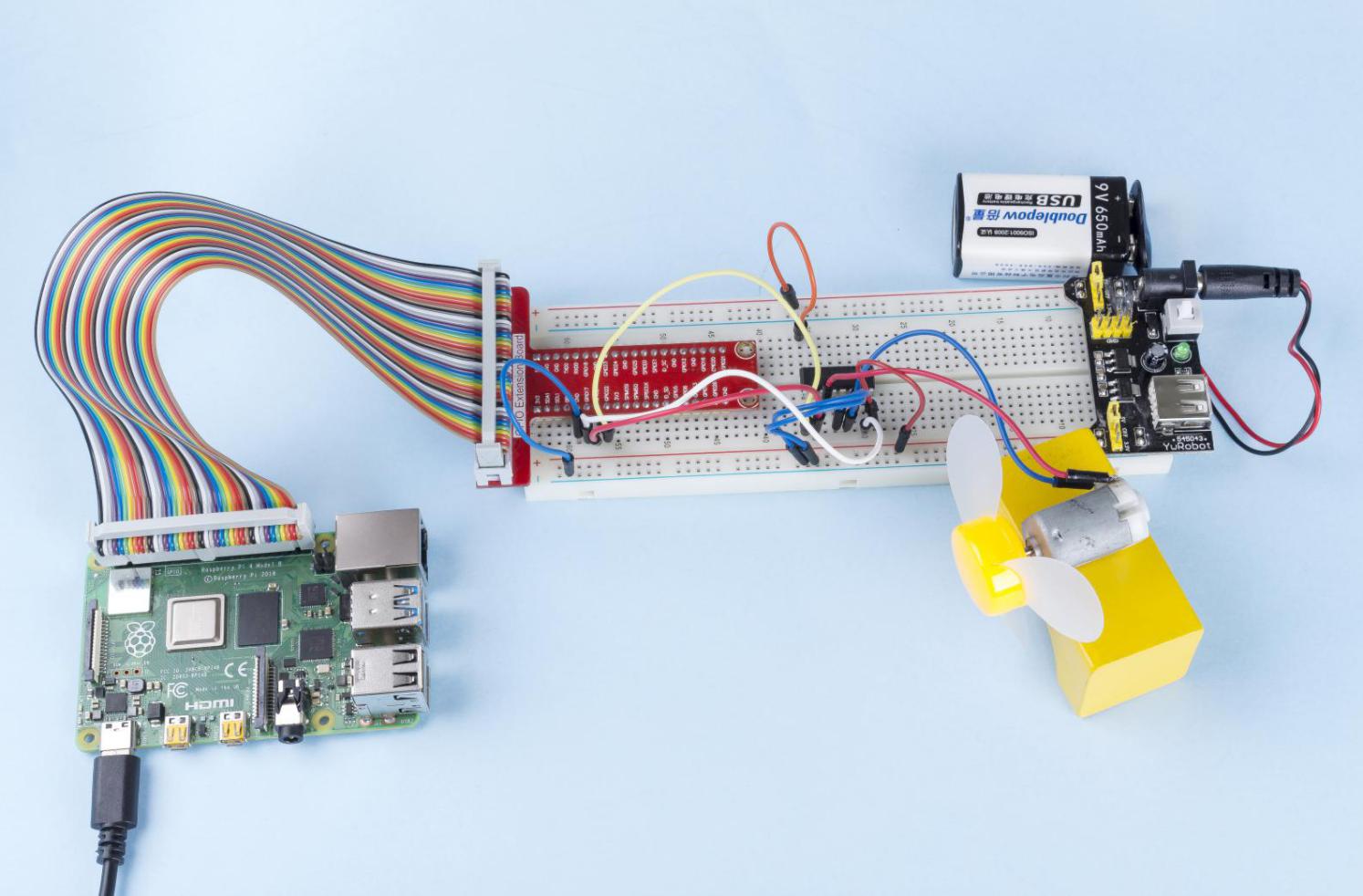
現象の画像