Note
Welcome to the SunFounder Raspberry Pi, Arduino & ESP32 Community on Facebook!
Get technical support and troubleshooting help.
Learn and share projects, tips, and tutorials.
Access early product previews and updates.
Enjoy exclusive discounts and giveaways.
👉 Join us here: [here]
Power Switch Convertor
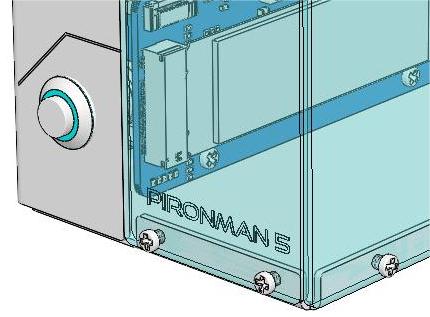
This is a module that expands the Raspberry Pi 5 power switch to the outside.

Adding the Power Button
The Raspberry Pi 5 features a J2 jumper, situated between the RTC battery connector and the board edge. This breakout enables the addition of a custom power button to the Raspberry Pi 5 by connecting a Normally Open (NO) momentary switch across the two pads. Briefly engaging this switch mimics the onboard power button’s functionality.

On the Pironman 5, there’s a Power Switch Converter that extends the J2 jumper to an external power button using two Pogo pins.

Now, the Raspberry Pi 5 can be powered on and off using the Power Button.
Power Cycling
Upon initially powering your Raspberry Pi 5, it will automatically turn on and boot into the operating system without the need to press the button.
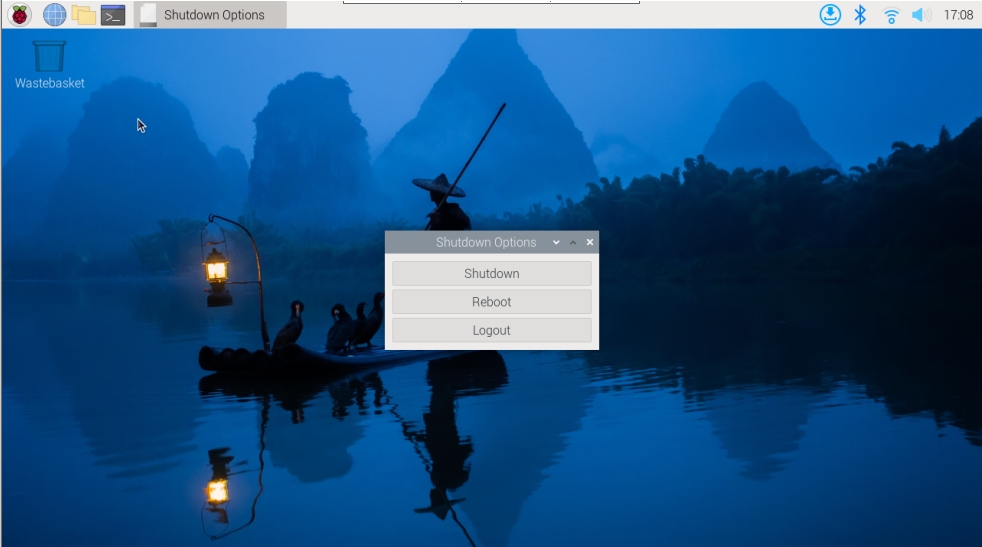
If running the Raspberry Pi Desktop, a brief press of the power button initiates a clean shutdown process. A menu will appear, offering options to shutdown, reboot, or logout. Selecting an option or pressing the power button again will start a clean shutdown.
Shutdown
If you run Raspberry Pi OS Desktop system, you can press the power button twice in quick succession to shutdown.
If you run Raspberry Pi OS Lite system without a desktop, press the power button a single time to initiate a shutdown.
To force a hard shutdown, press and hold the power button.
Power on
If the Raspberry Pi board is shut down, but still powered, single-press to power on from a shutdown state.
Note
If you are running a system that does not support a shutdown button, you can hold it for 5 seconds to force a hard shutdown, and single-press to power on from a shutdown state.