Note
Hello, welcome to the SunFounder Raspberry Pi & Arduino & ESP32 Enthusiasts Community on Facebook! Dive deeper into Raspberry Pi, Arduino, and ESP32 with fellow enthusiasts.
Why Join?
Expert Support: Solve post-sale issues and technical challenges with help from our community and team.
Learn & Share: Exchange tips and tutorials to enhance your skills.
Exclusive Previews: Get early access to new product announcements and sneak peeks.
Special Discounts: Enjoy exclusive discounts on our newest products.
Festive Promotions and Giveaways: Take part in giveaways and holiday promotions.
👉 Ready to explore and create with us? Click [here] and join today!
Emotional PiSloth
PiSloth is very emotional, sometimes happy, sometimes shy, sometimes confused.
TIPS
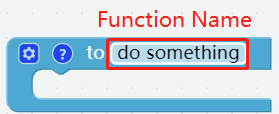
You may want to simplify the program with Functions, especially when you perform the same operation multiple times. Putting these operations into a newly declared function can greatly facilitate your use.
Click on the Functions category and select the appropriate function block, the function you created will also appear here.
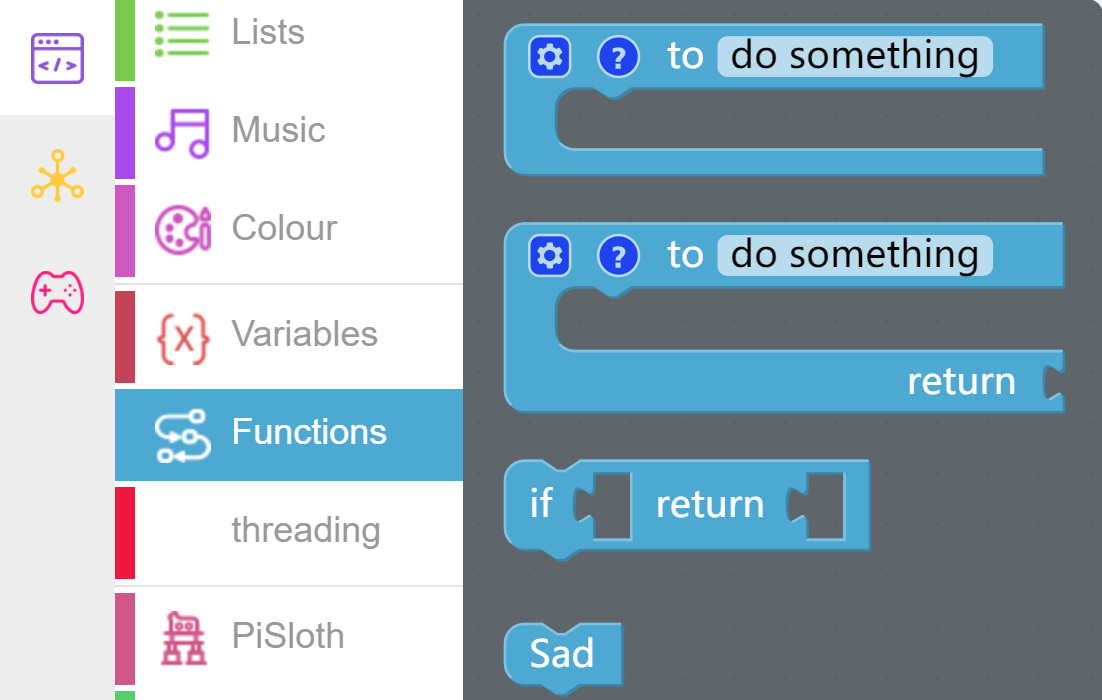
The Function block without output is used here.
EXAMPLE
Note
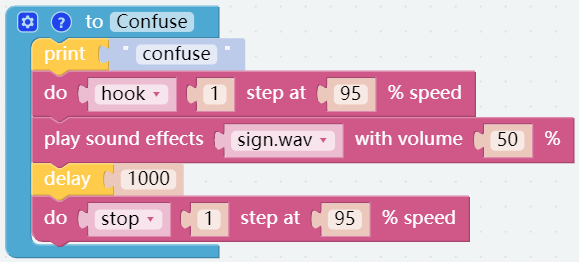
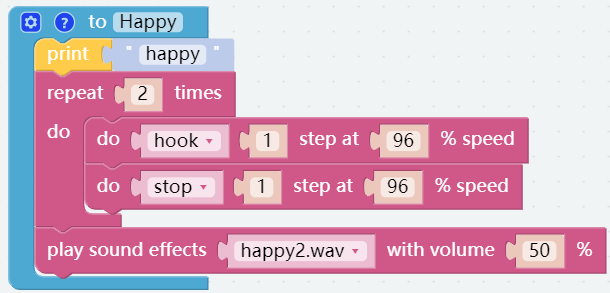
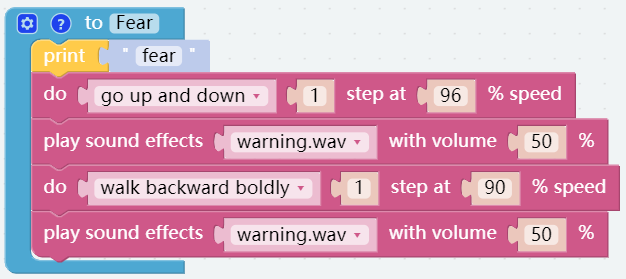
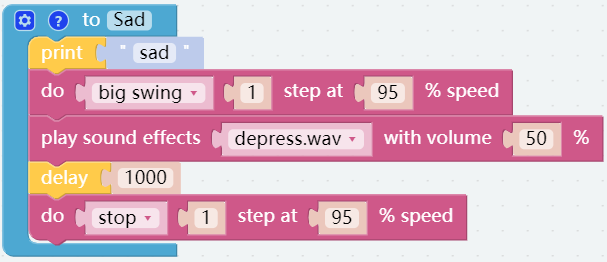
You can write the program according to the following picture, please refer to the tutorial: How to Create a New Project?
Or find the code with the same name on the Examples page of the EzBlock Studio and click Run or Edit directly.
Shy
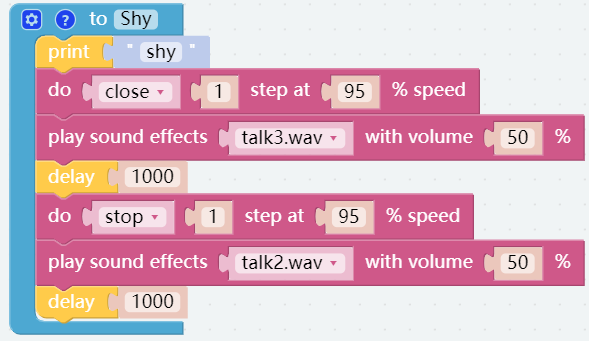
Confuse
Happy
Fear
Sad
Fall
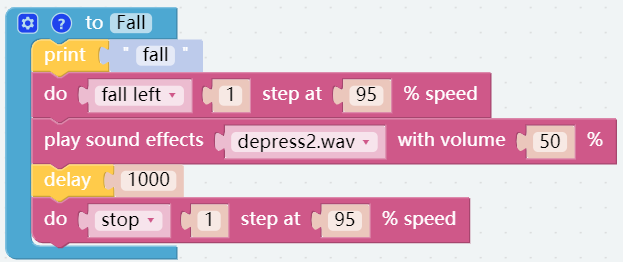
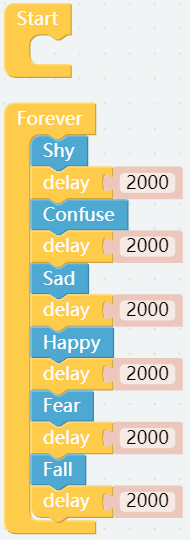
Call all custom functions in the Forever block.