Note
Hello, welcome to the SunFounder Raspberry Pi & Arduino & ESP32 Enthusiasts Community on Facebook! Dive deeper into Raspberry Pi, Arduino, and ESP32 with fellow enthusiasts.
Why Join?
Expert Support: Solve post-sale issues and technical challenges with help from our community and team.
Learn & Share: Exchange tips and tutorials to enhance your skills.
Exclusive Previews: Get early access to new product announcements and sneak peeks.
Special Discounts: Enjoy exclusive discounts on our newest products.
Festive Promotions and Giveaways: Take part in giveaways and holiday promotions.
👉 Ready to explore and create with us? Click [here] and join today!
Dance
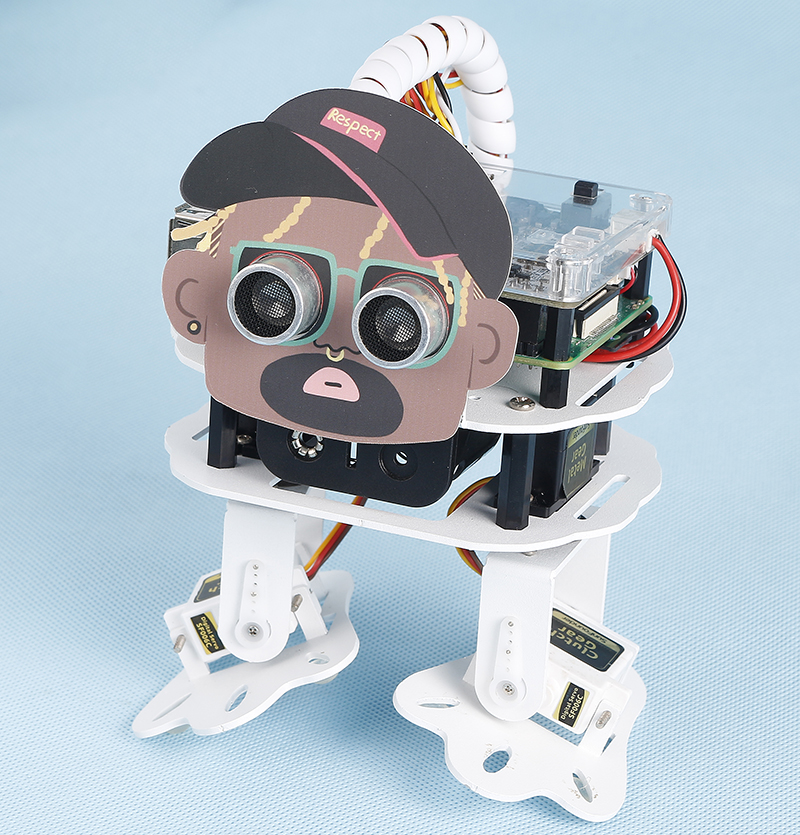
Now, PiSltoh will show you his newly learned dance.
Note
You can download and print the PDF Cartoon Mask for your PiSloth.
TIPS
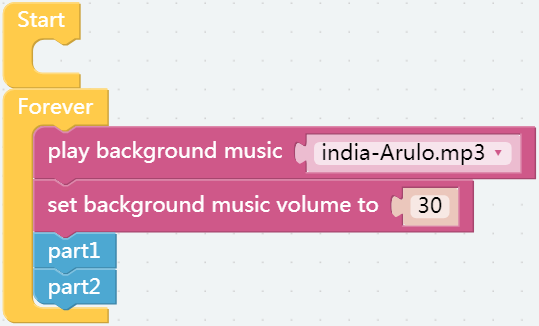
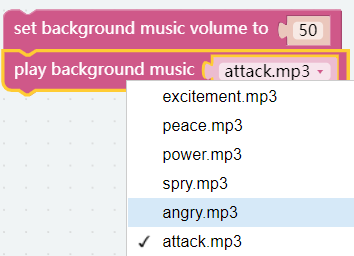
In addition to having PiSloth play sound effects and speak, it can also play set background music, and the volume of the background music can be adjusted (0%-100%).
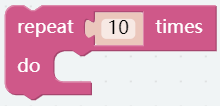
Repeat block can help you execute the same code multiple times to reduce code size.
EXAMPLE
Note
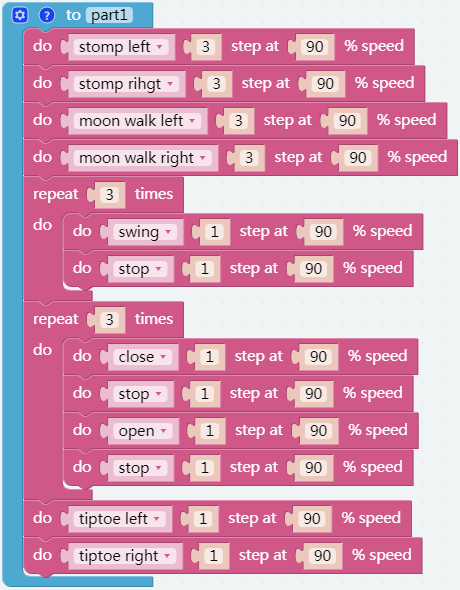
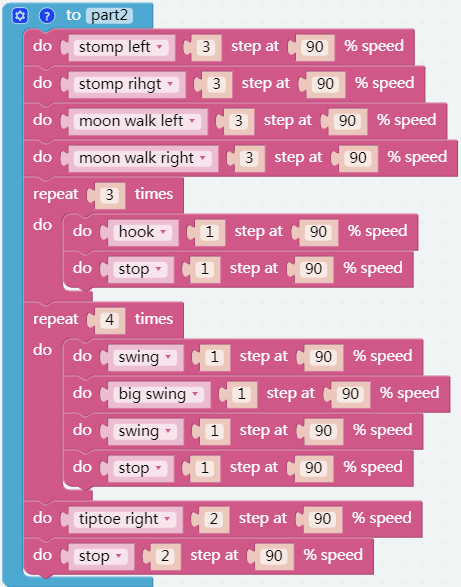
You can write the program according to the following picture, please refer to the tutorial: How to Create a New Project?
Or find the code with the same name on the Examples page of the EzBlock Studio and click Run or Edit directly.
The whole dance is divided into 2 parts, and PiSloth will finish these 2 parts with the music. If you don’t pause the code, it will repeat the dance.