Update PiPower5 Firmware Using Raspberry Pi
This guide explains how to update the firmware of PiPower5 on a Raspberry Pi.
1. Download pipower5_update_tools and install dependencies
git clone https://github.com/sunfounder/pipower5_update_tools.git --depth 1

sudo pip3 install blessed --break
sudo pip3 install smbus2 --break
2. Check for updates
cd pipower5_update_tools
git pull
3. Run the update tool
python3 run.py
4. Stop the service if prompted
When running pipower5_update_tools, you may be prompted to stop pipower5.service. Press Y to stop the service.

5. Select Update Firmware
Choose Update Firmware. The Raspberry Pi will send a command that switches PiPower5 into BOOT mode.

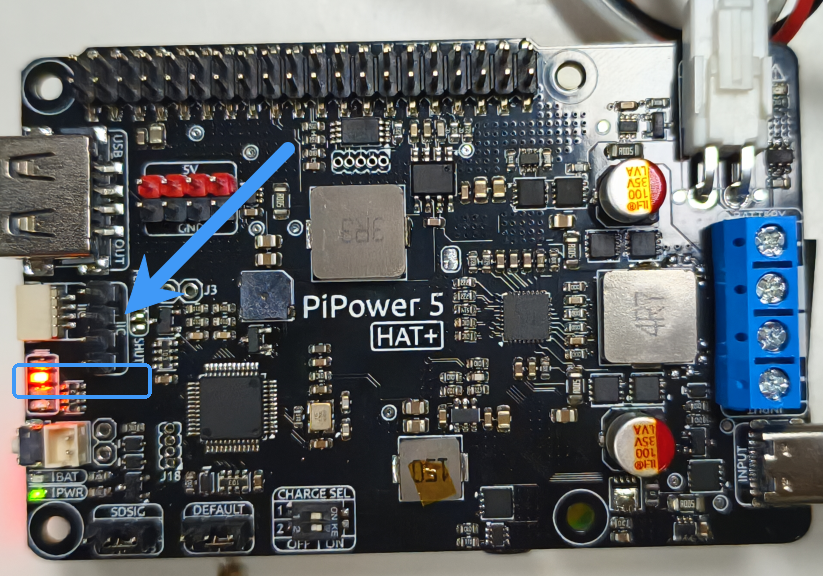
6. Verify BOOT mode
Once successfully in BOOT mode, the two middle LEDs on the PiPower5 will flash alternately, indicating BOOT mode is active.
7. Choose the firmware file
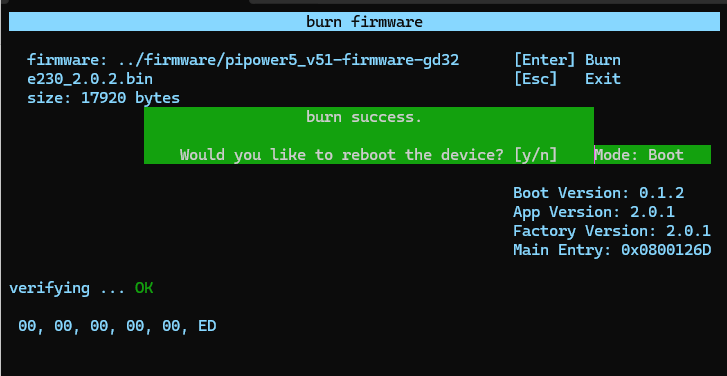
Select a firmware file in .bin format and press Enter to start writing.

8. Complete the update
After flashing is complete, select Restart. PiPower5 will reboot and start running the new firmware.
Restore Factory Firmware
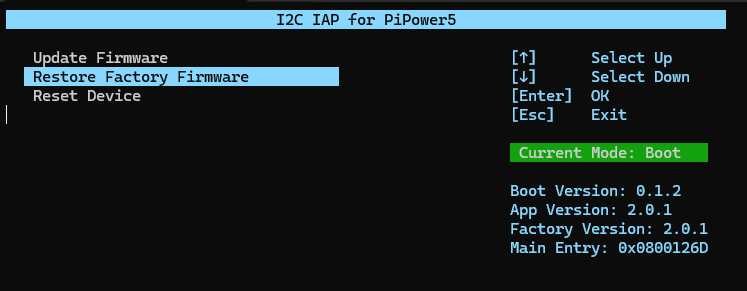
If you need to roll back to the factory firmware, use the Restore Factory Firmware option in pipower5_update_tools.
This will reload the firmware stored in the factory partition and revert to the original version.
Force BOOT Mode
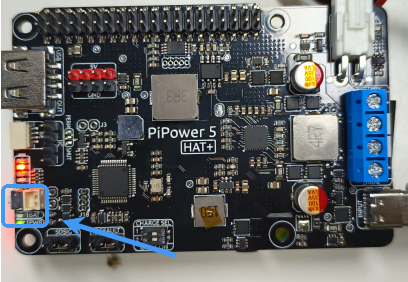
If you cannot enter BOOT mode normally, you can force it:
Power off PiPower5.
Short the Boot 1 pin.
Power on the device.
PiPower5 will start directly in BOOT mode.

To exit BOOT mode, press and hold the power button for two seconds. PiPower5 will then reboot into normal mode.
Troubleshooting
Here are some common issues you may encounter during the update process and their solutions:
Device not detected
Try rebooting both the Raspberry Pi and PiPower5, then re-run the update tool.
Failed to enter BOOT mode
Ensure that
pipower5.serviceis stopped before updating.If automatic BOOT mode fails, use the Force BOOT Mode method (shorting the Boot 1 pin).
Update process stuck or flashing failed
Double-check that the firmware file is in
.binformat.Re-run the update tool and try again.
Use a stable power supply to prevent interruptions during flashing.
Firmware update completed, but device not working properly
Restore the factory firmware using the built-in tool.
If the problem persists, verify that the firmware file matches your PiPower5 version.